Raw tables often contain the quantities needed for analysis but not the derived values a report or export requires. pandas can calculate those values as new DataFrame columns without iterating over rows.
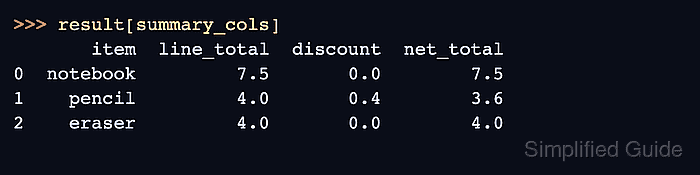
Bracket assignment writes one column at a time to the existing DataFrame. A scalar is broadcast to every row, while a Series or vectorized expression supplies one value per row; assigning a new label appends it to the column order.
Reusing an existing label replaces that column, and an assigned Series aligns by index label rather than row position. pandas 3 also rejects chained assignment for changes to a subset, so conditional updates must target the DataFrame in one statement.
Related: How to create a pandas DataFrame
Related: How to rename columns in pandas
Related: How to convert data types in pandas
Steps to create pandas DataFrame columns:
- Save the order data and DataFrame constructor in create_columns.py.
- create_columns.py
import pandas as pd

df = pd.DataFrame(
    {
        "item": ["notebook", "pencil", "eraser"],
        "qty": [3, 10, 5],
        "unit_price": [2.5, 0.4, 0.8],
    }
)
- Append the calculated line_total column beneath the DataFrame constructor.
df["line_total"] = df["qty"] * df["unit_price"]
- Append the scalar currency column beneath the calculated column.
df["currency"] = "USD"
pandas broadcasts the scalar string to every row.
- Append the boolean bulk_order column beneath the scalar column.
df["bulk_order"] = df["qty"].ge(10)
Series.ge() returns one boolean per row, so this assignment avoids row-by-row loops and chained updates.
Related: How to migrate pandas code for Copy-on-Write - Append the assertion and output section beneath the column assignments.
expected_columns = [
    "item",
    "qty",
    "unit_price",
    "line_total",
    "currency",
    "bulk_order",
]

assert df.columns.tolist() == expected_columns
assert df["line_total"].tolist() == [7.5, 4.0, 4.0]
assert df["currency"].eq("USD").all()
assert df["bulk_order"].tolist() == [False, True, False]
assert str(df["line_total"].dtype) == "float64"
assert str(df["bulk_order"].dtype) == "bool"

result_columns = ["item", "line_total", "currency", "bulk_order"]

print(df[result_columns].to_string(index=False))
print()
print("Dtypes:")
print(df[["line_total", "bulk_order"]].dtypes)
A wrong column order, value, or dtype raises AssertionError before the table is printed.
- Verify the calculated, scalar, and boolean columns with the completed create_columns.py script.
$ python3 create_columns.py
    item  line_total currency  bulk_order
notebook         7.5      USD       False
  pencil         4.0      USD        True
  eraser         4.0      USD       False

Dtypes:
line_total    float64
bulk_order       bool
dtype: object

Mohd Shakir Zakaria is a cloud architect with deep roots in software development and open-source advocacy. Certified in AWS, Red Hat, VMware, ITIL, and Linux, he specializes in designing and managing robust cloud and on-premises infrastructures.


