Ollama server status can mean the operating-system service state, the listening API endpoint, or the runtime model state. Checking all three surfaces prevents a stopped service, wrong port, or unloaded model from being mistaken for the same failure.
Use systemctl on Linux service installs and the API version endpoint on every platform. Use ollama ps only after a model request when runtime placement matters.
Check the exact host and port used by the client. A healthy local desktop server does not prove that a remote container can reach it.
Related: How to manage the Ollama service
Related: How to check the Ollama API server
Related: How to list running Ollama models
Steps to check Ollama server status:
- Check the Linux service state when systemd manages Ollama.
$ systemctl is-active ollama
active
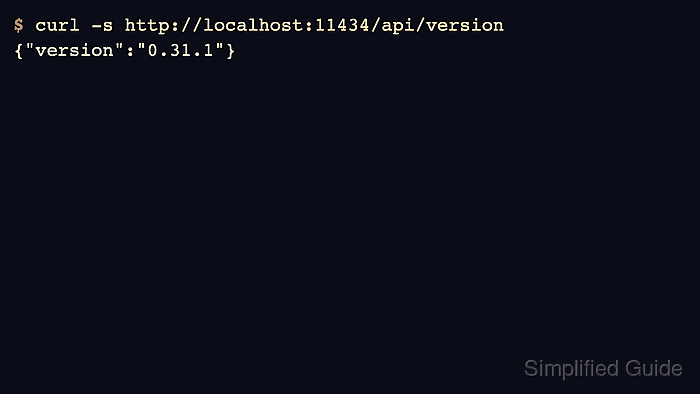
- Check the local API version.
$ curl -s http://localhost:11434/api/version
{"version":"0.31.1"}
- Check model inventory to confirm the expected server answered.
$ curl -s http://localhost:11434/api/tags
{"models":[{"name":"gpt-oss:20b"}]}
- Run a short request and inspect loaded models.
$ ollama run gpt-oss:20b "Return only OK."
OK
$ ollama ps
NAME           PROCESSOR    CONTEXT
gpt-oss:20b    100% GPU     131072
- Open logs when service and API checks disagree.
$ journalctl -e -u ollama
##### snipped #####
Related: How to view Ollama logs

Author: Mohd
Shakir Zakaria
Mohd Shakir Zakaria is a cloud architect with deep roots in software development and open-source advocacy. Certified in AWS, Red Hat, VMware, ITIL, and Linux, he specializes in designing and managing robust cloud and on-premises infrastructures.


Mohd Shakir Zakaria is a cloud architect with deep roots in software development and open-source advocacy. Certified in AWS, Red Hat, VMware, ITIL, and Linux, he specializes in designing and managing robust cloud and on-premises infrastructures.