Running a model in Ollama loads it into memory and sends a prompt through the local inference runtime. It is the simplest end-to-end check that the model is installed, the server can load it, and a response can be produced.
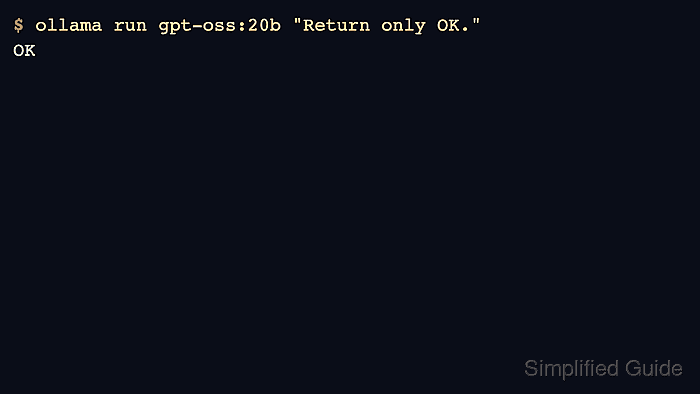
Use the exact model name from ollama list. A model can take time to load on the first request, and thinking-capable models may print a reasoning trace before the final answer.
Keep smoke-test prompts small. Once the model returns a known short answer, move longer prompts or application-specific tests into the relevant workflow.
Related: How to pull an Ollama model
Related: How to list running Ollama models
Related: How to stop a running Ollama model
Steps to run a model in Ollama:
- List installed models and choose the exact name.
$ ollama list
NAME           ID              SIZE     MODIFIED
gpt-oss:20b    17052f91a42e    13 GB    6 months ago
- Run the model with a short prompt.
$ ollama run gpt-oss:20b "Return only OK."
Thinking...
##### snipped #####
OK
- Run a one-shot prompt without entering an interactive session.
$ ollama run gpt-oss:20b "Summarize Ollama in five words." Local model runner and API. - Check that the model is loaded after the run.
$ ollama ps
NAME           ID              SIZE     PROCESSOR    CONTEXT    UNTIL
gpt-oss:20b    17052f91a42e    12 GB    100% GPU     131072     4 minutes from now
- Stop the loaded model when memory should be released.
$ ollama stop gpt-oss:20bRelated: How to stop a running Ollama model

Author: Mohd
Shakir Zakaria
Mohd Shakir Zakaria is a cloud architect with deep roots in software development and open-source advocacy. Certified in AWS, Red Hat, VMware, ITIL, and Linux, he specializes in designing and managing robust cloud and on-premises infrastructures.


Mohd Shakir Zakaria is a cloud architect with deep roots in software development and open-source advocacy. Certified in AWS, Red Hat, VMware, ITIL, and Linux, he specializes in designing and managing robust cloud and on-premises infrastructures.