The Ollama CLI can generate embeddings directly from a prompt or piped text when the selected model is built for embeddings. This is the fastest way to test vector output before wiring the same model into an API or database workflow.
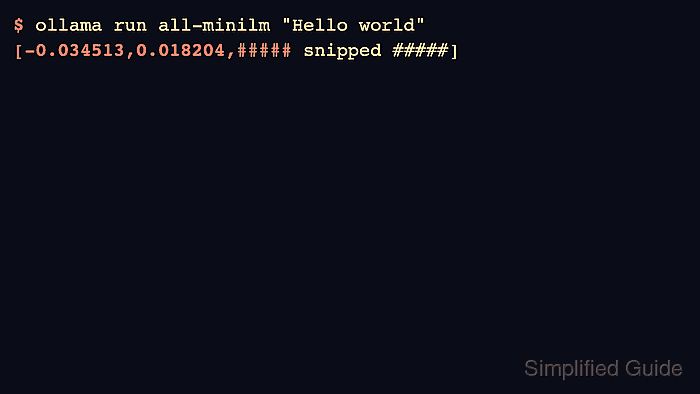
Embedding output is a JSON array rather than prose. The vector length depends on the model, so the same model should be used for both indexing documents and embedding search queries.
The local campaign validated embeddings with all-minilm:latest after it appeared in the model store during worker validation. Replace it with embeddinggemma or another current embedding model when that is the standard for the project.
Related: How to generate embeddings with the Ollama API
Related: How to pull an Ollama model
Related: How to list Ollama models
Steps to generate embeddings with Ollama:
- Pull an embedding model.
$ ollama pull all-minilm
success
- Generate an embedding from a short string.
$ ollama run all-minilm "Hello world"
[-0.034513,0.018204,0.012447,##### snipped #####]
Embedding vectors are long; trim only the displayed sample, not the real application value.
- Pipe text into the embedding model when the input comes from another command.
$ printf '%s\n' 'The quick brown fox jumps over the lazy dog.' | ollama run all-minilm
[-0.012401,0.041902,##### snipped #####]
- Use the API endpoint when the caller is an application.
$ curl -s http://localhost:11434/api/embed -d '{"model":"all-minilm:latest","input":"Hello world"}'
{"model":"all-minilm:latest","embeddings":[[##### snipped #####]]}
- Confirm the model remains installed for later indexing jobs.
$ ollama list
NAME                 ID              SIZE     MODIFIED
all-minilm:latest    1b226e2802db    25 MB    just now

Mohd Shakir Zakaria is a cloud architect with deep roots in software development and open-source advocacy. Certified in AWS, Red Hat, VMware, ITIL, and Linux, he specializes in designing and managing robust cloud and on-premises infrastructures.


