An application can send several documents in one HTTP request when preparing a search index. The Ollama API turns each text into an embedding vector that can be retained alongside its document.
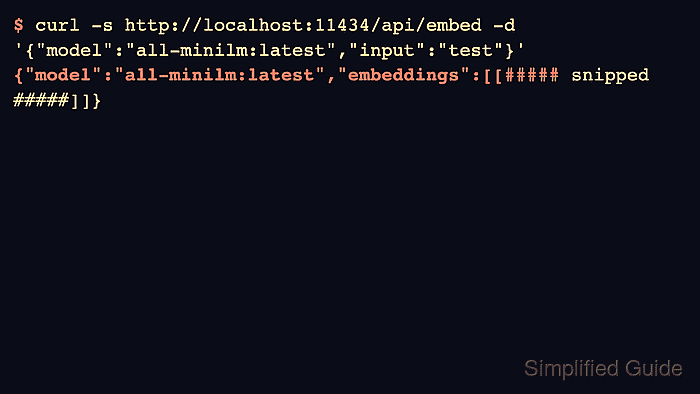
The api/embed endpoint accepts a string or an array of strings. Its response contains an embeddings array even for a single input, so applications read vectors from a JSON object rather than from a bare numeric array.
A running local Ollama server, an installed embedding model, a POSIX shell, curl, and Python 3 are required. The all-minilm:latest model produces 384-dimensional vectors; indexing documents and searching them require the same embedding model to keep the vectors compatible.
Steps to generate embeddings with the Ollama API:
- Inspect the installed all-minilm:latest model's embedding capability.
$ ollama show all-minilm:latest
  Model
    architecture        bert
    parameters          23M
    context length      512
    embedding length    384
    quantization        F16

  Capabilities
    embedding
##### snipped #####
The embedding capability identifies a model that can generate vectors. If the model is missing, it must be downloaded before a request can use it. A connection error means the server is unavailable.
Related: How to pull an Ollama model
Related: How to start the Ollama server - Request an embedding for the library's closing time into embedding-single.json.
The response replaces an existing embedding-single.json in the current directory.
$ curl --fail-with-body --silent --show-error http://127.0.0.1:11434/api/embed \
  -H 'Content-Type: application/json' \
  --output embedding-single.json \
  -d '{
    "model": "all-minilm:latest",
    "input": "The library closes at six."
  }'
The complete response is saved without printing the vector. An HTTP error makes curl exit unsuccessfully and leaves the error body in the response file.
- Submit both documents together into embedding-batch.json.
The response replaces an existing embedding-batch.json in the current directory.
$ curl --fail-with-body --silent --show-error http://127.0.0.1:11434/api/embed \
  -H 'Content-Type: application/json' \
  --output embedding-batch.json \
  -d '{
    "model": "all-minilm:latest",
    "input": ["The library closes at six.", "The museum opens at nine."]
  }'
Each input receives its own vector in embeddings. A batch response should contain two vectors for these two documents.
- Save the response checks as check_embeddings.py.
- check_embeddings.py
import json
import math

for filename, expected in [("embedding-single.json", 1), ("embedding-batch.json", 2)]:
    with open(filename) as source:
        response = json.load(source)
    assert response["model"] == "all-minilm:latest", response
    vectors = response["embeddings"]
    assert isinstance(vectors, list) and len(vectors) == expected
    for vector in vectors:
        assert isinstance(vector, list) and len(vector) == 384
        assert all(type(value) in (int, float) and math.isfinite(value) for value in vector)
    print(f"{filename}: {len(vectors)} x {len(vectors[0])}")
print("All values finite: True")
The checks parse the actual saved responses. Invalid JSON, a missing field, an unexpected vector count or width, or a nonnumeric or nonfinite value causes a failure.
- Validate the single and batched API responses.
$ python3 check_embeddings.py
embedding-single.json: 1 x 384
embedding-batch.json: 2 x 384
All values finite: True
The complete vectors remain in the two JSON files for the application to load. The vector width is specific to all-minilm:latest; another embedding model can have a different width.