An application need not wait for a model to finish before showing its answer. Ollama API streaming delivers generated text as newline-delimited JSON (NDJSON), allowing a client to display fragments as they arrive.
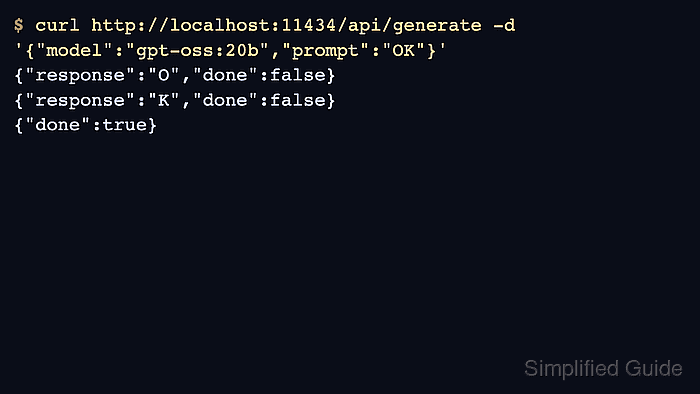
A closed connection alone does not mean generation finished. The final JSON object carries done: true and completion metadata; a dropped connection or an error object can leave readable text that is still incomplete.
A local Ollama server with an installed text model is required, together with a POSIX shell, curl, and Python 3. Native local requests need no API key or SDK.
Steps to stream Ollama API responses:
- Confirm that qwen2.5:0.5b is installed on the local Ollama server.
$ ollama list
NAME                    ID              SIZE      MODIFIED
granite3.2-vision:2b    3be41a661804    2.4 GB    3 hours ago
all-minilm:latest       1b226e2802db    45 MB     4 hours ago
qwen3:0.6b              7df6b6e09427    522 MB    4 hours ago
qwen2.5:0.5b            a8b0c5157701    397 MB    4 hours ago
The model must appear in the list before generation. A connection error means the server is unavailable.
Related: How to start the Ollama server
Related: How to pull an Ollama model - Save the generation request as stream-request.json.
- stream-request.json
{
  "model": "qwen2.5:0.5b",
  "prompt": "What is 17 plus 25? Answer in one short sentence.",
  "stream": true,
  "options": {"temperature": 0}
}
stream: true explicitly requests NDJSON, which is also the default for generation. A temperature of zero reduces variation in the answer. Disabling streaming returns a single JSON object instead.
Related: How to generate text with the Ollama API - Initialize read_stream.py with storage for the incoming response.
$ cat > read_stream.py <<'PY'
import json
import sys

parts = []
count = 0
last = {}
PY
- Append the line decoder to read_stream.py.
$ cat >> read_stream.py <<'PY'
for line in sys.stdin:
    if not line.strip():
        continue
    if last.get("done") is True:
        raise SystemExit("Unexpected data after completion")
    chunk = json.loads(line)
    if "error" in chunk:
        raise SystemExit(chunk["error"])
    text = chunk.get("response", "")
    parts.append(text)
    print(text, end="", flush=True)
    count += 1
    last = chunk
PY
Each newline completes one JSON object, regardless of how the network splits its bytes. The decoder prints each text fragment immediately and retains the last object. A mid-stream error can arrive after an HTTP success status. For a chat stream, the text lookup is
text = chunk.get("message", {}).get("content", "")
- Add completion checks at the end of read_stream.py.
$ cat >> read_stream.py <<'PY'
print()
if last.get("done") is not True:
    raise SystemExit("Incomplete stream: no final done record")
if last.get("done_reason") != "stop":
    raise SystemExit(f"Generation ended with {last.get('done_reason')!r}")
if not "".join(parts).strip():
    raise SystemExit("Stream completed without text")
print(f"Chunks: {count}; done: {last['done']}; reason: {last['done_reason']}")
PY
The parser rejects a missing completion record, an empty answer, or a generation stopped by an output limit. Text printed before an error remains partial output; a successful exit requires a completed answer.
- Stream the generated answer through the parser into the terminal.
$ curl --fail-with-body --silent --show-error --no-buffer \
  http://127.0.0.1:11434/api/generate \
  -H 'Content-Type: application/json' \
  --data-binary @stream-request.json \
  | tee stream.ndjson | python3 read_stream.py
17 plus 25 equals 42.
Chunks: 12; done: True; reason: stop
–no-buffer prevents curl from batching its output. The terminal displays the assembled answer, while stream.ndjson retains the original JSON records, including the final completion object. The chunk count includes that final object; fragment boundaries and wording vary between runs.
Tool: JSON Validator