An Ubuntu host cannot serve NFS exports until the server package, kernel daemon, and systemd unit are present. Installing the packaged server path gives the host rpc.nfsd, exportfs, /etc/exports, and the service unit that later exports use when clients mount shared directories.
Current Ubuntu Server releases install the server through the distribution nfs-kernel-server package. The package also pulls in the common client utilities and rpcbind support, but it does not decide which directory to share, which clients may mount it, or which NFS protocol versions and security modes should be allowed.
The base install is complete when APT reports nfs-kernel-server installed, rpc.nfsd and exportfs are available, and systemd can start nfs-server.service on the host. On current packages, nfs-kernel-server.service is an alias for nfs-server.service; exports, firewall rules, Kerberos, and NFSv4-only policy remain separate follow-up tasks.
Steps to install an NFS server on Ubuntu:
- Open a terminal with sudo privileges on the Ubuntu server.
- Refresh the package index.
$ sudo apt update
- Install the NFS server package.
$ sudo apt install --assume-yes nfs-kernel-server
Reading package lists...
Building dependency tree...
Reading state information...
Solving dependencies...
Installing:
  nfs-kernel-server
Installing dependencies:
  nfs-common
  rpcbind
##### snipped #####
Setting up nfs-kernel-server (1:2.8.5-1ubuntu1) ...
The nfs-kernel-server package installs the server-side pieces. Client-only hosts use nfs-common instead.
Related: Install an NFS client on Ubuntu
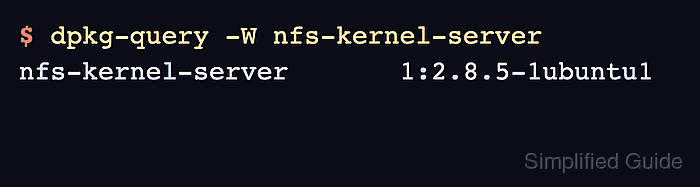
- Confirm the package is installed.
$ dpkg-query -W nfs-kernel-server
nfs-kernel-server	1:2.8.5-1ubuntu1
The exact version can differ between Ubuntu releases and update pockets.
- Confirm the kernel server daemon is available.
$ command -v rpc.nfsd
/usr/sbin/rpc.nfsd
rpc.nfsd serves client requests through the Linux kernel NFS server. Minimal containers can prove the file exists, but a real systemd host is needed to start the service.
- Enable the NFS server at boot and start it now.
$ sudo systemctl enable --now nfs-server
Ubuntu also accepts nfs-kernel-server.service because it points to nfs-server.service on current packages.
Related: Manage Linux services with systemctl
- Confirm the NFS server unit is active.
$ sudo systemctl is-active nfs-server
active
If this command does not return active, inspect sudo journalctl -u nfs-server before adding exports or opening firewall rules.
Related: Check NFS server status
- Confirm the export management command is available.
$ command -v exportfs
/usr/sbin/exportfs
- Check the active export table before adding shares.
$ sudo exportfs -v
No output is expected on a newly installed server with no entries in /etc/exports. After adding an export, this command should show the path, client selector, and active options. Open the firewall only after choosing the export and protocol policy; NFSv4-only servers usually need TCP port 2049, while NFSv3 also needs auxiliary RPC services.
Related: Create an NFS export
Related: List NFS exports from the server
Related: Allow NFS through UFW
Related: Configure an NFSv4-only server

Mohd Shakir Zakaria is a cloud architect with deep roots in software development and open-source advocacy. Certified in AWS, Red Hat, VMware, ITIL, and Linux, he specializes in designing and managing robust cloud and on-premises infrastructures.


