NFSv4 servers can serve exports through TCP port 2049 without the older mount and lock RPC services that NFSv3 needs. Moving a Red Hat-family server to an NFSv4-only policy reduces exposed listeners and makes client testing match the protocol version the server is meant to support.
Current RHEL-family nfs-utils packages read server protocol policy from /etc/nfs.conf. The nfsconf helper can write and inspect that file, while systemd controls the legacy rpcbind and rpc.statd services plus the nfs-mountd service that still helps the kernel NFS server evaluate export access.
Use this change on a server that already has working exports and NFSv4-capable clients. Old NFSv3 mounts, showmount-based checks, and firewall allowances for rpc-bind or mountd should stop being treated as success paths after the cutover.
Steps to configure an NFSv4-only server:
- Confirm that the running server still exposes NFSv3 before changing the policy.
$ cat /proc/fs/nfsd/versions
+3 +4 +4.1 +4.2
A plus sign before 3 means the kernel NFS server currently accepts NFSv3 clients.
- Confirm that no remaining clients require NFSv3.
Schedule a maintenance window or notify users before changing protocol support on a shared file server. Existing NFSv3 mounts can fail after the service restart.
- Disable NFSv3 in /etc/nfs.conf.
$ sudo nfsconf --set nfsd vers3 n
Leave the NFSv4 minor-version keys unset unless policy requires one specific minor version. If a single minor version is required, set vers4.0, vers4.1, and vers4.2 individually instead of mixing them with vers4.
- Verify the saved NFSv3 policy.
$ sudo nfsconf --get nfsd vers3
n
- Mask the services used by NFSv3 locking and RPC discovery.
$ sudo systemctl mask --now rpc-statd.service rpcbind.service rpcbind.socket
Do not mask these units on a host that still serves NFSv3 clients or another RPC service that depends on rpcbind.
- Create the systemd drop-in directory for nfs-mountd.
$ sudo mkdir -p /etc/systemd/system/nfs-mountd.service.d
- Open the nfs-mountd drop-in file.
$ sudoedit /etc/systemd/system/nfs-mountd.service.d/v4only.conf
- Add the rpc.mountd override.
[Service]
ExecStart=
ExecStart=/usr/sbin/rpc.mountd --no-tcp --no-udp
NFSv4 clients do not use the old mount protocol to discover exports. This override keeps rpc.mountd available for kernel export checks while removing its TCP and UDP mount-protocol listeners.
- Reload the systemd manager configuration.
$ sudo systemctl daemon-reload
- Restart nfs-mountd.
$ sudo systemctl restart nfs-mountd
- Restart nfs-server.
$ sudo systemctl restart nfs-server
- Allow the nfs service in firewalld if the server uses zones.
$ sudo firewall-cmd --permanent --add-service=nfs
success
Remove previously opened rpc-bind and mountd services after confirming no NFSv3 clients remain.
- Reload firewalld to apply permanent rules.
$ sudo firewall-cmd --reload
success
- Verify that the running server reports NFSv3 disabled.
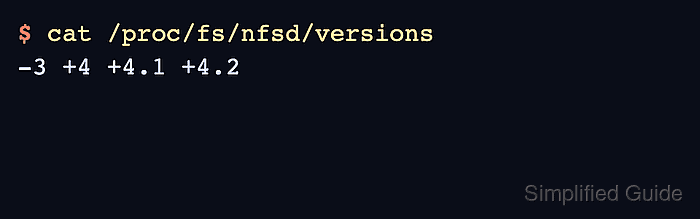
$ cat /proc/fs/nfsd/versions
-3 +4 +4.1 +4.2
The minus sign before 3 is the server-side proof that NFSv3 is disabled. The plus signs before the NFSv4 entries show the enabled v4 protocol versions.
- Confirm that an NFSv3 client mount is rejected.
$ sudo mount -o vers=3 files.example.net:/srv/nfs/projects /mnt/projects
mount.nfs: requested NFS version or transport protocol is not supported
- Mount the same export with NFSv4.
$ sudo mount -o vers=4 files.example.net:/srv/nfs/projects /mnt/projects
If the server uses an NFSv4 pseudo-root, mount the path exposed to clients rather than assuming the server's internal filesystem path.
- Verify that the client mount uses NFSv4.
$ findmnt /mnt/projects
TARGET        SOURCE                                FSTYPE OPTIONS
/mnt/projects files.example.net:/srv/nfs/projects  nfs4   rw,relatime,vers=4.2,rsize=1048576,wsize=1048576
A failed showmount -e check is expected on a strict NFSv4 server because showmount depends on the old mount protocol path.
- Unmount the client test mount if it was only used for validation.
$ sudo umount /mnt/projects

Mohd Shakir Zakaria is a cloud architect with deep roots in software development and open-source advocacy. Certified in AWS, Red Hat, VMware, ITIL, and Linux, he specializes in designing and managing robust cloud and on-premises infrastructures.


