Most Nagios Core servers are easier to maintain from distribution packages, but a source build is still useful when the monitoring host needs the current upstream release or the upstream /usr/local/nagios layout. The source installer compiles the daemon and CGI programs from a Nagios release tarball, then installs the sample configuration, web files, command directory, and startup integration.
This build path targets an Ubuntu or Debian family server with Apache as the web front end. It follows the upstream source targets and uses /etc/apache2/sites-enabled for the generated Apache configuration so the /nagios/ URL is available through the normal enabled-site path.
Nagios Plugins are separate from Nagios Core. A source-built Core install can pass the pre-flight check and load the web interface before plugins are installed, but the sample local checks need plugin commands under the path used by the command definitions before they can produce real monitoring results.
Related: How to install Nagios Core on Ubuntu
Related: How to install Nagios Core on Debian
Related: How to install Nagios plugins
Related: How to upgrade Nagios Core
Steps to build Nagios Core from source:
- Open a terminal with sudo privileges on the monitoring server.
- Refresh the package index.
$ sudo apt update
- Install the build and web prerequisites.
$ sudo apt install --assume-yes autoconf gcc libc6 make wget unzip apache2 php libapache2-mod-php libgd-dev openssl libssl-dev apache2-utils curl ca-certificates
The build uses GCC, make, GD headers, OpenSSL headers, Apache, PHP, htpasswd, and curl for the final HTTP check.
- Download the Nagios Core release tarball.
$ wget --output-document=/tmp/nagioscore.tar.gz https://github.com/NagiosEnterprises/nagioscore/releases/download/nagios-4.5.13/nagios-4.5.13.tar.gz
Use the same release number in the download URL and extracted directory. Check the upstream release page before changing the version.
- Extract the release tarball.
$ tar --extract --gzip --file /tmp/nagioscore.tar.gz --directory /tmp
- Enter the extracted source directory.
$ cd /tmp/nagios-4.5.13
- Configure the build for Apache's enabled site directory.
$ ./configure --with-httpd-conf=/etc/apache2/sites-enabled
- Compile Nagios Core.
$ make all
- Create the nagios user and group.
$ sudo make install-groups-users
- Add the Apache runtime user to the nagios group.
$ sudo usermod --append --groups nagios www-data
On Ubuntu and Debian, Apache normally runs as www-data. Use the web server user from the target host if it differs.
- Install the Nagios Core binaries, CGI files, and web files.
$ sudo make install
- Install the startup integration.
$ sudo make install-daemoninit
Full systemd hosts receive the service integration used by nagios.service. Minimal containers may need a direct daemon start or an init script instead of systemctl.
- Install the external command directory permissions.
$ sudo make install-commandmode
- Install the sample Nagios Core configuration.
$ sudo make install-config
- Install the Apache web configuration.
$ sudo make install-webconf
- Enable Apache rewrite support.
$ sudo a2enmod rewrite
- Enable Apache CGI support.
$ sudo a2enmod cgi
- Create the initial Nagios web login.
$ sudo htpasswd -c /usr/local/nagios/etc/htpasswd.users nagiosadmin
Use -c only for the first web user file. Running the command with -c again replaces existing Nagios web users.
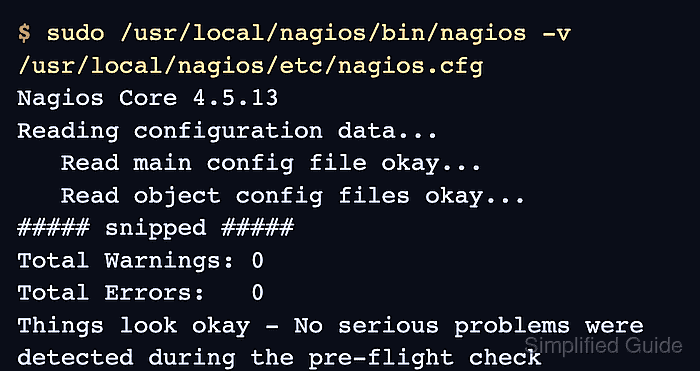
- Validate the installed Nagios Core configuration.
$ sudo /usr/local/nagios/bin/nagios -v /usr/local/nagios/etc/nagios.cfg

Nagios Core 4.5.13
##### snipped #####
Reading configuration data...
   Read main config file okay...
   Read object config files okay...
##### snipped #####
Total Warnings: 0
Total Errors:   0

Things look okay - No serious problems were detected during the pre-flight check
- Test the Apache configuration.
$ sudo apache2ctl configtest
AH00558: apache2: Could not reliably determine the server's fully qualified domain name, using 192.0.2.10. Set the 'ServerName' directive globally to suppress this message
Syntax OK
The AH00558 line is a hostname warning, not an install failure. Syntax OK confirms Apache can parse the generated Nagios web configuration.
- Restart Apache.
$ sudo systemctl restart apache2.service
- Enable and start Nagios Core.
$ sudo systemctl enable --now nagios.service
On non-systemd hosts, use the startup method installed by make install-daemoninit, such as sudo /etc/init.d/nagios start.
Related: How to manage the Nagios Core system service - Confirm Nagios Core is active.
$ systemctl is-active nagios.service
active
Use sudo /usr/local/nagios/bin/nagios -d /usr/local/nagios/etc/nagios.cfg only for supervised or container test environments that do not run systemd.
- If UFW protects the server, allow inbound web access.
$ sudo ufw allow Apache
Do not expose the Nagios web interface to untrusted networks before reviewing CGI authentication, authorization, and HTTPS.
- Confirm the Nagios web interface returns a successful HTTP response.
$ curl --head --user nagiosadmin http://monitor.example.net/nagios/
Enter host password for user 'nagiosadmin':
HTTP/1.1 200 OK
Date: Mon, 22 Jun 2026 00:53:30 GMT
Server: Apache/2.4.66 (Ubuntu)
Content-Type: text/html; charset=UTF-8
Replace monitor.example.net with the monitoring server's DNS name or IP address. Source installs that follow the upstream web configuration use /nagios/ instead of the packaged /nagios4/ path.
- Open the web interface in a browser.
http://monitor.example.net/nagios/
Log in as nagiosadmin with the password created by htpasswd. Open the Tactical Overview or Hosts page before adding remote hosts.
- Install Nagios Plugins before relying on the sample service checks.
Source-built Nagios Core commonly expects plugins under /usr/local/nagios/libexec unless command definitions are changed.
Related: How to install Nagios plugins
Related: How to run a Nagios plugin manually

Mohd Shakir Zakaria is a cloud architect with deep roots in software development and open-source advocacy. Certified in AWS, Red Hat, VMware, ITIL, and Linux, he specializes in designing and managing robust cloud and on-premises infrastructures.


