A Debian monitoring host can run Nagios Core from the distribution packages before any remote hosts or service checks are added. The package route keeps the daemon, CGI web interface, plugin commands, log rotation, and systemd unit files aligned with Debian security updates.
Debian delivers the main server through the nagios4 metapackage, with the daemon in nagios4-core, the CGI web interface in nagios4-cgi, and the standard check commands in monitoring-plugins. The packaged layout uses /etc/nagios4 for the main configuration, /usr/lib/nagios/plugins for plugin executables, nagios4.service for systemd, and /nagios4/ as the Apache web path.
The Debian Apache configuration references digest users from /etc/nagios4/htdigest.users and may also allow local or private network access by default. Create the first nagiosadmin login before using command CGI actions or tightening access to authenticated users only. A completed install should pass the Apache and Nagios checks, show Apache and Nagios Core active, and load the packaged web interface from the server hostname or IP address.
Steps to install Nagios Core on Debian:
- Open a terminal with sudo privileges on the Debian server.
- Refresh the package index.
$ sudo apt update
- Install the Debian Nagios packages.
$ sudo apt install --assume-yes nagios4 monitoring-plugins apache2
nagios4 pulls in nagios4-core and nagios4-cgi. monitoring-plugins installs the standard local check commands under /usr/lib/nagios/plugins, and apache2 provides the web server for the Debian web interface.
Related: How to install Nagios plugins
- Confirm the installed package set.
$ dpkg-query -W nagios4 nagios4-core nagios4-cgi monitoring-plugins apache2
apache2	2.4.67-1~deb13u3
monitoring-plugins	2.4.0-3+deb13u1
nagios4	4.4.6-4.1+deb13u1
nagios4-cgi	4.4.6-4.1+deb13u1
nagios4-core	4.4.6-4.1+deb13u1
Package versions vary by Debian release and security update level. The important result is that the server, CGI interface, plugins, and Apache packages are installed together.
- Create the initial Nagios digest login.
$ sudo htdigest -c /etc/nagios4/htdigest.users Nagios4 nagiosadmin
Adding password for nagiosadmin in realm Nagios4.
New password:
Re-type new password:
Use -c only for the first account or when deliberately rebuilding the digest file. Running it again replaces existing Nagios web logins in /etc/nagios4/htdigest.users.
Debian's packaged /etc/nagios4/apache2.conf can allow local or private networks while digest authentication is configured. Review that file before exposing the interface beyond trusted networks.
Related: How to configure Nagios Core CGI authorization - Check the Apache configuration.
$ sudo apache2ctl configtest
AH00558: apache2: Could not reliably determine the server's fully qualified domain name, using 127.0.1.1. Set the 'ServerName' directive globally to suppress this message
Syntax OK
The hostname warning is common on a new Debian server. Syntax OK is the pass condition for this step.
- Validate the packaged Nagios configuration.
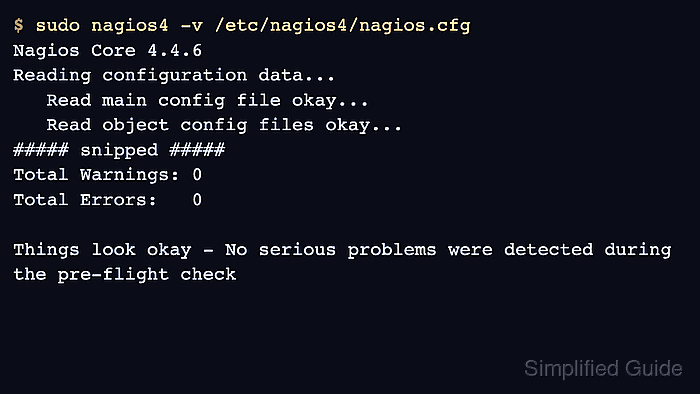
$ sudo nagios4 -v /etc/nagios4/nagios.cfg
Nagios Core 4.4.6
Reading configuration data...
   Read main config file okay...
   Read object config files okay...
##### snipped #####

Total Warnings: 0
Total Errors:   0

Things look okay - No serious problems were detected during the pre-flight check
- Enable and start Apache and Nagios Core.
$ sudo systemctl enable --now apache2 nagios4
- Confirm both services are active.
$ sudo systemctl is-active apache2 nagios4
active
active
The first line is Apache, and the second line is Nagios Core because the units were requested in that order.
Related: How to manage the Nagios Core system service - Check the local web route.
$ curl --head http://127.0.0.1/nagios4/
HTTP/1.1 200 OK
##### snipped #####
Content-Type: text/html; charset=UTF-8
A 200 OK response confirms Apache is serving the Debian Nagios web path.
- Open the Nagios web interface from a browser.
http://monitor.example.net/nagios4/
Log in as nagiosadmin with the password set by htdigest. Replace the hostname with the server DNS name or IP address, and allow port 80 or the HTTPS port through the active firewall when browsing from another host.
Related: How to troubleshoot Nagios Core web interface access - Confirm the local host appears in the status view.
Open Current Status → Hosts and check that localhost is listed after the daemon has processed the packaged sample objects.

Mohd Shakir Zakaria is a cloud architect with deep roots in software development and open-source advocacy. Certified in AWS, Red Hat, VMware, ITIL, and Linux, he specializes in designing and managing robust cloud and on-premises infrastructures.


