Correlating LGTM telemetry in Grafana lets an operator move from a metric spike or log entry to the trace that handled the same request. The connection depends on shared fields, usually a trace ID and service name, appearing consistently in Loki logs and Tempo traces.
Tempo controls trace-to-log navigation from a span, while Loki controls log-to-trace navigation from a log line. Both data sources need matching settings, and the application or collector pipeline needs to place the same identifier in the records that reach each backend.
Keep high-cardinality values such as trace IDs out of Loki labels. Store them in the log message or structured metadata, then use a derived field or trace-to-logs query to link records without creating one stream per request.
Steps to correlate LGTM telemetry in Grafana:
- Confirm the Tempo and Loki data sources use stable UIDs.
$ GRAFANA_URL=http://127.0.0.1:3000 $ curl --silent \ --user admin:admin \ "$GRAFANA_URL/api/datasources" [ { "uid": "tempo", "name": "Tempo", "type": "tempo" }, { "uid": "loki", "name": "Loki", "type": "loki" } ] - Configure Trace to logs on the Tempo data source. Save the file as tempo.yaml in the provisioning directory.
- tempo.yaml
apiVersion: 1

datasources:
  - name: Tempo
    uid: tempo
    type: tempo
    access: proxy
    url: http://tempo:3200
    jsonData:
      tracesToLogsV2:
        datasourceUid: loki
        spanStartTimeShift: "-2s"
        spanEndTimeShift: "2s"
        tags:
          - key: service.name
            value: service_name
        filterByTraceID: true
        filterBySpanID: false
The time shifts widen the Loki query around the span timestamps so small clock or write-order differences do not hide matching logs.
- Configure a Loki derived field for trace IDs. Save the file as loki.yaml in the provisioning directory.
- loki.yaml
apiVersion: 1

datasources:
  - name: Loki
    uid: loki
    type: loki
    access: proxy
    url: http://loki:3100
    jsonData:
      derivedFields:
        - name: TraceID
          matcherRegex: >-
            trace_id=([0-9a-fA-F]{32})
          datasourceUid: tempo
          url: "$${__value.raw}"
The regular expression matches trace IDs in the log body. Keep the trace ID out of stream labels unless the Loki label design has been reviewed for cardinality.
- Recreate Grafana so the provisioning files are loaded.
$ docker compose up -d grafana
Container lgtm-grafana-1  Recreate
Container lgtm-grafana-1  Started
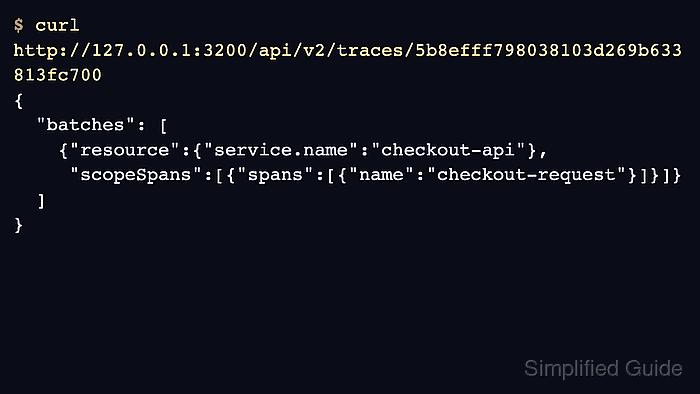
- Send or find a trace with a known trace ID.
$ curl --silent --show-error --include --request POST http://127.0.0.1:4318/v1/traces \ --header 'Content-Type: application/json' \ --data @trace.json HTTP/1.1 200 OK {"partialSuccess":{}} - Send or find a log line that carries the same trace ID.
$ LOKI_URL=http://127.0.0.1:3100
$ curl --silent --show-error --request POST \
  "$LOKI_URL/loki/api/v1/push" \
  --header 'Content-Type: application/json' \
  --data @loki-log.json
The log body should include a field such as trace_id=<trace-id>.
- Query Loki for the log line.
$ LOKI_URL=http://127.0.0.1:3100 $ TRACE_ID='<trace-id>' $ curl --silent --get "$LOKI_URL/loki/api/v1/query_range" \ --data-urlencode \ "query={service_name=\"checkout-api\"} |= \"$TRACE_ID\"" { "status": "success", "data": { "resultType": "streams", "result": [ { "stream": {"service_name": "checkout-api"}, "values": [ [ "1782008380038503000", "checkout complete trace_id=5b8efff798..." ] ] } ] } } - Open the matching trace in Grafana Explore.
- Click Logs for this span in the trace view and confirm Grafana opens the matching Loki log query.
If no logs appear, check the time shifts, the selected Loki data source UID, and the label mapping between service.name and service_name.

Mohd Shakir Zakaria is a cloud architect with deep roots in software development and open-source advocacy. Certified in AWS, Red Hat, VMware, ITIL, and Linux, he specializes in designing and managing robust cloud and on-premises infrastructures.


