Ingesting OpenTelemetry traces into Tempo sends spans from an application, SDK, or Collector to a trace backend that Grafana can query. The OTLP/HTTP endpoint on port 4318 is a direct smoke-test path when a local Tempo or LGTM stack is already running.
OTLP trace payloads need current nanosecond timestamps to appear in a recent Grafana time range. A static trace ID is acceptable for a local smoke test because it makes the follow-up lookup deterministic.
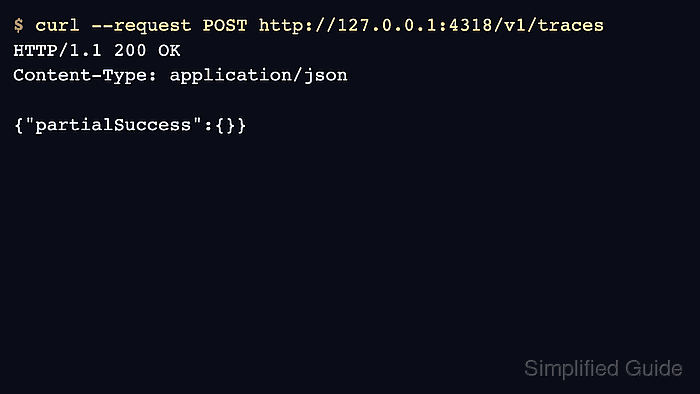
The HTTP receiver returns 200 OK with an empty partial-success object when the request is accepted. A trace lookup from Tempo confirms that the span was stored and not merely accepted by an intermediate collector.
Steps to ingest OpenTelemetry traces into Tempo:
- Confirm the OTLP/HTTP receiver is listening.
$ curl --silent --include http://127.0.0.1:4318/v1/traces
HTTP/1.1 405 Method Not Allowed

405 method not allowed, supported: [POST]
- Create a trace payload with current timestamps.
- trace.json
{
  "resourceSpans": [
    {
      "resource": {
        "attributes": [
          {
            "key": "service.name",
            "value": {
              "stringValue": "checkout-api"
            }
          }
        ]
      },
      "scopeSpans": [
        {
          "scope": {
            "name": "lgtm-smoke"
          },
          "spans": [
            {
              "traceId": "5b8efff798038103d269b633813fc700",
              "spanId": "eee19b7ec3c1b100",
              "name": "checkout-request",
              "kind": 1,
              "startTimeUnixNano": "1782008365000000000",
              "endTimeUnixNano": "1782008366000000000"
            }
          ]
        }
      ]
    }
  ]
}
Replace the timestamp values with current nanoseconds before running the request. GNU date +%s%N can print nanoseconds; on platforms without date nanosecond support, generate the values from the application runtime or another time tool.
- Post the trace to Tempo through OTLP/HTTP.
$ OTLP_HTTP=http://127.0.0.1:4318 $ curl --silent --show-error --include --request POST \ "$OTLP_HTTP/v1/traces" \ --header 'Content-Type: application/json' \ --data @trace.json HTTP/1.1 200 OK Content-Type: application/json {"partialSuccess":{}} - Retrieve the trace from Tempo by ID.
$ TEMPO_API=http://127.0.0.1:3200
$ TRACE_ID=5b8efff798038103d269b633813fc700
$ curl --silent "$TEMPO_API/api/v2/traces/$TRACE_ID"
{
  "trace": {
    "resourceSpans": [
      {
        "resource": {
          "attributes": [
            {
              "key": "service.name",
              "value": {
                "stringValue": "checkout-api"
              }
            }
          ]
        },
        "scopeSpans": [
          {
            "scope": {"name": "lgtm-smoke"},
            "spans": [
              {"name": "checkout-request"}
            ]
          }
        ]
      }
    ]
  }
}
A returned service.name and span name prove that Tempo stored the test trace.
- Open Grafana Explore and select the Tempo data source.
- Search for checkout-api or look up the trace ID from trace.json.
- Remove the local smoke-test payload file.
$ rm trace.json

Mohd Shakir Zakaria is a cloud architect with deep roots in software development and open-source advocacy. Certified in AWS, Red Hat, VMware, ITIL, and Linux, he specializes in designing and managing robust cloud and on-premises infrastructures.


