Correlating logs with traces in OpenTelemetry means adding the active trace ID and span ID to log records emitted during a request. Those identifiers let an operator move from a log line about a failure to the exact span that handled the same work.
OpenTelemetry log records can carry execution context, and language logging integrations usually add that context through the existing application logger. Python standard logging is used here because opentelemetry-instrumentation-logging exposes the trace fields directly and works with normal logging calls.
Run the proof in a development shell or test service before changing production formatting. Logs emitted outside an active span still appear, but their trace and span fields are empty or zero values, so the verification compares one log line emitted inside a span with the exported span context.
Steps to correlate Python logs with OpenTelemetry traces:
- Activate the Python environment that runs the service.
$ source .venv/bin/activate
Use the same virtual environment, container image, or runtime layer that starts the application. Installing the logging instrumentation in a different environment will not change the service logs.
- Install the OpenTelemetry tracing and logging packages.
$ python -m pip install \
  opentelemetry-api \
  opentelemetry-sdk \
  opentelemetry-instrumentation-logging
Successfully installed opentelemetry-api opentelemetry-sdk opentelemetry-instrumentation-logging
- Open the Python module that configures tracing before requests are handled.
$ vi correlate_logs.py
- Add tracing setup and log correlation to the startup code.
- correlate_logs.py
import logging

from opentelemetry import trace
from opentelemetry.instrumentation.logging import LoggingInstrumentor
from opentelemetry.sdk.resources import Resource
from opentelemetry.sdk.trace import TracerProvider
from opentelemetry.sdk.trace.export import ConsoleSpanExporter, SimpleSpanProcessor

resource = Resource.create({"service.name": "checkout-api"})
provider = TracerProvider(resource=resource)
provider.add_span_processor(SimpleSpanProcessor(ConsoleSpanExporter()))
trace.set_tracer_provider(provider)

LoggingInstrumentor().instrument(
    set_logging_format=True,
    logging_format="%(levelname)s trace_id=%(otelTraceID)s span_id=%(otelSpanID)s - %(message)s",
)

logger = logging.getLogger("checkout")
logger.setLevel(logging.INFO)

tracer = trace.get_tracer("checkout-demo")
with tracer.start_as_current_span("GET /checkout"):
    logger.info("calculated shipping quote")
ConsoleSpanExporter keeps the proof local. Replace it with the service's normal OTLP exporter after the trace and log IDs match.
- Enable the logging instrumentation before the application installs its own formatter.
If a framework already controls the log format, keep LoggingInstrumentor enabled early and add the otelTraceID and otelSpanID record fields to that formatter.
- Run the service or proof script.
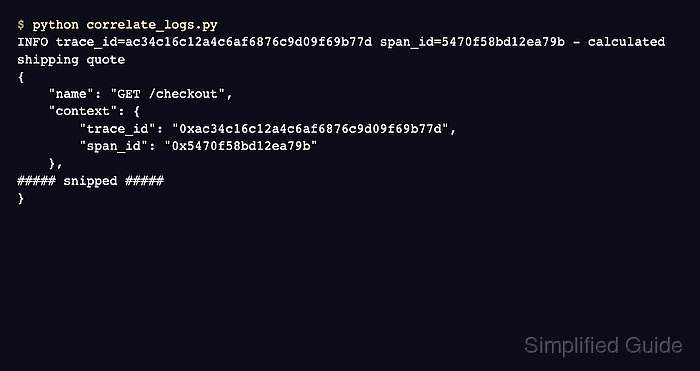
$ python correlate_logs.py
INFO trace_id=ac34c16c12a4c6af6876c9d09f69b77d span_id=5470f58bd12ea79b - calculated shipping quote
{
    "name": "GET /checkout",
    "context": {
        "trace_id": "0xac34c16c12a4c6af6876c9d09f69b77d",
        "span_id": "0x5470f58bd12ea79b",
        "trace_state": "[]"
    },
    "kind": "SpanKind.INTERNAL",
    "parent_id": null,
    "status": {
        "status_code": "UNSET"
    },
    "resource": {
        "attributes": {
            "telemetry.sdk.language": "python",
            "telemetry.sdk.name": "opentelemetry",
            "service.name": "checkout-api"
        }
    }
}
The log line and span context show the same trace ID and span ID. Ignore the 0x prefix added by the console span exporter when comparing the values.
- Keep the trace fields in the production log format or parser output.
Log backends can only link a log entry to a trace when the record still contains the trace ID and span ID fields that match an exported span. If logs are collected from stdout or files, preserve these fields as structured attributes rather than parsing them away.

Mohd Shakir Zakaria is a cloud architect with deep roots in software development and open-source advocacy. Certified in AWS, Red Hat, VMware, ITIL, and Linux, he specializes in designing and managing robust cloud and on-premises infrastructures.


