Adding LGTM data sources in Grafana connects the UI to the log, trace, and metrics backends that store telemetry. A self-managed stack usually needs a Loki data source for logs, a Tempo data source for traces, and a Prometheus-compatible data source for metrics from Mimir or Prometheus.
Provisioning keeps the data source names, backend URLs, and unique IDs in a version-controlled file instead of relying on manual UI clicks. The URLs must be reachable from the Grafana server or container, so service names such as loki, tempo, and mimir work inside a shared Docker Compose network while localhost usually points back at Grafana itself.
Use fixed data source UIDs when later guides need trace-to-log links, dashboards, alert rules, or panel JSON to reference the same backends. A saved connection should pass Save & test in the UI, and Explore should return one log stream, trace, or metric from each backend before dashboards depend on the stack.
Steps to add LGTM data sources in Grafana:
- Create the Grafana provisioning directory in the Compose project.
$ mkdir -p grafana/provisioning/datasources
- Save the LGTM data source provisioning file as lgtm.yaml in that directory.
- lgtm.yaml
apiVersion: 1

datasources:
  - name: Loki
    uid: loki
    type: loki
    access: proxy
    url: http://loki:3100
    jsonData:
      maxLines: 1000

  - name: Tempo
    uid: tempo
    type: tempo
    access: proxy
    url: http://tempo:3200

  - name: Mimir
    uid: mimir
    type: prometheus
    access: proxy
    url: http://mimir:9009/prometheus
    jsonData:
      httpMethod: POST
Mimir exposes a Prometheus-compatible query API, so Grafana uses the Prometheus data source type for it.
- Mount the provisioning directory into the Grafana service.
- compose.yaml
services:
  grafana:
    image: grafana/grafana:latest
    ports:
      - "3000:3000"
    volumes:
      - type: bind
        source: ./grafana/provisioning
        target: /etc/grafana/provisioning
        read_only: true
Merge this service block with the existing stack definition instead of replacing the backend services.
- Recreate the Grafana container so it reads the provisioning file.
$ docker compose up -d grafana
Container lgtm-grafana-1  Recreate
Container lgtm-grafana-1  Started
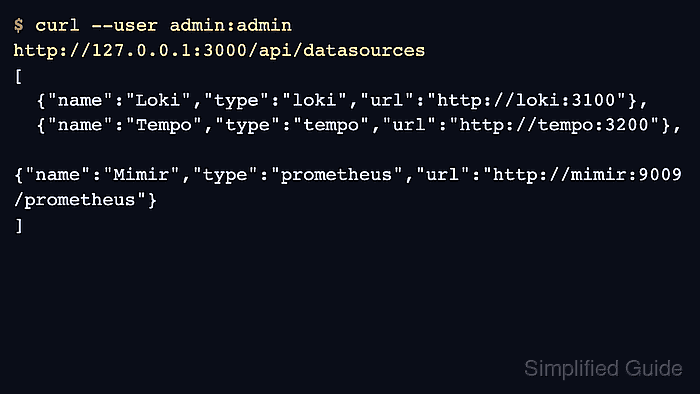
- List the data sources through the Grafana API.
$ GRAFANA_URL=http://127.0.0.1:3000
$ curl --silent \
  --user admin:admin \
  "$GRAFANA_URL/api/datasources"
[
  {
    "id": 1,
    "uid": "loki",
    "name": "Loki",
    "type": "loki",
    "url": "http://loki:3100"
  },
  {
    "id": 2,
    "uid": "tempo",
    "name": "Tempo",
    "type": "tempo",
    "url": "http://tempo:3200"
  },
  {
    "id": 3,
    "uid": "mimir",
    "name": "Mimir",
    "type": "prometheus",
    "url": "http://mimir:9009/prometheus"
  }
]
Replace admin / admin before saving this pattern in shared scripts or CI logs.
- Open Connections → Data sources in Grafana.
- Select each LGTM data source and click Save & test.
- Open Explore and run one smoke query per backend.
Use {job=~".+"} for Loki, a recent trace search for Tempo, and up or another known series for Mimir after metrics have been written.

Mohd Shakir Zakaria is a cloud architect with deep roots in software development and open-source advocacy. Certified in AWS, Red Hat, VMware, ITIL, and Linux, he specializes in designing and managing robust cloud and on-premises infrastructures.


