Checking LGTM stack health confirms that Grafana can reach the telemetry backends before dashboards, alert rules, or incident workflows depend on them. A healthy stack should serve the Grafana UI, accept OTLP telemetry, and return queries from the log, trace, and metrics stores.
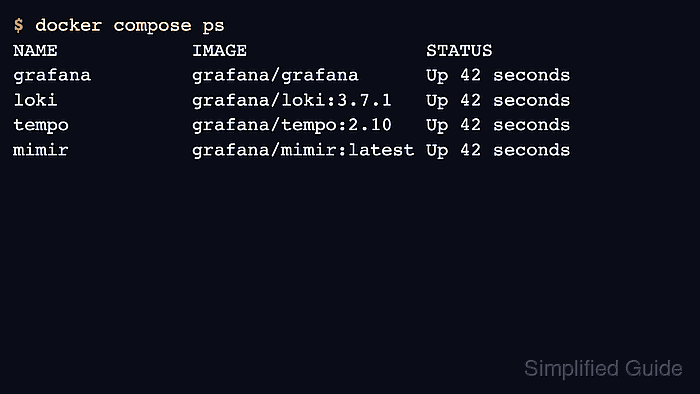
Run backend checks from the same network layer that Grafana uses whenever possible. In a Docker Compose stack, that usually means service names on the Compose network; on a single host, it may be host-published ports such as 3100, 3200, and 9009.
Health endpoints prove that processes are ready, but they do not prove that telemetry is flowing. Add one signal-specific query for Loki, Tempo, and Mimir or Prometheus so the final check covers both service readiness and stored data.
Related: How to test a Grafana data source
Related: How to run the LGTM stack in Docker
Related: How to query logs with LogQL in Loki
Related: How to query Tempo traces in Grafana
Related: How to query Mimir with PromQL in Grafana
Steps to check LGTM stack health in Grafana:
- List the running stack containers.
$ docker compose ps
NAME             SERVICE    STATUS                    PORTS
lgtm-grafana-1   grafana    running                   0.0.0.0:3000->3000/tcp
lgtm-loki-1      loki       running                   0.0.0.0:3100->3100/tcp
lgtm-tempo-1     tempo      running                   0.0.0.0:3200->3200/tcp
lgtm-mimir-1     mimir      running                   0.0.0.0:9009->9009/tcp
- Check the Grafana health endpoint.
$ curl --silent http://127.0.0.1:3000/api/health { "database": "ok", "version": "13.0.1", "commit": "a100054f" } - Check Loki readiness.
$ curl --silent http://127.0.0.1:3100/ready
ready
- Check Tempo readiness.
$ curl --silent http://127.0.0.1:3200/ready
ready
- Check Mimir readiness.
$ curl --silent http://127.0.0.1:9009/ready
ready
A fresh Mimir process can temporarily return Ingester not ready while the ingester finishes its startup wait period. Retry after the warm-up window before treating that response as a failure.
- Confirm the OTLP/HTTP receiver is listening.
$ curl --silent --include http://127.0.0.1:4318/v1/traces
HTTP/1.1 405 Method Not Allowed

405 method not allowed, supported: [POST]
- Query Loki for a known log line.
$ curl --silent --get http://127.0.0.1:3100/loki/api/v1/query_range \
  --data-urlencode 'query={service_name="checkout-api"} |= "checkout complete"' \
  --data-urlencode limit=5
{
  "status": "success",
  "data": {
    "resultType": "streams",
    "result": [
      {
        "stream": {"service_name": "checkout-api"},
        "values": [
          [
            "1782008380038503000",
            "checkout complete trace_id=5b8efff798..."
          ]
        ]
      }
    ]
  }
}
Use query_range for log queries. Loki rejects log selectors sent to the instant query endpoint.
- Retrieve a known Tempo trace by ID.
$ curl --silent http://127.0.0.1:3200/api/v2/traces/5b8efff798038103d269b633813fc700 {"trace":{"resourceSpans":[{"resource":{"attributes":[{"key":"service.name","value":{"stringValue":"checkout-api"}}]},"scopeSpans":[{"spans":[{"name":"checkout-request"}]}]}]}} - Query the metrics backend.
$ curl --silent 'http://127.0.0.1:9009/prometheus/api/v1/query?query=up'
{"status":"success","data":{"resultType":"vector","result":[]}}
An empty vector means the query API is responding but no matching sample has been written yet. After remote write is configured, the same query should return one or more series.
Related: How to ingest Prometheus remote write data into Mimir - Open Grafana → Connections → Data sources and run Save & test for the LGTM data sources.
The backend checks above prove service readiness. Save & test proves the URL and authentication settings from the Grafana server's point of view.

Mohd Shakir Zakaria is a cloud architect with deep roots in software development and open-source advocacy. Certified in AWS, Red Hat, VMware, ITIL, and Linux, he specializes in designing and managing robust cloud and on-premises infrastructures.


