Ingesting Prometheus remote write data into Mimir sends scraped samples from a Prometheus server to a central Prometheus-compatible metrics backend. Use it when local scraping should continue but retention, cross-service querying, or shared dashboards should read from Mimir.
The Mimir write endpoint is /api/v1/push. In the local non-tenant demo configuration, Prometheus can write directly to that endpoint; tenant-enabled Mimir deployments usually require authentication and an organization or tenant header supplied by the gateway or client configuration.
Remote write proof should cover both sides. Prometheus should show a sending queue with no growing failures, and Mimir should return the written series through its Prometheus-compatible query API.
Steps to ingest Prometheus remote write data into Mimir:
- Confirm Mimir is ready.
$ curl --silent http://127.0.0.1:9009/ready
ready
- Open the active Prometheus configuration file.
$ vi prometheus.yml
- Add a remote write target for Mimir.
- prometheus.yml
global:
  external_labels:
    cluster: lab
    replica: prometheus-01

remote_write:
  - name: mimir
    url: http://127.0.0.1:9009/api/v1/push

scrape_configs:
  - job_name: prometheus
    static_configs:
      - targets: ["127.0.0.1:9090"]
Use http://mimir:9009/api/v1/push when Prometheus and Mimir run in the same Compose network.
- Check the Prometheus configuration.
$ promtool check config prometheus.yml
Checking prometheus.yml
 SUCCESS: prometheus.yml is valid prometheus config file syntax
- Reload or restart Prometheus.
$ curl --request POST http://127.0.0.1:9090/-/reload
The HTTP reload endpoint requires Prometheus to start with --web.enable-lifecycle. Restart the Prometheus service when lifecycle reload is disabled.
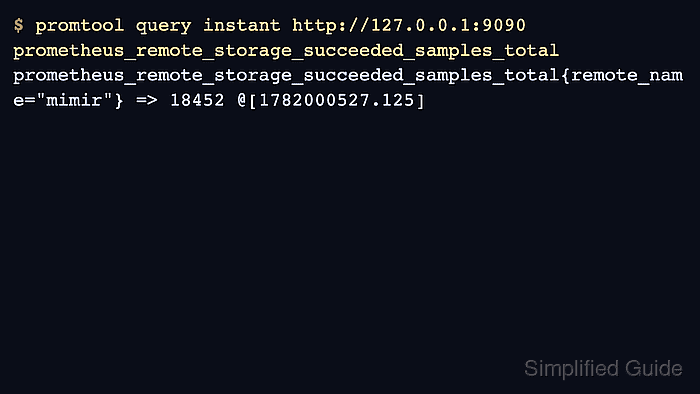
- Check that Prometheus is sending samples to the mimir remote write queue.
$ promtool query instant http://127.0.0.1:9090 'prometheus_remote_storage_samples_total{remote_name="mimir"}' prometheus_remote_storage_samples_total{remote_name="mimir",url="http://127.0.0.1:9009/api/v1/push"} => 482 - Check for failed remote write samples.
$ promtool query instant http://127.0.0.1:9090 'prometheus_remote_storage_samples_failed_total{remote_name="mimir"}'
prometheus_remote_storage_samples_failed_total{remote_name="mimir",url="http://127.0.0.1:9009/api/v1/push"} => 0
A growing failed-samples value usually points to the wrong URL, tenant/authentication mismatch, receiver limits, or a network path failure.
- Query Mimir for a sample written by Prometheus.
$ curl --silent 'http://127.0.0.1:9009/prometheus/api/v1/query?query=up%7Bcluster%3D%22lab%22%7D'
{"status":"success","data":{"resultType":"vector","result":[{"metric":{"__name__":"up","cluster":"lab","instance":"127.0.0.1:9090","job":"prometheus","replica":"prometheus-01"},"value":[1782008500.123,"1"]}]}}
The cluster and replica labels come from external_labels and prove the result came through the configured Prometheus sender.

Mohd Shakir Zakaria is a cloud architect with deep roots in software development and open-source advocacy. Certified in AWS, Red Hat, VMware, ITIL, and Linux, he specializes in designing and managing robust cloud and on-premises infrastructures.


