Running the LGTM stack in Docker gives a local observability backend for logs, metrics, and traces without installing the individual services on the host. The grafana/otel-lgtm image is intended for development, demos, and smoke tests where Grafana, Loki, Tempo, Prometheus, and the OpenTelemetry Collector need to start together.
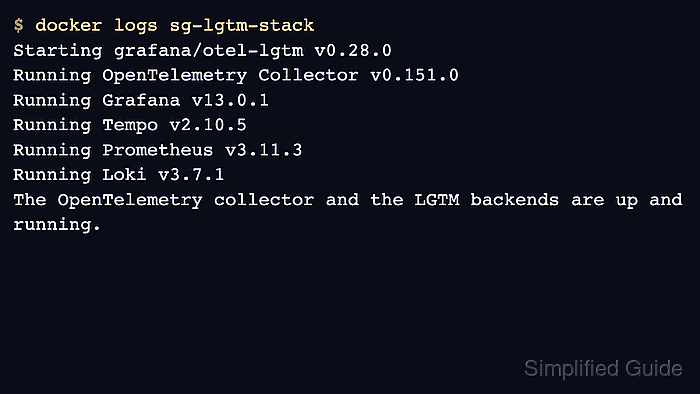
The image accepts OTLP telemetry on ports 4317 and 4318 and serves Grafana on port 3000. It also runs the component backends inside the container, so publishing the backend ports is helpful when local scripts need to query Loki, Tempo, or Prometheus directly during validation.
Use this image for a disposable all-in-one backend. The current image startup log reports Prometheus for the metrics backend, so deploy Grafana Mimir separately when the goal is to validate self-managed Mimir ingestion, object storage, or long-term metrics behavior.
Related: How to check LGTM stack health in Grafana
Related: How to run Loki with Docker Compose
Related: How to run Tempo with Docker Compose
Related: How to run Mimir with Docker Compose
Steps to run the LGTM stack in Docker:
- Pull the current Grafana OpenTelemetry LGTM image.
$ docker pull grafana/otel-lgtm:latest
latest: Pulling from grafana/otel-lgtm
Digest: sha256:10f48eb2f8670134df542177bb19536c55421b089e43f9dfc2a27d4c078204d8
Status: Downloaded newer image for grafana/otel-lgtm:latest
The image is designed for development, demo, and testing environments. Pin a known image digest or tag when repeatable lab evidence matters.
- Start the stack container.
$ docker run --detach \
  --name lgtm \
  --publish 3000:3000 \
  --publish 3100:3100 \
  --publish 3200:3200 \
  --publish 4317:4317 \
  --publish 4318:4318 \
  --publish 9090:9090 \
  grafana/otel-lgtm:latest
3af437f7655ac03a196a40affb7a2dc76dbbc89aa7bb264f5b263f003c9459b1
Do not expose these ports on an untrusted network. The default Grafana login for the image is admin / admin.
- Watch the startup log until the stack reports ready.
$ docker logs lgtm
Starting grafana/otel-lgtm v0.28.0
Running OpenTelemetry Collector v0.151.0 logging=false
Running Grafana v13.0.1 logging=false
Running Tempo v2.10.5 logging=false
Running Prometheus v3.11.3 logging=false
Running Loki v3.7.1 logging=false
The OpenTelemetry collector and the Grafana LGTM stack are up and running.
- Confirm the container is running and the host ports are published.
$ docker ps --filter name=lgtm
CONTAINER ID   IMAGE                    COMMAND       STATUS          PORTS
3af437f7655a   grafana/otel-lgtm:latest "/bin/bash"   Up 1 minute     0.0.0.0:3000->3000/tcp, 0.0.0.0:3100->3100/tcp, 0.0.0.0:3200->3200/tcp, 0.0.0.0:4317-4318->4317-4318/tcp, 0.0.0.0:9090->9090/tcp
- Verify that Grafana responds on the host.
$ curl --silent --include http://127.0.0.1:3000/login
HTTP/1.1 200 OK
Content-Type: text/html; charset=UTF-8
##### snipped #####
- Check the OTLP/HTTP endpoint.
$ curl --silent --include http://127.0.0.1:4318/v1/traces
HTTP/1.1 405 Method Not Allowed
Content-Type: text/plain

405 method not allowed, supported: [POST]
The 405 response is expected for a browser-style GET request. It confirms that the OTLP/HTTP receiver is listening and expects POST requests.
- Open Grafana in a browser.
http://127.0.0.1:3000
Sign in with admin / admin, then change the password if the container will remain running beyond a short lab session.
- Stop and remove the disposable stack when the lab is finished.
$ docker rm --force lgtm
lgtm
Mount a volume to /data only when local test data needs to survive container replacement.

Mohd Shakir Zakaria is a cloud architect with deep roots in software development and open-source advocacy. Certified in AWS, Red Hat, VMware, ITIL, and Linux, he specializes in designing and managing robust cloud and on-premises infrastructures.


