Managing a DRBD resource with systemd lets a standalone node start, stop, enable, reload, and inspect the per-resource units shipped by drbd-utils. Use this approach when Pacemaker, DRBD Reactor, or LINSTOR is not already the control plane for the same resource.
The per-resource target drbd@webdata.target pulls in drbd@webdata.service, which runs the drbd-utils service shim to adjust the live resource. The older aggregate drbd.service controls all configured resources and is a rougher tool when one resource needs a specific boot or maintenance decision.
Keep dependent mount units and application services in the same ownership model. If another manager owns promotion, mounts, or failover, inspect that manager first and avoid mixing manual drbdadm actions with systemd state that still thinks the resource is active.
Related: How to check DRBD resource status
Related: How to check DRBD after reboot
Related: How to configure DRBD auto-promote
Steps to manage DRBD resources with systemd:
- Check the current DRBD state for the resource.
$ sudo drbdadm status webdata
webdata role:Secondary
  disk:UpToDate
  node-b role:Secondary
    replication:Established peer-disk:UpToDate
Replace webdata with the resource name from the matching /etc/drbd.d/ file. Resolve missing resources, disconnected peers, or unhealthy disk states before handing control to systemd.
Related: How to check DRBD resource status - Start the per-resource systemd target.
$ sudo systemctl start drbd@webdata.target
drbd@webdata.target requires drbd@webdata.service, which adjusts this resource instead of starting every resource in /etc/drbd.d/.
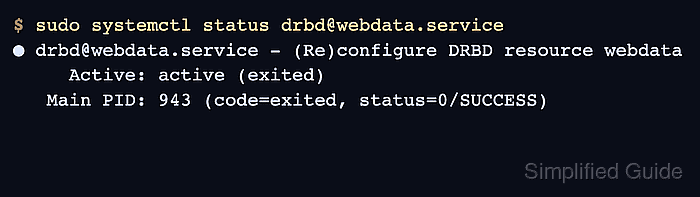
- Check the per-resource service status.
$ sudo systemctl status drbd@webdata.service
● drbd@webdata.service - (Re)configure DRBD resource webdata
     Active: active (exited)
   Main PID: 943 (code=exited, status=0/SUCCESS)
active (exited) is expected for this oneshot unit after the resource adjustment succeeds.
- Verify the live DRBD resource after the target starts.
$ sudo drbdadm status webdata
webdata role:Secondary
  volume:0 disk:UpToDate
  node-b role:Secondary
    volume:0 replication:Established peer-disk:UpToDate
The resource target configures DRBD. It does not make the node Primary unless promotion is handled by auto-promote, drbd-promote@webdata.service, DRBD Reactor, or another service chain.
Related: How to promote a DRBD resource to primary - Enable the per-resource target when this node should configure the resource at boot.
$ sudo systemctl enable drbd@webdata.target
Created symlink /etc/systemd/system/multi-user.target.wants/drbd@webdata.target -> /usr/lib/systemd/system/drbd@.target.
Do not enable the unit on a node where a cluster manager should decide whether the resource starts, promotes, mounts, or stays down.
- Reload the per-resource service after a resource file change.
$ sudo systemctl reload drbd@webdata.service
The reload path calls the same adjustment logic used by drbdadm adjust webdata. Validate changed resource files first when syntax, peers, disks, or handlers changed.
Related: How to validate DRBD configuration - Stop dependent services before taking the resource target down.
$ sudo systemctl stop drbd-services@webdata.target
Use this target only when application services or mounts are grouped under drbd-services@webdata.target. Stop the application or mount unit directly when the node does not use that target.
- Stop the per-resource target.
$ sudo systemctl stop drbd@webdata.target
This runs the drbd@webdata.service stop path and can take the local DRBD resource down after dependent services release it.
- Verify that systemd no longer has the resource target active.
$ sudo systemctl is-active drbd@webdata.target
inactive
- Verify that the live DRBD resource is down on this node.
$ sudo drbdsetup status webdata
webdata: resource not found
The exact wording can vary by drbd-utils version. The resource should not show live volumes, connections, role, or disk state after the target is stopped.
Related: How to disable a DRBD resource - Disable the boot target when this node should not configure the resource automatically.
$ sudo systemctl disable drbd@webdata.target
Removed "/etc/systemd/system/multi-user.target.wants/drbd@webdata.target".

Mohd Shakir Zakaria is a cloud architect with deep roots in software development and open-source advocacy. Certified in AWS, Red Hat, VMware, ITIL, and Linux, he specializes in designing and managing robust cloud and on-premises infrastructures.


