Detox Android tests need an emulator that the Android SDK can start and that Detox can address by AVD name. Preparing that emulator before the first Android test run avoids failures where the app builds but Detox cannot boot a device, install APKs, or reserve the emulator for the session.
The Android SDK owns the device image, AVD definition, emulator binary, and adb connection. Detox references the prepared device from .detoxrc.js with an android.emulator device entry, and the selected Detox configuration ties that device to an Android app build.
Use one AVD name per local test lane or CI worker when runs can overlap. A Google APIs image works for most React Native E2E runs, and the system-image ABI should match the host CPU so the emulator can boot without translation overhead.
Steps to set up a Detox Android emulator environment:
- Check the Android SDK path in the terminal that runs Detox.
$ echo "$ANDROID_HOME"
/Users/developer/Library/Android/sdk
If this prints nothing, set ANDROID_HOME or ANDROID_SDK_ROOT to the Android SDK path and add platform-tools, emulator, and cmdline-tools/latest/bin to PATH.
- Install the Android SDK packages for the target emulator.
$ sdkmanager "platform-tools" "emulator" "platforms;android-36" "system-images;android-36;google_apis;x86_64"
[=======================================] 100% Installing Android SDK Platform 36
[=======================================] 100% Installing Android Emulator
[=======================================] 100% Installing Google APIs Intel x86_64 Atom System Image
Use the Android API level that your app builds against. Replace x86_64 with arm64-v8a on Apple Silicon when that system image is available.
- Accept the Android SDK licenses.
$ sdkmanager --licenses
All SDK package licenses accepted.
- Create the Android virtual device for Detox.
$ avdmanager create avd -n Pixel_7_API_36_Detox -k "system-images;android-36;google_apis;x86_64"
Auto-selecting single ABI x86_64
The AVD name is the value Detox reads later from device.avdName.
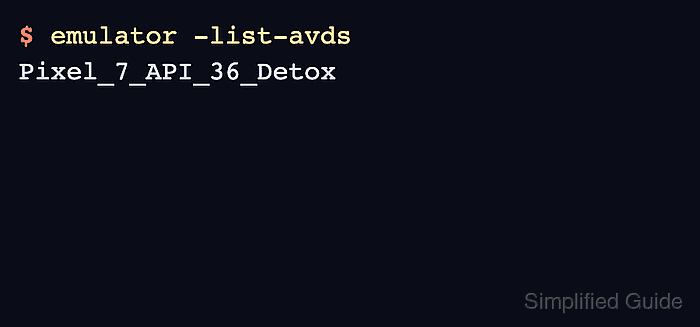
- List the available emulator names.
$ emulator -list-avds
Pixel_7_API_36_Detox
- Add the AVD name to the Detox Android device configuration.
/** @type {Detox.DetoxConfig} */
module.exports = {
  apps: {
    'android.debug': {
      type: 'android.apk',
      build: 'cd android && ./gradlew assembleDebug assembleAndroidTest -DtestBuildType=debug',
      binaryPath: 'android/app/build/outputs/apk/debug/app-debug.apk',
    },
  },
  devices: {
    emulator: {
      type: 'android.emulator',
      device: {
        avdName: 'Pixel_7_API_36_Detox',
      },
      headless: process.env.CI === 'true',
      gpuMode: process.env.CI === 'true' ? 'swiftshader_indirect' : 'auto',
    },
  },
  configurations: {
    'android.emu.debug': {
      device: 'emulator',
      app: 'android.debug',
    },
  },
};
Keep an existing android.debug app config if it already points at the right APK. Add testBinaryPath only when the Android test APK is generated outside Detox's default Gradle output path.
- Build the Android Detox app configuration.
$ npx detox build --configuration android.emu.debug
detox[build] INFO: Executing build command: cd android && ./gradlew assembleDebug assembleAndroidTest -DtestBuildType=debug
BUILD SUCCESSFUL in 1m 28s
Use the same configuration name that contains the android.emulator device entry.
Related: How to configure Detox build settings - Run one Android emulator smoke test through Detox.
$ npx detox test --configuration android.emu.debug --headless --cleanup e2e/smoke.test.js
detox[12345] INFO: booting emulator Pixel_7_API_36_Detox
detox[12345] INFO: installed app-debug.apk
PASS e2e/smoke.test.js
For debug builds, keep Metro running in another terminal before starting the smoke test. A passing run means Detox booted the configured AVD, installed the APK, and handed control to the test runner.
Related: How to run Detox tests locally

Mohd Shakir Zakaria is a cloud architect with deep roots in software development and open-source advocacy. Certified in AWS, Red Hat, VMware, ITIL, and Linux, he specializes in designing and managing robust cloud and on-premises infrastructures.


