Running Detox tests locally checks a mobile end-to-end suite on the same simulator or emulator used during development. It lets developers confirm a new screen, selector, or fixture before the test suite moves to CI.
Detox reads the named configuration from .detoxrc.js or the detox section in package.json, then resolves that configuration to one app and one local device. A debug React Native run also needs Metro running so the installed app can load the JavaScript bundle.
An iOS simulator debug configuration matches the current Detox starter flow. Use the matching Android emulator configuration when the project maps android.emu.debug to an APK and an installed AVD.
Related: How to set up Detox in a React Native project
Related: How to write a first Detox test
Related: How to retry failed Detox tests
Steps to run Detox tests locally:
- Open a terminal in the project root that contains the Detox config.
- Confirm the local configuration name before running the suite.
- .detoxrc.js
module.exports = {
  configurations: {
    'ios.sim.debug': {
      device: 'simulator',
      app: 'ios.debug'
    }
  }
};
If the project has only one configuration, Detox can use it by default, but naming the configuration avoids running a release, cloud, or attached-device target by accident.
- Build the app for the local configuration.
$ npx detox build --configuration ios.sim.debug
detox[build] xcodebuild -workspace ios/MyApp.xcworkspace -scheme MyApp -configuration Debug -sdk iphonesimulator -derivedDataPath ios/build
##### snipped #####
** BUILD SUCCEEDED **
Use the matching Android configuration when the local target is an emulator. The build command comes from the selected app entry in the Detox config.
Related: How to set up Detox in a React Native project
Related: How to configure Detox build settings - Start Metro in a second terminal for a debug React Native run.
$ npm start
> my-app@1.0.0 start
> react-native start

Welcome to Metro
Leave Metro running while Detox installs and launches the debug app. Release configurations and native-only apps may not need this process.
- Run the local Detox suite from the project terminal.
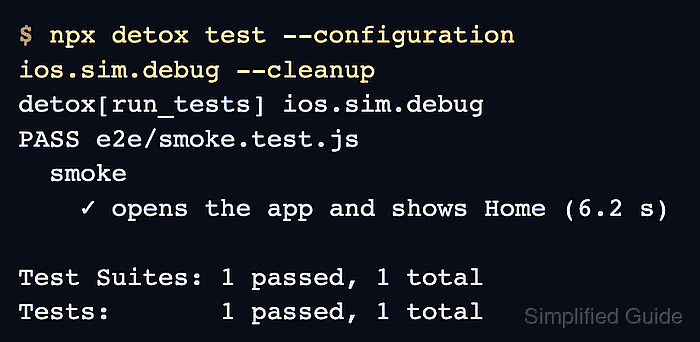
$ npx detox test --configuration ios.sim.debug --cleanup
detox[run_tests] ios.sim.debug
PASS e2e/smoke.test.js
  smoke
    ✓ opens the app and shows Home (6.2 s)

Test Suites: 1 passed, 1 total
Tests:       1 passed, 1 total
--cleanup shuts down the simulator after the run. Use --reuse only after a clean build when a faster repeat run can reuse the installed app.
- Run one changed test file when a focused local check is enough.
$ npx detox test --configuration ios.sim.debug e2e/login.test.js --cleanup
detox[run_tests] ios.sim.debug
PASS e2e/login.test.js
  login
    ✓ signs in with a seeded test account (5.8 s)

Test Suites: 1 passed, 1 total
Tests:       1 passed, 1 total
If the run fails after the app launches, inspect the failing matcher, view hierarchy, log, or retry behavior instead of increasing the local command options.
Related: How to retry failed Detox tests

Mohd Shakir Zakaria is a cloud architect with deep roots in software development and open-source advocacy. Certified in AWS, Red Hat, VMware, ITIL, and Linux, he specializes in designing and managing robust cloud and on-premises infrastructures.


