The Checkmk Agent Bakery builds agent installers that already contain the agent rules, plug-ins, and updater settings selected for a folder or host. Baking a custom package after changing an agent rule gives the target system an installer whose package hash maps back to that exact configuration.
The bakery is available in Checkmk commercial editions from Setup → Agents → Windows, Linux, Solaris, AIX. Agent rules control the package contents, and the bakery creates separate package variants for the default configuration, selected folders, or specific hosts when those variants are actually used.
A baked package can contain scripts, credentials, certificates, or updater configuration. Keep package downloads on trusted transport, scope rules narrowly before baking, and avoid manual edits to files generated by the bakery on the target host because the next agent update can replace them.
Related: How to add a host in Checkmk
Related: How to register a Checkmk agent host
Steps to bake a custom Checkmk agent package:
- Open Setup → Agents → Windows, Linux, Solaris, AIX in a commercial-edition Checkmk site.
In Checkmk Community, the comparable agent menu opens static download pages instead of the Agent Bakery.
- Click Agent rules.
- Open the rule set that supplies the package customization.
- Add or edit the agent rule for the target package.
For a simple bakery test, Generic agent options → Allowed agent access via IP address (Linux, Windows) changes the allowed monitoring-server addresses in Linux and Windows agent packages.
- Set the rule value and conditions so the rule matches only the intended folder or host.
For packages that should apply to future hosts in a folder, enable Bake a generic agent package for this folder in the folder properties. Checkmk treats that setting as folder-local and does not inherit it into subfolders.
- Save the rule.
- Return to Setup → Agents → Windows, Linux, Solaris, AIX.
- Click Bake agents to create the package variants.
If the package includes the Agent Updater, use Bake and sign agents and enter the signature-key passphrase when Checkmk prompts for it.
- Wait for the bake job to finish successfully.
- Check the package row for the target folder or host in the Agent Bakery overview.
The Agent type column shows whether the package is vanilla, folder-based, or host-specific. The displayed hash identifies the baked package configuration.
- Confirm that the expected rule or plug-in appears in the package properties.
- Download the package format for the target operating system.
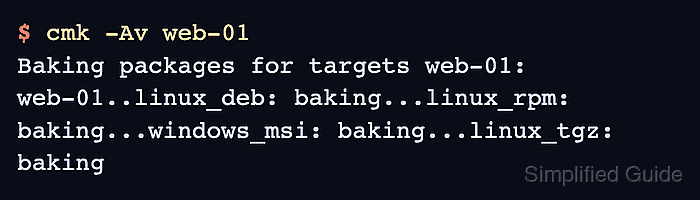
- Bake the same target from the site shell when a command transcript is required.
$ cmk -Av web-01
Baking packages for targets web-01:
web-01..linux_deb: baking...linux_rpm: baking...windows_msi: baking...linux_tgz: baking
Run cmk as the Checkmk site user. Omitting the host name bakes packages for all applicable hosts.
- Install the downloaded package with the normal agent installation method for the target operating system.
- Verify the host is using the intended package by checking the package hash or the baked rule effect on that host.

Mohd Shakir Zakaria is a cloud architect with deep roots in software development and open-source advocacy. Certified in AWS, Red Hat, VMware, ITIL, and Linux, he specializes in designing and managing robust cloud and on-premises infrastructures.


