How to retry failed XCUITest tests
Intermittent UI test failures are easiest to triage when the failing method is retried in isolation instead of rerunning the full suite. XCUITest uses xcodebuild test repetitions to run a selected failed test again and keep each attempt in the saved result bundle.
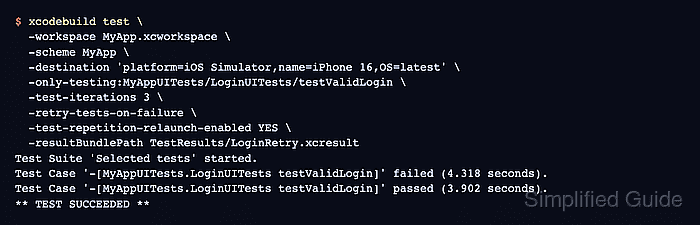
Use retry on failure after a failing test identifier is already known from Xcode, CI, or a previous .xcresult bundle. The -only-testing filter keeps the retry run focused, while -test-iterations caps the number of attempts so a broken test does not loop indefinitely.
Retry on failure should stay temporary during diagnosis or for a narrowly documented external dependency. A test that passes only after a later attempt still needs the first failed attempt reviewed, because retries can hide selector timing, app-state leakage, network dependency, or simulator-environment problems.
Related: How to debug a flaky XCUITest test
Related: How to run XCUITest with xcodebuild in CI
Steps to retry failed XCUITest tests with xcodebuild:
- Copy the exact failed test identifier from Xcode, CI, or the failing result bundle.
xcodebuild test identifiers use the form TestTarget/TestClass/TestMethod, such as MyAppUITests/LoginUITests/testValidLogin.
- Create a directory for retry result bundles.
$ mkdir -p TestResults
- Remove any old retry bundle at the same path.
$ rm -rf TestResults/LoginRetry.xcresult
Remove only a result bundle path inside the project or CI workspace. Do not point this cleanup command at source files, shared derived data, or a developer home directory.
- Retry the selected failed test with a capped number of attempts.
$ xcodebuild test \
  -workspace MyApp.xcworkspace \
  -scheme MyApp \
  -destination 'platform=iOS Simulator,name=iPhone 16,OS=latest' \
  -only-testing:MyAppUITests/LoginUITests/testValidLogin \
  -test-iterations 3 \
  -retry-tests-on-failure \
  -test-repetition-relaunch-enabled YES \
  -resultBundlePath TestResults/LoginRetry.xcresult
Test Suite 'Selected tests' started.
Test Case '-[MyAppUITests.LoginUITests testValidLogin]' failed (4.318 seconds).
Test Case '-[MyAppUITests.LoginUITests testValidLogin]' passed (3.902 seconds).
** TEST SUCCEEDED **
-retry-tests-on-failure retries a failed test until it passes or reaches the -test-iterations limit. Use the same repetition flags with test-without-building when a CI job already ran build-for-testing and preserved the compiled test products.
- Confirm that xcodebuild wrote the retry result bundle.
$ ls -d TestResults/LoginRetry.xcresult
TestResults/LoginRetry.xcresult
- Open the result bundle in Xcode.
$ open TestResults/LoginRetry.xcresult
Expand the selected test in the report navigator and compare the failed attempt with the later attempt. The first failure message, screenshot, activity log, attachments, and destination identify what actually failed before the retry passed.
Related: How to save XCUITest result bundles - Record the retry outcome before changing CI policy.
If the first attempt failed and a later attempt passed, debug the case as flaky before keeping retries in CI. If every attempt failed, keep the final failed bundle as the deterministic failure artifact.
Related: How to wait for UI elements in XCUITest
Related: How to reset test data before XCUITest tests
Related: network-response-mock