How to read domain status codes from whois
Read domain status codes when a transfer, update, deletion, renewal, DNS publication, or recovery decision depends on why the registry will accept or reject the next action. Keep the exact status value and the party that can clear it before opening a registrar ticket or escalating to a registry.
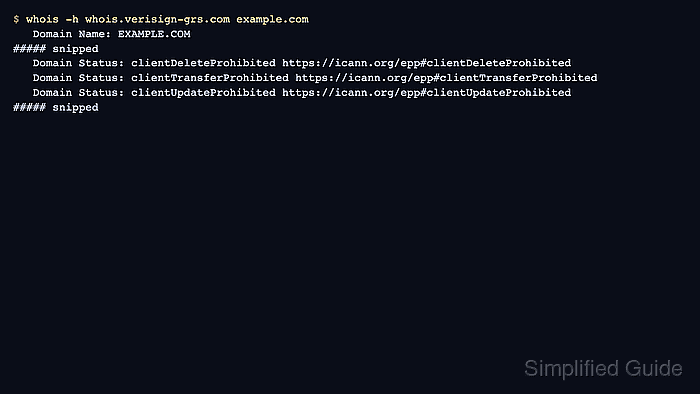
WHOIS prints many domain restrictions as EPP status values on Domain Status lines. The prefix is the first clue: client statuses usually come from the registrar, while server statuses come from the registry and can take longer to remove because the registrar may need to forward the request.
Several statuses can appear on the same domain, and they do not all mean failure. For gTLD registration data, RDAP is the structured source after the WHOIS service transition, while WHOIS remains useful for quick terminal checks and registry text comparisons. Treat public status output as dispatch evidence; billing state, account ownership, disputes, and restoration options still need registrar confirmation before action.
Tool: WHOIS / RDAP Lookup
Related: How to query a domain with whois
Related: How to check a domain expiration date with whois
Related: How to check a domain registrar with whois
Related: How to query RDAP for a domain
Steps to read domain status codes from whois:
- Query the registry WHOIS server that holds the domain record.
$ whois -h whois.verisign-grs.com example.com
   Domain Name: EXAMPLE.COM
##### snipped
   Domain Status: clientDeleteProhibited https://icann.org/epp#clientDeleteProhibited
   Domain Status: clientTransferProhibited https://icann.org/epp#clientTransferProhibited
   Domain Status: clientUpdateProhibited https://icann.org/epp#clientUpdateProhibited
##### snipped
Use the WHOIS server for the target TLD or referral chain. The whois.verisign-grs.com server is for .com and .net registry records, not every domain.
Related: How to find a TLD WHOIS server
Related: How to follow a WHOIS referral server - Copy every Domain Status line before interpreting the result.
Domain Status: clientDeleteProhibited https://icann.org/epp#clientDeleteProhibited
Domain Status: clientTransferProhibited https://icann.org/epp#clientTransferProhibited
Domain Status: clientUpdateProhibited https://icann.org/epp#clientUpdateProhibited
A domain can carry several codes at once. Do not stop after the first line when a transfer, update, deletion, or recovery decision depends on the full set.
- Separate registrar-set and registry-set statuses by prefix.
Codes beginning with client are normally set by the registrar. Codes beginning with server are set by the registry, and the registrar usually has to work with the registry to remove them.
- Read the action word inside the code.
TransferProhibited blocks transfer requests, UpdateProhibited blocks domain record changes, DeleteProhibited blocks deletion requests, RenewProhibited blocks renewal requests, and Hold can keep the domain from being activated in DNS.
- Check for DNS publication statuses before troubleshooting nameservers.
clientHold and serverHold mean the domain is not activated in DNS. inactive means delegation information, such as nameservers, has not been associated with the domain.
- Treat lifecycle and pending statuses as timing-sensitive.
redemptionPeriod, pendingRestore, pendingDelete, pendingTransfer, and pendingUpdate can change what a registrar can still do and how quickly the next state may arrive. Confirm the current state with the registrar before promising recovery, release, transfer, or update timing.
- Confirm the status values with RDAP when WHOIS output is sparse or a structured source is required.
$ curl -fsSL https://rdap.org/domain/example.com | jq '.status'
[
  "client delete prohibited",
  "client transfer prohibited",
  "client update prohibited"
]
RDAP maps many EPP status codes into spaced, lower-case status values. Use the same registrar-versus-registry and action-word reading when comparing RDAP with WHOIS.
Related: How to query RDAP for a domain
- Record the status reading for the ticket or change request.
Include the domain, source server or RDAP endpoint, every status code, the blocked action, and whether registrar or registry action is needed. For example.com, the registry record shows registrar-side delete, transfer, and update locks, not an expiry or DNS-hold state.