A sparse or conflicting WHOIS result can leave a renewal, transfer, delegation, or incident handoff tied to provider-specific text. An RDAP domain lookup returns the registration object as HTTPS JSON so status values, lifecycle events, nameservers, and registrar entities can be checked from one structured record.
RDAP discovery starts with the top-level domain. A bootstrap endpoint such as https://rdap.org/domain/example.com redirects to the RDAP service registered for that TLD, and the response's self link identifies the service that answered the query.
For gTLDs, RDAP is the structured registration-data path after ICANN's WHOIS transition. Country-code TLDs, registrar referrals, privacy redaction, and rate limits can still affect what appears publicly, so keep the raw JSON private until contacts, entity records, and notices have been reviewed.
Tool: WHOIS / RDAP Lookup
Related: How to query a domain with whois
Steps to query RDAP for a domain:
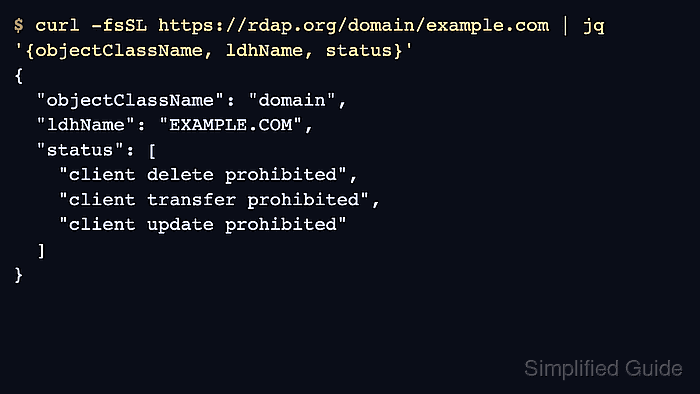
- Query the domain through an RDAP bootstrap endpoint and print the core domain fields.
$ curl -fsSL https://rdap.org/domain/example.com | jq '{objectClassName, ldhName, status}'
{
  "objectClassName": "domain",
  "ldhName": "EXAMPLE.COM",
  "status": [
    "client delete prohibited",
    "client transfer prohibited",
    "client update prohibited"
  ]
}
Use a bare domain name, not a URL or email address. For repeated or automated lookups, use an RDAP client or IANA bootstrap data instead of sending high-volume checks through a public bootstrap service.
- Check the RDAP service selected by the bootstrap endpoint when source path matters.
$ curl -fsSI https://rdap.org/domain/example.com
HTTP/2 302
location: https://rdap.verisign.com/com/v1/domain/example.com
##### snipped
A 302 response from rdap.org means the client should follow the Location header to the authoritative RDAP service for that object.
- Save the full RDAP response before extracting fields for a ticket or handoff.
$ curl -fsSL https://rdap.org/domain/example.com -o example.com.rdap.json
Public RDAP records can include contact roles, notices, service terms, registrar identifiers, and timestamps. Review the file before sharing it outside the team.
- Confirm that the saved response is a domain object from the expected source.
$ jq '{objectClassName, ldhName, self: (.links[] | select(.rel == "self") | .href)}' example.com.rdap.json { "objectClassName": "domain", "ldhName": "EXAMPLE.COM", "self": "https://rdap.verisign.com/com/v1/domain/EXAMPLE.COM" } - Read lifecycle events when the task involves age, renewal, expiry, or recent changes.
$ jq '.events' example.com.rdap.json
[
  {
    "eventAction": "registration",
    "eventDate": "1995-08-14T04:00:00Z"
  },
  {
    "eventAction": "expiration",
    "eventDate": "2026-08-13T04:00:00Z"
  },
  {
    "eventAction": "last changed",
    "eventDate": "2026-01-16T18:26:50Z"
  }
]
Some records expose additional events, such as the last RDAP database update. Use the event whose eventAction matches the operational question.
- Read every domain status value before transfer, deletion, update, or publication decisions.
$ jq '.status' example.com.rdap.json
[
  "client delete prohibited",
  "client transfer prohibited",
  "client update prohibited"
]
Status values can explain locks, holds, pending actions, or recovery states. Map the exact value before treating the domain as expired, transferable, or broken.
- Find the registrar entity when renewal, transfer, account ownership, or support routing is the next action.
$ jq '.entities[] | select((.roles // []) | index("registrar")) | {handle, roles, publicIds}' example.com.rdap.json
{
  "handle": "376",
  "roles": [
    "registrar"
  ],
  "publicIds": [
    {
      "type": "IANA Registrar ID",
      "identifier": "376"
    }
  ]
}
RDAP entities can also include abuse, technical, administrative, or registrant roles when policy allows them to be public.
- Read the registered nameserver hostnames when delegation is part of the check.
$ jq '[.nameservers[]?.ldhName]' example.com.rdap.json
[
  "ELLIOTT.NS.CLOUDFLARE.COM",
  "HERA.NS.CLOUDFLARE.COM"
]
RDAP nameservers are registration-side delegation data. Query DNS separately before deciding whether the authoritative nameservers are answering zone records.
- Review RDAP notices before publishing or attaching the response.
$ jq '.notices[] | {title, links: [.links[]?.href]}' example.com.rdap.json
{
  "title": "Terms of Service",
  "links": [
    "https://www.verisign.com/domain-names/registration-data-access-protocol/terms-service/index.xhtml"
  ]
}
##### snipped
Keep the saved JSON, the self link, and the specific status, event, nameserver, or registrar entity that supports the handoff. Website, mail, DNSSEC, and account-state checks need separate evidence.

Mohd Shakir Zakaria is a cloud architect with deep roots in software development and open-source advocacy. Certified in AWS, Red Hat, VMware, ITIL, and Linux, he specializes in designing and managing robust cloud and on-premises infrastructures.


