How to query a domain with whois
A domain WHOIS lookup is a registration-side check before renewal, transfer, delegation, status, or abuse handoff decisions. Keep the registrar, expiry, status, nameserver, or referral field that explains which registration path controls the next action.
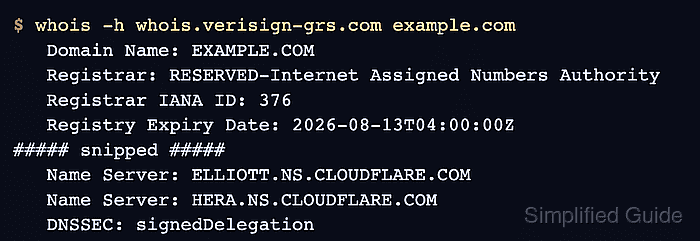
Legacy WHOIS clients query port 43 servers and print provider-specific text. Some systems start at IANA and either follow a referral or return only a registry-level object, so a thin response should be followed with the registry WHOIS server named by IANA or with the corresponding RDAP record.
For gTLD registration data, RDAP is now the definitive structured source after the WHOIS service transition, while WHOIS remains useful for quick terminal checks and registry text comparisons. Treat public output as a snapshot; registrar account ownership, billing, and nonpublic contact disclosure still need registrar-side confirmation.
Tool: WHOIS / RDAP Lookup
Related: How to check a domain registrar with whois
Related: How to read domain status codes from whois
Related: How to check domain nameservers with whois
Related: How to query RDAP for a domain
Steps to query a domain with whois:
- Query the domain by its bare name.
$ whois example.com
% IANA WHOIS server
% for more information on IANA, visit http://www.iana.org
% This query returned 1 object

domain:       EXAMPLE.COM

organisation: Internet Assigned Numbers Authority

created:      1992-01-01
source:       IANA
Use example.com rather than a URL such as https://example.com/path. WHOIS queries registration objects, not web pages.
- Query the registry WHOIS server when the first response does not include domain registration fields.
$ whois -h whois.verisign-grs.com example.com
   Domain Name: EXAMPLE.COM
   Registry Domain ID: 2336799_DOMAIN_COM-VRSN
   Registrar WHOIS Server: whois.iana.org
##### snipped #####
   Name Server: ELLIOTT.NS.CLOUDFLARE.COM
   Name Server: HERA.NS.CLOUDFLARE.COM
   DNSSEC: signedDelegation
The IANA TLD record for com names whois.verisign-grs.com as the WHOIS server. Use the server for the target TLD rather than assuming every domain uses the same registry.
Related: How to find a TLD WHOIS server
Related: How to follow a WHOIS referral server - Read the registrar fields.
   Registrar WHOIS Server: whois.iana.org
   Registrar: RESERVED-Internet Assigned Numbers Authority
   Registrar IANA ID: 376
The registrar normally owns renewal, transfer lock, account access, and customer-support routing for the domain.
- Check lifecycle dates when the task involves renewal or expiry.
   Updated Date: 2026-01-16T18:26:50Z
   Creation Date: 1995-08-14T04:00:00Z
   Registry Expiry Date: 2026-08-13T04:00:00Z
Some records use Expiration Date, Expiry Date, or RDAP events instead of Registry Expiry Date.
- Read every domain status line.
   Domain Status: clientDeleteProhibited https://icann.org/epp#clientDeleteProhibited
   Domain Status: clientTransferProhibited https://icann.org/epp#clientTransferProhibited
   Domain Status: clientUpdateProhibited https://icann.org/epp#clientUpdateProhibited
Status codes can explain blocked transfers, updates, deletion, publication, or lifecycle actions. Read the exact code before treating the domain as expired or broken.
- Check delegated nameservers when the task involves DNS.
   Name Server: ELLIOTT.NS.CLOUDFLARE.COM
   Name Server: HERA.NS.CLOUDFLARE.COM
   DNSSEC: signedDelegation
Nameserver fields identify the registered delegation, not whether the authoritative DNS service is answering records correctly.
- Confirm a sparse or high-stakes result with RDAP.
For gTLDs, RDAP gives the structured registration-data record. Use it when WHOIS output is missing fields, when field names differ between servers, or when the decision needs a standards-shaped source.
Related: How to query RDAP for a domain
- Keep the query result once it contains the field needed for the decision.
Registrar, status, expiry, nameserver, DNSSEC, or referral evidence is enough for a registration-side note. Website, email, and live DNS behavior need separate DNS or service checks.