How to configure folder sharing on Ubuntu (GNOME)
Sharing folders in Ubuntu is essential for managing file access across multiple devices on a local network. It supports collaborative environments by enabling users to access, edit, and store files in a centralized location. Properly configured network shares ensure security and efficiency for various organizational or personal setups.
One widely adopted method for folder sharing on Ubuntu is the Samba service, which implements the SMB and CIFS protocols. This implementation allows seamless integration with Windows systems and other operating environments, making it ideal for heterogeneous networks. Through Samba, administrators can define permissions, authentication schemes, and policies that maintain data security.
Cross-platform compatibility is vital for streamlined workflows, and Samba provides the reliability and flexibility needed to facilitate these processes. By defining explicit access controls and monitoring network connections, organizations can securely share resources and simplify collaborative tasks in diverse setups.
Steps to configure folder sharing on Ubuntu (GNOME):
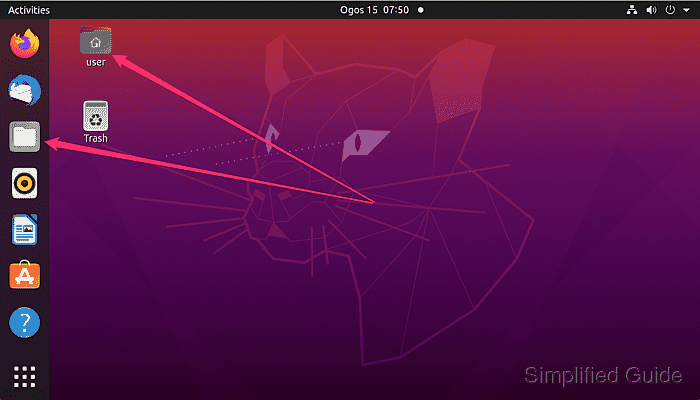
- Open the Files application on Ubuntu Desktop.
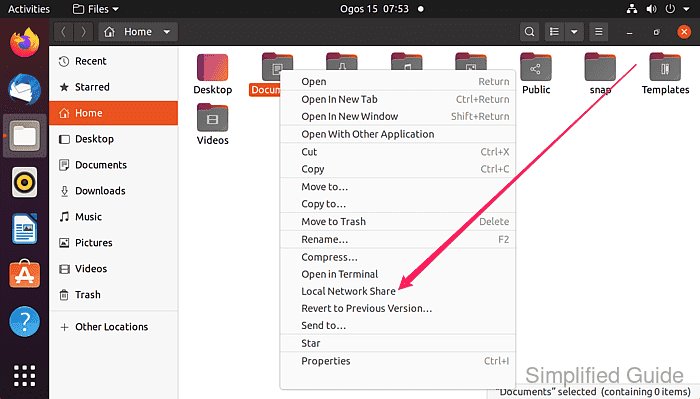
- Right-click the folder you want to share and select Local Network Share.
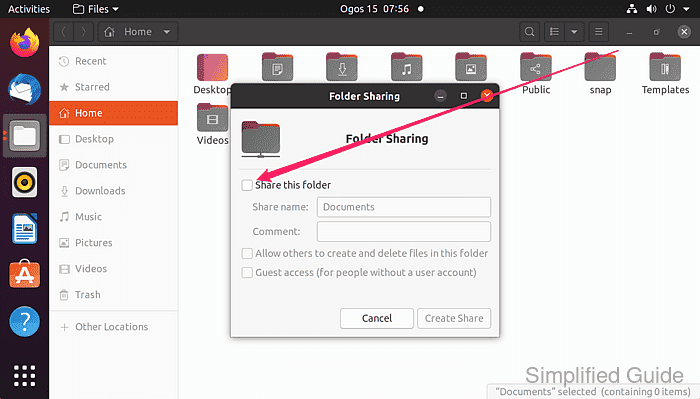
- Check the Share this folder option in the sharing settings.
- If prompted, install the required sharing services, such as Samba.
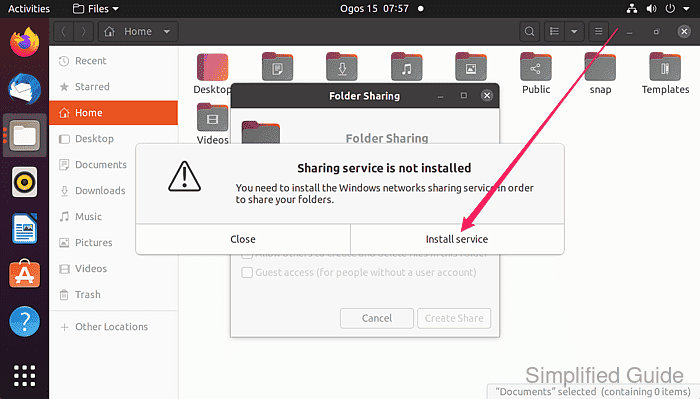
This will install Samba and other related packages.
- Click on the Install button on the Install additional software? window.
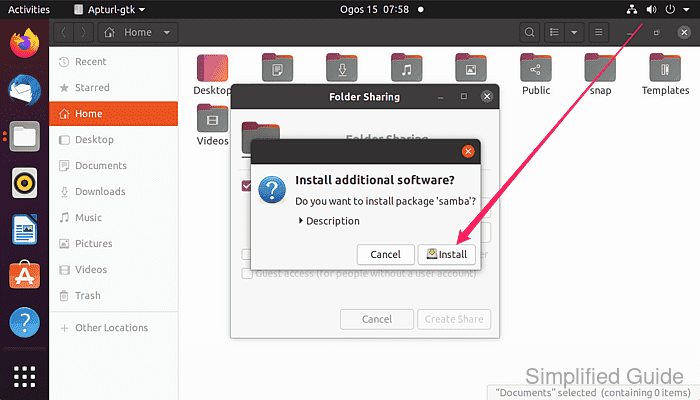
Click on the Description to view more details about the packages to be installed
- Enter your password and click on the Authenticate button on the Authentication Required window.
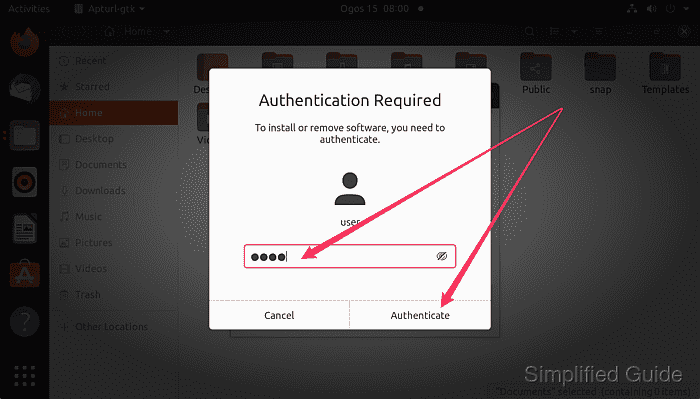
Your account must have administrator privilege to be able to proceed.
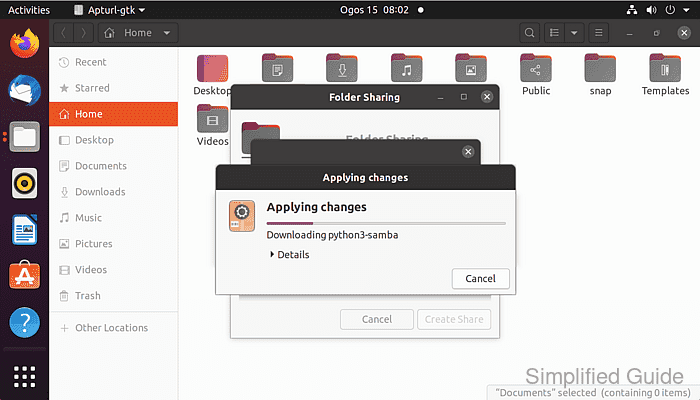
- Wait for the installation to finish.
- Select other options if necessary and click on Create Share.
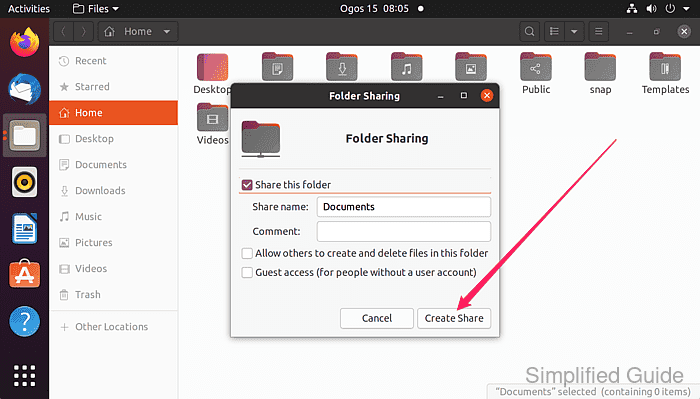
- Shared folder will now have a sharing icon.
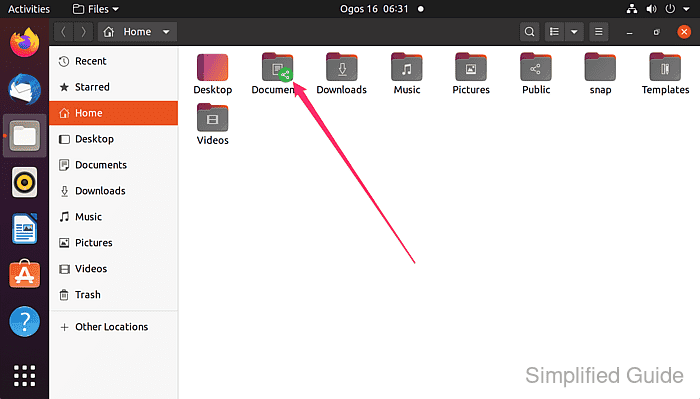
- If your firewall is enabled, open the necessary ports for Samba.
$ sudo ufw allow samba
[sudo] password for user:
Rules updated
Rules updated (v6)
This is only required if you've enabled firewall. It is disabled by default.
- Test the shared folder access from another machine on the network.
This guide is tested on Ubuntu:
| Version | Code Name |
|---|---|
| 22.04 LTS | Jammy Jellyfish |
| 23.10 | Mantic Minotaur |
| 24.04 LTS | Noble Numbat |