How to check service dependencies using systemctl
Checking a service's dependencies with systemctl shows which units systemd will pull in, wait for, or order around that service. That is a practical first check when a daemon starts late, another unit keeps activating it, or a restart begins failing after a unit-file change elsewhere.
The dependency view comes from the loaded unit state in the running manager, not only from the fragment file on disk. Requires=, Wants=, Requisite=, and BindsTo= describe requirement relationships, while After= and Before= describe start and stop ordering. Trigger units such as sockets, timers, and paths can also matter because they are part of how the service is activated.
The list-dependencies tree only shows units currently loaded into memory, so it is not a complete reverse-dependency inventory. Some relationships are also implicit rather than literal lines in the unit file, which is why the runtime property view and the unit definition view are useful together when the dependency chain needs to be explained precisely.
Steps to check service dependencies using systemctl:
- Show the requirement, ordering, conflict, and trigger properties that systemd currently has loaded for the service.
$ systemctl --no-pager show -p Requires -p Wants -p Requisite -p BindsTo -p PartOf -p Conflicts -p Before -p After -p TriggeredBy systemd-journald.service
Requires=systemd-journald.socket -.mount system.slice
Requisite=
Wants=systemd-journald-dev-log.socket systemd-journald.socket
BindsTo=
PartOf=
Conflicts=soft-reboot.target
Before=systemd-journal-flush.service soft-reboot.target sysinit.target systemd-tmpfiles-setup.service
After=syslog.socket -.mount systemd-journald-audit.socket systemd-journald-dev-log.socket system.slice systemd-journald.socket
TriggeredBy=systemd-journald-dev-log.socket systemd-journald-audit.socket systemd-journald.socket
Replace systemd-journald.service with the exact unit name, including suffixes such as .service, .socket, .timer, or .target. Requirement properties pull units into the transaction, while After= and Before= only control order.
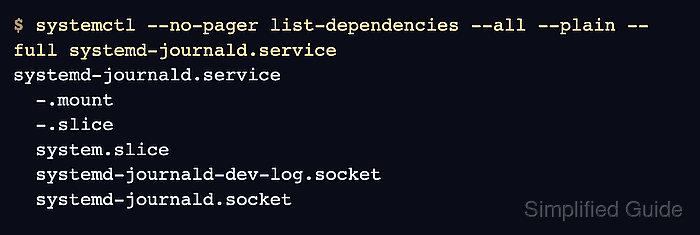
- Print the resolved dependency tree for the service.
$ systemctl --no-pager list-dependencies --all --plain --full systemd-journald.service
systemd-journald.service
  -.mount
  -.slice
  system.slice
  systemd-journald-dev-log.socket
  systemd-journald.socket
--all expands non-target units, and --plain removes tree glyphs so the output is easier to paste into notes or tickets.
list-dependencies only shows units currently loaded into memory by the manager. A reverse relationship declared by an unloaded unit will not appear here yet.
- Follow ordering dependencies when the question is what must start before the service.
$ systemctl --no-pager list-dependencies --after --all --plain --full systemd-journald.service
systemd-journald.service
  -.mount
  -.slice
  ##### snipped #####
  syslog.socket
  system.slice
  systemd-journald-audit.socket
  systemd-journald-dev-log.socket
  systemd-journald.socket
With list-dependencies, --after shows units ordered before the specified unit, while --before shows units ordered after it.
Ordering entries can be explicit or implicit. A unit shown here is not automatically a hard requirement unless it also appears under properties such as Requires=, Requisite=, or BindsTo=.
- Read the loaded unit definition when the next question is where those relationships are declared on disk.
$ systemctl --no-pager cat systemd-journald.service
# /usr/lib/systemd/system/systemd-journald.service
##### snipped #####

[Unit]
Description=Journal Service
Documentation=man:systemd-journald.service(8) man:journald.conf(5)
DefaultDependencies=no
Requires=systemd-journald.socket
After=systemd-journald.socket systemd-journald-dev-log.socket systemd-journald-audit.socket syslog.socket
Before=sysinit.target

##### snipped #####

# /usr/lib/systemd/system/systemd-journald.service.d/nice.conf
[Service]
Nice=-1
systemctl cat prints the main fragment file and any drop-ins that modify it, which is the faster way to confirm whether a dependency came from the packaged unit or from a local override.
- Check the state of the dependency units that matter to the service's startup path.
$ systemctl is-active systemd-journald.socket system.slice syslog.socket
active
active
active
An entry shown only in After= is not a hard dependency by itself. Treat an inactive unit as a blocker only when it is also required by properties such as Requires= or when the service genuinely needs that unit's function to start cleanly.
- Inspect reverse relationships when another unit keeps starting the service unexpectedly.
$ systemctl --no-pager list-dependencies --reverse --plain --full systemd-journald.socket
systemd-journald.socket
  systemd-journald.service
  sockets.target
  basic.target
  initrd.target
  multi-user.target
  graphical.target
Reverse checks are especially useful for socket-, timer-, and path-activated workloads because the trigger unit often explains why the service appears without a direct manual start.