How to create a Redmine group
Redmine groups let administrators manage project access for a team through one membership entry instead of updating each user separately. Create a group when support, engineering, client, or vendor users need the same project role across one or more projects.
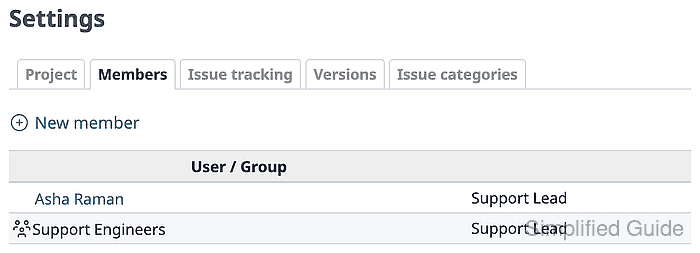
A group is created under Administration → Groups. Users are added on the group's Users tab, and project roles are assigned on the Projects tab. The project membership screen then shows the group next to individual users.
Start with active user accounts, an existing project, and a role that grants the permissions the team should receive. Redmine combines roles when a user also has an individual project membership, so test inherited access with a user whose project access comes from the group.
Related: How to create a Redmine project
Steps to create a Redmine group:
- Sign in to Redmine with an administrator account.
- Open Administration → Groups.
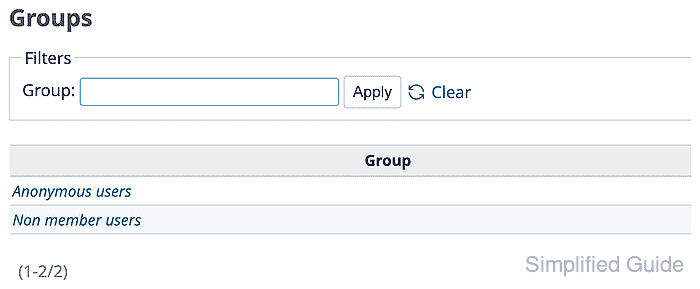
- Click New group and enter the group name.
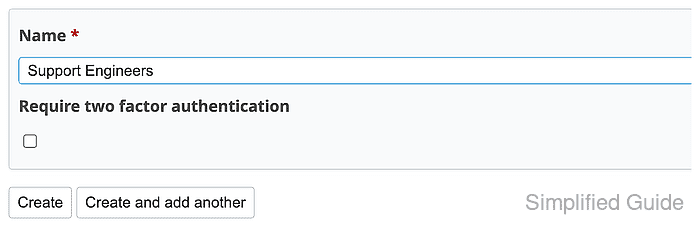
Use a team name that administrators can recognize later in project member lists, such as Support Engineers.
- Click Create and confirm the group opens on the General tab.
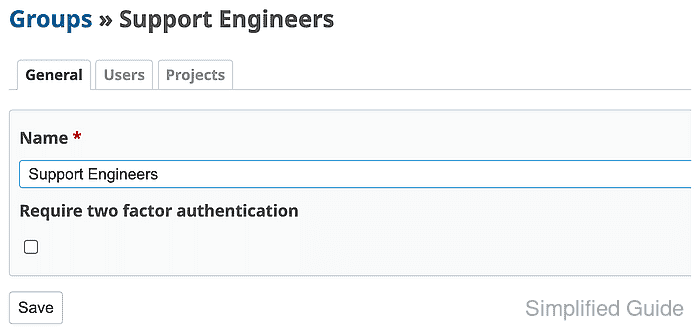
- Open the Users tab and click New user.

- Search for the active user and select the checkbox.
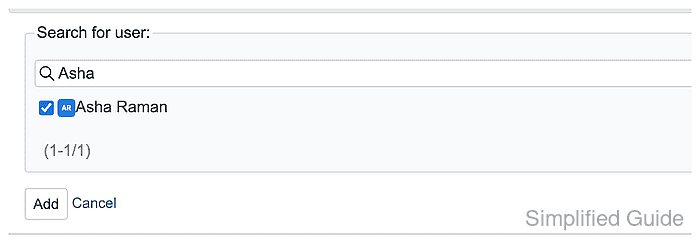
Only active users can sign in to verify inherited project access.
Related: How to create a Redmine user - Click Add and confirm the user appears on the group Users tab.

- Open the Projects tab and click Add projects.

- Select the target project and the project role.
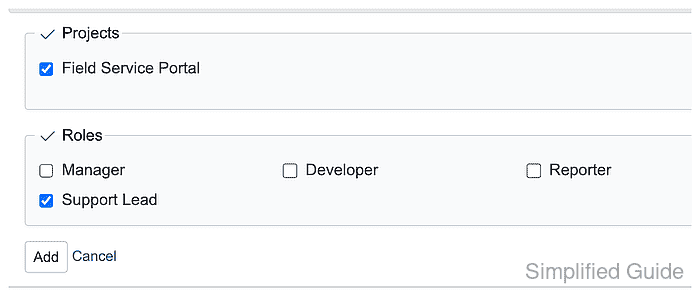
Assign the same role that each team member should receive in the project.
Related: How to set Redmine role permissions - Click Add and confirm the Projects tab lists the project with the selected role.

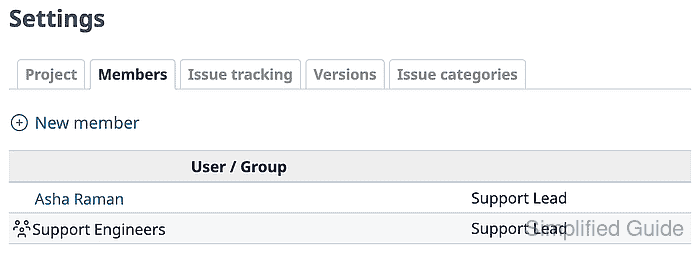
- Open the project Settings → Members tab and confirm the group row shows the expected role.
- Open the project as a user in the group.
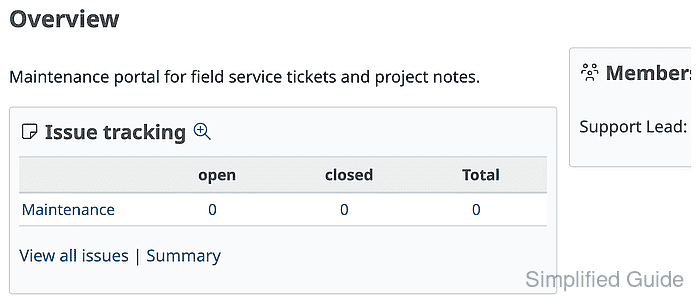
The project should load for the user, and the project member summary should show the group or inherited role.