How to upgrade Prometheus
Upgrading Prometheus from an upstream release tarball replaces the server and promtool binaries while keeping the existing configuration, service unit, and local TSDB data path in place. Use this path when a Linux host runs a manually installed Prometheus service under /usr/local/bin and needs a release newer than the operating system package provides.
The running server exposes its build through /api/v1/status/buildinfo, so capture the current version before changing files and check the same endpoint after the restart. Validate /etc/prometheus/prometheus.yml with the new promtool before returning the service to normal use.
Keep the old binaries and a recent data backup available until the upgraded server is ready and queries answer on the expected web address. Review the upstream migration notes before crossing a major version boundary, because changes in scrape labels, feature flags, and configuration defaults can require more than a binary swap.
Steps to upgrade Prometheus from an upstream release tarball:
- Check the running Prometheus build before the change window.
$ curl --silent http://127.0.0.1:9090/api/v1/status/buildinfo
{"status":"success","data":{"version":"3.11.2","revision":"f0f0fdd679dcd6df320b0558b20919f7cd44c407","branch":"HEAD","buildUser":"builder","buildDate":"20260413-11:58:47","goVersion":"go1.26.2"}}
Use the host and port from the service's --web.listen-address flag when the server is not listening on the default local address.
- Validate the active configuration before replacing binaries.
$ promtool check config /etc/prometheus/prometheus.yml
Checking /etc/prometheus/prometheus.yml
 SUCCESS: /etc/prometheus/prometheus.yml is valid prometheus config file syntax
Use the file named by the running --config.file flag when the service was installed with a custom path.
Related: How to test Prometheus configuration - Confirm that a recent TSDB backup or snapshot exists.
A binary rollback cannot undo local data changes or repair a damaged TSDB. Create or verify a backup before upgrading a production server.
Related: How to create a Prometheus snapshot backup - Create a rollback directory for the current binaries.
$ sudo install -d -m 0755 /srv/prometheus-upgrade-rollback
- Copy the current Prometheus binaries into the rollback directory.
$ sudo cp -a /usr/local/bin/prometheus /usr/local/bin/promtool /srv/prometheus-upgrade-rollback/
Adjust the source paths if systemctl cat prometheus shows a different binary location in ExecStart.
- Verify the rollback binaries are present.
$ ls -lh /srv/prometheus-upgrade-rollback
total 368M
-rwxr-xr-x 1 root root 196M Jun 20 11:02 prometheus
-rwxr-xr-x 1 root root 173M Jun 20 11:02 promtool
- Download the selected Prometheus release tarball.
$ curl --fail --location --output /tmp/prometheus-3.12.0.linux-amd64.tar.gz https://github.com/prometheus/prometheus/releases/download/v3.12.0/prometheus-3.12.0.linux-amd64.tar.gz
Replace 3.12.0 and linux-amd64 with the release and architecture selected from the official download page. Use the package manager instead of mixing tarball binaries onto a host installed from APT unless the service was intentionally converted to a manual install.
- Extract the release tarball.
$ tar -xzf /tmp/prometheus-3.12.0.linux-amd64.tar.gz -C /tmp
- Check the replacement binary before installing it.
$ /tmp/prometheus-3.12.0.linux-amd64/prometheus --version
prometheus, version 3.12.0 (branch: HEAD, revision: 9f27dffc1f93ca23287972f632025879f2d1c658)
  build user:       builder
  build date:       20260528-15:53:38
  go version:       go1.26.3
  platform:         linux/amd64
  tags:             netgo,builtinassets
- Validate the configuration with the replacement promtool before stopping the service.
$ /tmp/prometheus-3.12.0.linux-amd64/promtool check config /etc/prometheus/prometheus.yml
Checking /etc/prometheus/prometheus.yml
 SUCCESS: /etc/prometheus/prometheus.yml is valid prometheus config file syntax
If the new promtool rejects the file, stop the upgrade and fix the configuration or choose a compatible release before touching the running service.
- Stop the Prometheus service.
$ sudo systemctl stop prometheus
Stopping Prometheus pauses local scraping, rule evaluation, dashboards, and remote-write traffic for this instance. Use a redundant pair or a planned maintenance window when query continuity matters.
- Install the replacement Prometheus and promtool binaries.
$ sudo install -o root -g root -m 0755 /tmp/prometheus-3.12.0.linux-amd64/prometheus /tmp/prometheus-3.12.0.linux-amd64/promtool /usr/local/bin/
- Check the installed Prometheus binary.
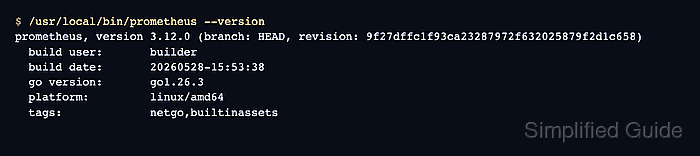
$ /usr/local/bin/prometheus --version
prometheus, version 3.12.0 (branch: HEAD, revision: 9f27dffc1f93ca23287972f632025879f2d1c658)
  build user:       builder
  build date:       20260528-15:53:38
  go version:       go1.26.3
  platform:         linux/amd64
  tags:             netgo,builtinassets
- Start the Prometheus service.
$ sudo systemctl start prometheus
- Check the readiness endpoint after startup.
$ curl --silent --show-error http://127.0.0.1:9090/-/ready
Prometheus Server is Ready.
- Confirm the running server reports the upgraded version.
$ curl --silent http://127.0.0.1:9090/api/v1/status/buildinfo {"status":"success","data":{"version":"3.12.0","revision":"9f27dffc1f93ca23287972f632025879f2d1c658","branch":"HEAD","buildUser":"builder","buildDate":"20260528-15:53:38","goVersion":"go1.26.3"}} - Remove the extracted release files after the rollback window ends.
$ rm -r /tmp/prometheus-3.12.0.linux-amd64 /tmp/prometheus-3.12.0.linux-amd64.tar.gz
Keep /srv/prometheus-upgrade-rollback until dashboards, alerts, remote write, and the expected scrape targets have been checked after the upgrade.