Installing Prometheus on Ubuntu from the distribution package gives a managed metrics server with a systemd unit, default configuration, and security updates through APT. It fits hosts where Prometheus should run as a local service instead of a manually unpacked upstream tarball.
The Ubuntu package supplies the server binary, promtool, a default config file, and prometheus.service. The packaged service runs as the prometheus user, so normal service control and later package upgrades stay aligned with Ubuntu's layout.
A completed install should show valid configuration, an active prometheus service, and a local 200 OK response from /-/ready on port 9090. Keep the web port limited to localhost, a trusted monitoring network, or an authenticated reverse proxy instead of exposing the expression browser directly to the internet.
Related: How to install node exporter on Linux
Related: How to add a Prometheus scrape config
Steps to install Prometheus on Ubuntu:
- Open a terminal with sudo privileges.
- Refresh the package index.
$ sudo apt update
- Install the Prometheus package.
$ sudo apt install prometheus
The package installs /usr/bin/prometheus, /usr/bin/promtool, /etc/prometheus/prometheus.yml, /etc/default/prometheus, and prometheus.service. Use the upstream tarball only when the host needs a release that the Ubuntu package does not provide.
- Validate the packaged configuration.
$ sudo promtool check config /etc/prometheus/prometheus.yml
Checking /etc/prometheus/prometheus.yml
 SUCCESS: /etc/prometheus/prometheus.yml is valid prometheus config file syntax
Related: How to test Prometheus configuration
- Enable and start the Prometheus service.
$ sudo systemctl enable --now prometheus
- Confirm the service is active.
$ systemctl is-active prometheus
active
If the service is not active, inspect sudo journalctl -u prometheus before changing scrape configuration or firewall rules.
Related: How to manage the Prometheus service with systemctl - Check the installed Prometheus binary.
$ prometheus --version
prometheus, version 2.53.5+ds1 (branch: debian/sid, revision: 2.53.5+ds1-3)
  build user:       team+pkg-go@tracker.debian.org
  build date:       20251231-19:01:34
  go version:       go1.25.0
  platform:         linux/amd64
  tags:             unknown
The exact version and platform line depend on the Ubuntu release and CPU architecture.
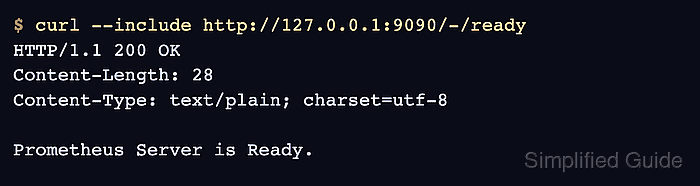
- Check the local readiness endpoint.
$ curl --include http://127.0.0.1:9090/-/ready
HTTP/1.1 200 OK
Content-Length: 28
Content-Type: text/plain; charset=utf-8

Prometheus Server is Ready.
A 200 OK response confirms the web listener is running locally on port 9090. Open firewall access only for trusted clients or put Prometheus behind an authenticated reverse proxy before remote browser access.

Mohd Shakir Zakaria is a cloud architect with deep roots in software development and open-source advocacy. Certified in AWS, Red Hat, VMware, ITIL, and Linux, he specializes in designing and managing robust cloud and on-premises infrastructures.


