Creating a Prometheus snapshot backup captures the local TSDB data through the Prometheus admin API before the snapshot is copied away from the active data volume. It is useful before host maintenance, storage migration, version upgrades, or any change where the built-in retention window is not enough recovery protection.
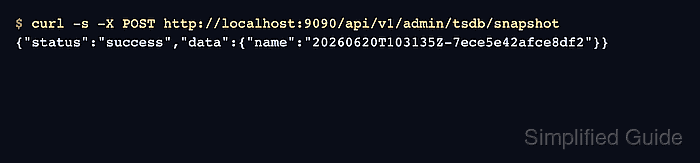
The snapshot endpoint writes a generated directory under snapshots inside the active storage.tsdb.path. The API response returns that directory name, and the backup is only protected after the directory is archived or copied to storage outside the Prometheus data path.
The admin API is disabled unless Prometheus starts with --web.enable-admin-api. Keep the endpoint reachable only from a trusted management path, because the same admin API group contains destructive TSDB endpoints, and avoid skip_head=true unless losing the newest in-memory samples is acceptable.
Steps to create a Prometheus snapshot backup:
- Confirm Prometheus is running with the admin API enabled and note the data path.
$ ps -o args= -C prometheus
/usr/local/bin/prometheus --config.file=/etc/prometheus/prometheus.yml --storage.tsdb.path=/var/lib/prometheus --web.listen-address=127.0.0.1:9090 --web.enable-admin-api
If --web.enable-admin-api is missing, add it to the Prometheus service or container arguments and restart Prometheus before requesting the snapshot.
Related: How to manage the Prometheus service with systemctl - Check that the local Prometheus endpoint is ready.
$ curl -s http://localhost:9090/-/ready
Prometheus Server is Ready.
- Create the TSDB snapshot through the admin API.
$ curl -s -X POST http://localhost:9090/api/v1/admin/tsdb/snapshot
{"status":"success","data":{"name":"20260620T103135Z-7ece5e42afce8df2"}}
The default request includes data in the current head block. Add skip_head=true only for a backup that intentionally excludes samples not yet compacted to disk.
- List the snapshot directory returned by the API.
$ ls /var/lib/prometheus/snapshots
20260620T103135Z-7ece5e42afce8df2
- Create the backup destination outside the Prometheus data directory.
$ sudo mkdir -p /srv/backups/prometheus
- Archive the snapshot directory into the backup destination.
$ sudo tar -C /var/lib/prometheus/snapshots -czf /srv/backups/prometheus/20260620T103135Z-7ece5e42afce8df2.tar.gz 20260620T103135Z-7ece5e42afce8df2
Replace the snapshot name with the value returned by your Prometheus API response. Move or replicate the archive to backup storage that survives a Prometheus host or disk loss.
- Verify the backup archive exists.
$ ls -lh /srv/backups/prometheus/20260620T103135Z-7ece5e42afce8df2.tar.gz
-rw-r--r-- 1 root root 23K Jun 20 10:31 /srv/backups/prometheus/20260620T103135Z-7ece5e42afce8df2.tar.gz
- Remove the local snapshot directory after the archive is protected.
$ sudo rm -r /var/lib/prometheus/snapshots/20260620T103135Z-7ece5e42afce8df2
Do not remove the archive in /srv/backups/prometheus until a restore test or external backup copy has succeeded.

Mohd Shakir Zakaria is a cloud architect with deep roots in software development and open-source advocacy. Certified in AWS, Red Hat, VMware, ITIL, and Linux, he specializes in designing and managing robust cloud and on-premises infrastructures.


