How to configure Prometheus Pushgateway
Configuring Prometheus Pushgateway lets a Prometheus server scrape metrics that short-lived service-level batch jobs push to an intermediary endpoint. Use it when a batch job finishes before Prometheus can scrape the job process directly.
Prometheus treats the Pushgateway as a normal scrape target. The scrape job should set honor_labels to true so labels supplied by the pushed metric group, especially job, remain attached to the time series that Prometheus stores.
Keep the Pushgateway for service-level batch outcomes rather than general host metrics. Pushed series remain in the Pushgateway until they are deleted or overwritten, so stale job labels should be part of the batch job cleanup plan.
Related: How to add a Prometheus scrape config
Related: How to check Prometheus targets
Steps to configure Prometheus Pushgateway scraping:
- Confirm that the Pushgateway endpoint is ready from the Prometheus server.
$ curl -s http://pushgateway.example.net:9091/-/ready
OK
Run the request from the Prometheus host or from the same network path that Prometheus uses.
Related: How to test a Prometheus metrics endpoint - Confirm the active Prometheus configuration file from the service unit.
$ sudo systemctl cat prometheus
# /etc/systemd/system/prometheus.service
[Service]
ExecStart=/usr/local/bin/prometheus --config.file=/etc/prometheus/prometheus.yml --storage.tsdb.path=/var/lib/prometheus
Use the path named by --config.file. Package installs often use /etc/prometheus/prometheus.yml, but custom services can use another file.
- Edit the active Prometheus configuration file.
$ sudo vi /etc/prometheus/prometheus.yml
- Add a Pushgateway scrape job under scrape_configs.
- /etc/prometheus/prometheus.yml
scrape_configs:
  - job_name: pushgateway
    honor_labels: true
    static_configs:
      - targets:
          - 'pushgateway.example.net:9091'
Keep the job beside existing scrape jobs. honor_labels preserves the job label supplied by the Pushgateway grouping key instead of moving it to exported_job.
- Test the Prometheus configuration syntax.
$ promtool check config /etc/prometheus/prometheus.yml
Checking /etc/prometheus/prometheus.yml
 SUCCESS: /etc/prometheus/prometheus.yml is valid prometheus config file syntax
Related: How to test Prometheus configuration
- Reload Prometheus to apply the scrape job.
$ sudo systemctl reload prometheus
Restart the service if the unit has no reload action, or use the lifecycle reload endpoint only when it is already enabled.
Related: How to reload Prometheus configuration
Related: How to manage the Prometheus service with systemctl - Check that Prometheus scrapes the Pushgateway target.
$ curl -sG http://localhost:9090/api/v1/query --data-urlencode 'query=up{job="pushgateway"}' {"status":"success","data":{"resultType":"vector","result":[{"metric":{"__name__":"up","instance":"pushgateway.example.net:9091","job":"pushgateway"},"value":[1781950012.729,"1"]}]}} - Push a one-sample smoke-test metric through the Pushgateway.
$ echo "backup_success 1" | curl --data-binary @- http://pushgateway.example.net:9091/metrics/job/nightly_backup
The line feed from echo matters because the Pushgateway parses the Prometheus text format line by line.
- Query Prometheus for the pushed sample.
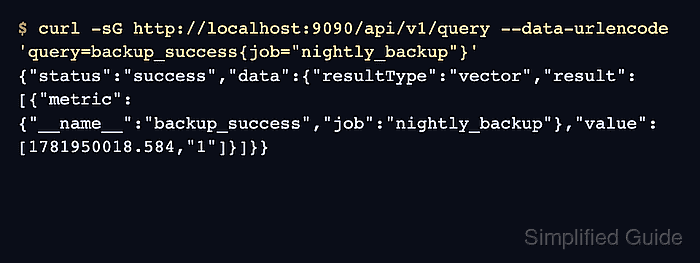
$ curl -sG http://localhost:9090/api/v1/query --data-urlencode 'query=backup_success{job="nightly_backup"}'
{"status":"success","data":{"resultType":"vector","result":[{"metric":{"__name__":"backup_success","job":"nightly_backup"},"value":[1781950018.584,"1"]}]}}
The returned metric keeps job=“nightly_backup”. If Prometheus returns exported_job instead, recheck honor_labels in the Pushgateway scrape job.
Related: How to run a PromQL query in Prometheus - Delete the smoke-test metric group from the Pushgateway.
$ curl -X DELETE http://pushgateway.example.net:9091/metrics/job/nightly_backup
Delete only the temporary group used for the smoke test. Removing a production group hides its pushed metrics from the next Prometheus scrape.