A Prometheus metrics endpoint should answer an HTTP GET request with text exposition that Prometheus can scrape. Testing the endpoint before adding or troubleshooting a scrape job catches wrong URLs, proxy errors, empty responses, and malformed metric samples from an operator shell.
The endpoint is commonly /metrics, but exporters and applications may expose a different path or require authentication. Test from the same network path Prometheus uses whenever possible, because workstation localhost, container localhost, and service discovery names can point to different processes.
A passing check means curl receives a successful response with metric samples and promtool parses the saved response without lint errors. Replace the sample host with the target URL, port, path, scheme, and credentials that match the scrape job being tested.
Related: How to add a Prometheus scrape config
Related: How to test Prometheus configuration
Steps to test a Prometheus metrics endpoint:
- Request the metrics endpoint with curl.
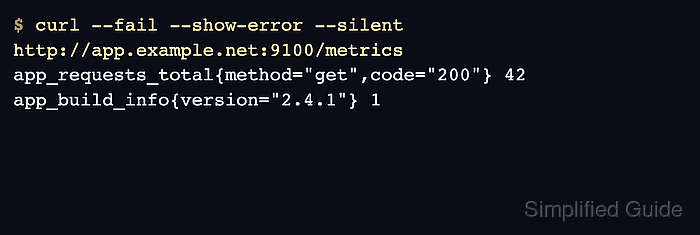
$ curl --fail --show-error --silent http://app.example.net:9100/metrics
# HELP app_requests_total Total HTTP requests served.
# TYPE app_requests_total counter
app_requests_total{method="get",code="200"} 42
# HELP app_build_info Application build metadata.
# TYPE app_build_info gauge
app_build_info{version="2.4.1"} 1
A readable response should include metric sample lines such as metric_name{label="value"} 1. A 401, 403, 404, or connection error means the URL, credentials, routing, or exporter listener must be fixed before Prometheus can scrape it.
- Save the response to a temporary metrics file.
$ curl --fail --show-error --silent --output /tmp/app.prom http://app.example.net:9100/metrics
Use the same scheme, host, port, path, and authentication method that the Prometheus server will use for the scrape.
- Check the text exposition with promtool.
$ promtool check metrics < /tmp/app.prom
No output means promtool parsed the metrics without consistency or lint findings. If errors appear, fix the exporter output before adding or reloading a scrape job.
- Remove the temporary metrics file.
$ rm /tmp/app.prom

Mohd Shakir Zakaria is a cloud architect with deep roots in software development and open-source advocacy. Certified in AWS, Red Hat, VMware, ITIL, and Linux, he specializes in designing and managing robust cloud and on-premises infrastructures.


