How to show or suppress warning and error messages in PHP
Visible PHP warnings and fatal errors shorten debugging when a request fails, an include breaks, or a runtime change stops the application from starting. Hiding that same output matters on internet-facing systems because diagnostics can expose stack traces, filesystem paths, SQL fragments, and other internal details that belong in operator logs instead of response bodies.
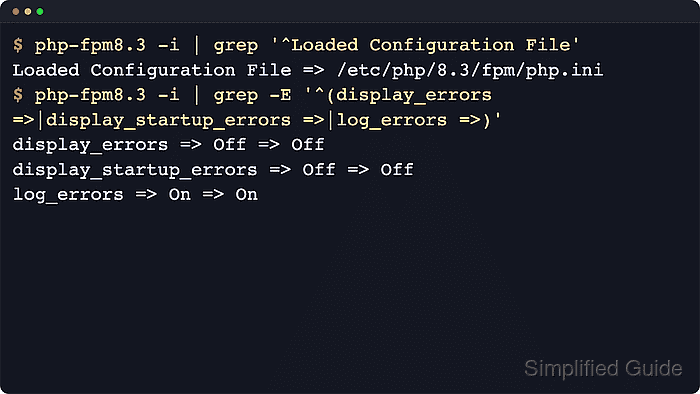
PHP separates which errors are raised from where those errors go. error_reporting chooses the severities, display_errors and display_startup_errors decide whether a client sees them, and log_errors keeps the same events available in the runtime log. The effective values can come from the main php.ini file, additional scanned .ini files, PHP-FPM pool directives, FastCGI PHP_VALUE or PHP_ADMIN_VALUE headers, or per-directory .user.ini files.
Current Ubuntu 26.04 package checks resolve php-fpm to a php8.5-fpm service; Debian releases, pinned repositories, and third-party package sources may use another branch. Replace the sample 8.5 branch, service unit, document root, and URL with the runtime that serves the application, keep log_errors enabled whenever display is disabled, and test the PHP-FPM configuration before reload so an error-display change does not become an outage.
Steps to show or suppress warning and error messages in PHP:
- Create a temporary probe script in the document root served by the target PHP runtime.
$ sudo tee /var/www/billing-portal/current/public/php-warning-check-c7f29e.php >/dev/null <<'PHP'
<?php
header('Content-Type: text/plain');
printf("SAPI=%s\n", PHP_SAPI);
printf("Loaded php.ini=%s\n", php_ini_loaded_file() ?: 'none');
printf("display_errors=%s\n", ini_get('display_errors') ? 'On' : 'Off');
printf("display_startup_errors=%s\n", ini_get('display_startup_errors') ? 'On' : 'Off');
printf("error_reporting=%d\n", error_reporting());
printf("log_errors=%s\n", ini_get('log_errors') ? 'On' : 'Off');
trigger_error('display probe', E_USER_WARNING);
echo "probe complete\n";
PHP
Use an unguessable script name or a restricted path on public sites, and remove the file after testing because it exposes runtime details.
- Request the probe through the same hostname, path, and proxy route that serves the application.
$ curl -s https://billing-portal.example.net/php-warning-check-c7f29e.php
SAPI=fpm-fcgi
Loaded php.ini=/etc/php/8.5/fpm/php.ini
display_errors=Off
display_startup_errors=Off
error_reporting=30719
log_errors=On
probe complete
If the response shows apache2handler, edit the Apache module configuration path instead of the PHP-FPM path. If it shows fpm-fcgi or cgi-fcgi, continue with the PHP-FPM or FastCGI configuration layers for that pool.
Related: How to find PHP configuration files
- Check whether the PHP-FPM pool already overrides display_errors before changing the main php.ini file.
$ sudo grep -R "display_errors" /etc/php/8.5/fpm/pool.d
/etc/php/8.5/fpm/pool.d/www.conf:;php_admin_flag[display_errors] = off
A leading semicolon means the packaged example is commented out and does not override the runtime. Search the same pool directory for display_startup_errors, error_reporting, and log_errors when the probe output does not match the main php.ini file.
Settings forced with php_admin_value[] or php_admin_flag[] cannot be changed later with ini_set().
- Search for per-directory .user.ini files when the site uses CGI or FastCGI and a directory-level override may be closer to the request path.
$ find /var/www/billing-portal/current/public -name .user.ini -print
/var/www/billing-portal/current/public/.user.ini
PHP reads .user.ini only for CGI and FastCGI SAPIs, then re-reads those files on the user_ini.cache_ttl interval instead of immediately. Apache module deployments use web-server configuration such as .htaccess for per-directory settings.
- Back up the configuration file that currently controls the display setting.
$ sudo cp /etc/php/8.5/fpm/php.ini /etc/php/8.5/fpm/php.ini.bak-before-error-display
Back up the pool file or .user.ini file instead when the previous checks show that a narrower layer controls the request.
- Open the active PHP configuration file in a text editor.
$ sudoedit /etc/php/8.5/fpm/php.ini
Replace the sample path with the file reported by the probe or the narrower override layer that actually wins for the request.
Related: How to find PHP configuration files
- Set a temporary debugging profile when warnings, notices, and startup failures must be visible in the response.
display_errors = On
display_startup_errors = On
error_reporting = E_ALL
log_errors = On
html_errors = Off
html_errors = Off keeps warning text readable in curl and plain-text probes. Leave the existing value if browser-formatted error output is required during the debugging window.
Do not leave display_errors = On enabled on a public application after debugging.
- Set a production profile when the response must stay clean while operators still retain diagnostics.
display_errors = Off
display_startup_errors = Off
error_reporting = E_ALL
log_errors = On
Keeping error_reporting = E_ALL with log_errors = On hides warnings from the client without discarding them from logs.
Setting error_reporting = 0 suppresses diagnostics instead of only hiding them from the response.
- Test the PHP-FPM configuration before reloading the service.
$ sudo php-fpm8.5 -t
[06-Jun-2026 02:00:08] NOTICE: configuration file /etc/php/8.5/fpm/php-fpm.conf test is successful
Use the matching binary name, such as php-fpm, php-fpm8.4, or php-fpm8.5. If the only change is in .user.ini, skip this syntax test and re-check the site after the reported cache interval.
Do not reload the service until the configuration test succeeds.
- Reload the runtime that serves the application so new requests use the updated directives.
$ sudo systemctl reload php8.5-fpm
Reload Apache instead, such as sudo systemctl reload apache2 or sudo systemctl reload httpd, when the probe reported apache2handler. On .user.ini-based deployments, wait for user_ini.cache_ttl instead of reloading PHP-FPM.
- Request the probe again to confirm that the debugging profile displays the warning.
$ curl -s https://billing-portal.example.net/php-warning-check-c7f29e.php
SAPI=fpm-fcgi
Loaded php.ini=/etc/php/8.5/fpm/php.ini
display_errors=On
display_startup_errors=On
error_reporting=30719
log_errors=On

Warning: display probe in /var/www/billing-portal/current/public/php-warning-check-c7f29e.php on line 9
probe complete
Switch back to the production profile after the debugging session if the site is reachable by users.
- Request the same probe after applying the production profile and confirm that the warning is hidden from the response.
$ curl -s https://billing-portal.example.net/php-warning-check-c7f29e.php
SAPI=fpm-fcgi
Loaded php.ini=/etc/php/8.5/fpm/php.ini
display_errors=Off
display_startup_errors=Off
error_reporting=30719
log_errors=On
probe complete
The response should omit the Warning: display probe line while still reaching probe complete.
- Confirm that the hidden warning still reaches the configured runtime log.
$ sudo grep "display probe" /var/log/php8.5-fpm.log
[06-Jun-2026 02:00:10 UTC] PHP Warning:  display probe in /var/www/billing-portal/current/public/php-warning-check-c7f29e.php on line 9
The log path may be the PHP-FPM log, the web-server error log, syslog, or the file named by error_log. If no log entry appears, check the active error_log directive and the service account's write permission.
Related: How to configure PHP error logging
- Remove the temporary probe script after the visible, hidden, and logged states match the selected profile.
$ sudo rm /var/www/billing-portal/current/public/php-warning-check-c7f29e.php
Leaving the file in place exposes SAPI, configuration path, and error-display state to anyone who can reach the URL.