Suppressing one expected PHP warning or notice keeps probe code, optional file reads, and fallback lookups quiet without muting diagnostics for the rest of the request. That is useful when a missing cache key, local file, or resource lookup is part of normal control flow instead of a real failure.
The @ error-control operator works on a single expression. PHP hides the visible diagnostic that expression would normally emit, but the expression still returns its usual success or failure value, error_get_last() still records the message, and any custom handler registered with set_error_handler() still runs.
The operator is intentionally narrow. Current PHP 8+ behavior no longer lets @ silence fatal termination, and many invalid-argument problems from built-in functions now raise TypeError or ValueError instead of ordinary warnings. The examples use one-command CLI overrides with -d so the behavior can be tested without changing persistent runtime settings such as php.ini.
Steps to suppress PHP warnings with the @ operator:
- Reproduce the visible warning first so the expected failure and exact message are known before suppression is added.
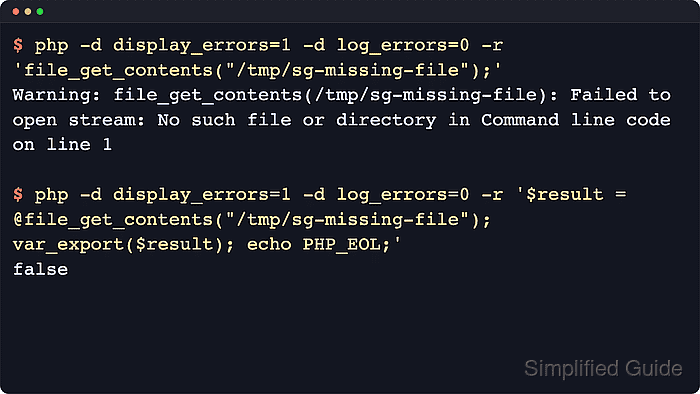
$ php -d display_errors=1 -d log_errors=0 -r 'file_get_contents("/tmp/sg-missing-file");'

Warning: file_get_contents(/tmp/sg-missing-file): Failed to open stream: No such file or directory in Command line code on line 1
Matching the unsuppressed message first reduces the risk of hiding a different bug behind the same line of code.
- Prefix only the expression that is expected to fail with @ and keep the return value available for normal control flow.
$ php -d display_errors=1 -d log_errors=0 -r '$result = @file_get_contents("/tmp/sg-missing-file"); var_export($result); echo PHP_EOL;'

false
@ applies to expressions such as @file_get_contents($path) or @$cache[$key], not to control structures such as if or foreach.
- Branch on the failure value instead of treating suppression as success.
$ php -d display_errors=1 -d log_errors=0 -r '$result = @file_get_contents("/tmp/sg-missing-file"); if ($result === false) { echo "using built-in application defaults".PHP_EOL; }'

using built-in application defaults
Use a direct guard such as is_file(), isset(), or array_key_exists() when one is available, because avoiding the warning is usually safer than suppressing it after the fact.
- Clear the previous error state before reading error_get_last() when the suppressed message is still needed for logging or fallback logic.
$ php -d display_errors=1 -d log_errors=0 -r 'error_clear_last(); $result = @file_get_contents("/tmp/sg-missing-file"); if ($result === false) { $last = error_get_last(); echo $last["message"].PHP_EOL; }'

file_get_contents(/tmp/sg-missing-file): Failed to open stream: No such file or directory
PHP updates the last-error array on each diagnostic, so clear and read it close to the suppressed expression instead of after unrelated work.
- Check custom error-handler behavior before assuming @ bypasses application logging or alerting.
$ php -d display_errors=1 -d log_errors=0 -r 'error_reporting(E_ALL); set_error_handler(function($errno, $errstr){ echo "handler errno=$errno message=$errstr".PHP_EOL; echo "handler_mask=".error_reporting().PHP_EOL; return true; }); @trigger_error("optional local override not loaded", E_USER_WARNING);'

handler errno=512 message=optional local override not loaded
handler_mask=4437
The current PHP manual documents that error_reporting() inside the handler no longer returns 0 for suppressed diagnostics on PHP 8+. Use a mask check such as if (!(error_reporting() & $errno)) { return false; } when the handler needs to detect suppression.
- Confirm that @ does not hide thrown failures such as TypeError.
$ php -d display_errors=1 -d log_errors=0 -r '@strlen([]);'

Fatal error: Uncaught TypeError: strlen(): Argument #1 ($string) must be of type string, array given in Command line code:1
Stack trace:
#0 {main}
  thrown in Command line code on line 1
Use explicit validation, return-value checks, or try/catch when a failure must be handled cleanly. @ is appropriate only for a narrow, expected diagnostic.

Mohd Shakir Zakaria is a cloud architect with deep roots in software development and open-source advocacy. Certified in AWS, Red Hat, VMware, ITIL, and Linux, he specializes in designing and managing robust cloud and on-premises infrastructures.


