How to deploy a PHP app with PHP-FPM and Nginx
A PHP application behind Nginx is deployed only after the public document root, PHP-FPM listener, and server block all point at the same runtime path. A wrong socket returns a 502 Bad Gateway response, a wrong root returns the wrong files or exposes private code, and a missing FastCGI handoff can serve PHP source instead of executing it.
PHP-FPM runs PHP code outside the Nginx worker process and listens on a Unix socket or TCP port. Nginx serves static files directly, then sends matching .php requests to that listener with the script filename that PHP uses to find the application entrypoint.
Ubuntu and Debian packages use versioned PHP-FPM service and socket names, so confirm the local PHP branch before writing the server block. The examples use the Ubuntu 26.04 package layout with PHP 8.5 and
/srv/www/example-app/public
; an existing app should use its own public directory, dependency install step, environment file, and required PHP extensions.
Related: Install PHP-FPM on Ubuntu or Debian
Related: Create a PHP-FPM pool
Steps to deploy a PHP app with PHP-FPM and Nginx:
- Refresh the APT package index before installing the web server and PHP packages.
$ sudo apt-get update
- Install Nginx, PHP-FPM, the PHP command-line binary, and curl for the final smoke test.
$ sudo apt-get install --yes nginx php-fpm php-cli curl
Add application-specific packages such as php-mysql, php-xml, php-mbstring, or php-curl when the deployed app requires them.
- Confirm the installed PHP branch before using versioned service, binary, and socket names.
$ php -r 'echo PHP_MAJOR_VERSION.".".PHP_MINOR_VERSION.PHP_EOL;'
8.5
The remaining examples use 8.5. Replace 8.5 with the value printed on the target host, such as 8.4 or 8.3 on older distribution releases.
- Confirm that the packaged PHP-FPM pool file and Nginx FastCGI snippet exist for the detected branch.
$ ls -1 /etc/php/8.5/fpm/pool.d/www.conf /etc/nginx/snippets/fastcgi-php.conf
/etc/nginx/snippets/fastcgi-php.conf
/etc/php/8.5/fpm/pool.d/www.conf
The default packaged pool for Ubuntu and Debian listens on
/run/php/php8.5-fpm.sock
when the installed branch is 8.5. Custom pools can use a different Unix socket or a TCP listener.
Related: Find PHP configuration files
- Create the application public directory with ownership readable by the web server account.
$ sudo install -d -o www-data -g www-data -m 0755 /srv/www/example-app/public
For framework apps, point Nginx at the framework's public directory, such as
public/
or
web/
, rather than the repository root.
- Create a minimal front controller for the first request test.
$ sudo vi /srv/www/example-app/public/index.php
<?php
header('Content-Type: text/plain');
echo "PHP-FPM app served by Nginx\n";
echo "SCRIPT_FILENAME=".$_SERVER['SCRIPT_FILENAME']."\n";
Replace this file with the real application entrypoint after the Nginx and PHP-FPM handoff is proven.
- Create the Nginx server block for the application hostname and PHP-FPM socket.
$ sudo vi /etc/nginx/sites-available/example-app
server { listen 80; server_name example.com; root /srv/www/example-app/public; index index.php index.html; location / { try_files $uri $uri/ /index.php?$query_string; } location ~ \.php$ { include snippets/fastcgi-php.conf; fastcgi_pass unix:/run/php/php8.5-fpm.sock; } }Use the socket that matches the installed PHP-FPM branch or pool. A stale socket path is a common cause of 502 Bad Gateway responses.
- Enable the server block by linking it into the loaded Nginx sites directory.
$ sudo ln -s /etc/nginx/sites-available/example-app /etc/nginx/sites-enabled/example-app
If another site already handles the same server_name, disable or rename the conflicting block before reloading Nginx.
- Test the PHP-FPM configuration before starting or reloading the service.
$ sudo php-fpm8.5 -tt
[05-Jun-2026 21:24:36] NOTICE: [www]
[05-Jun-2026 21:24:36] NOTICE:     user = www-data
[05-Jun-2026 21:24:36] NOTICE:     listen = /run/php/php8.5-fpm.sock
[05-Jun-2026 21:24:36] NOTICE:     security.limit_extensions = .php .phar
[05-Jun-2026 21:24:36] NOTICE: configuration file /etc/php/8.5/fpm/php-fpm.conf test is successful
Use the versioned binary that matches the installed branch, such as php-fpm8.4 on hosts where php -r printed 8.4.
- Test the full Nginx configuration before reloading the daemon.
$ sudo nginx -t
nginx: the configuration file /etc/nginx/nginx.conf syntax is ok
nginx: configuration file /etc/nginx/nginx.conf test is successful
Related: Test Nginx configuration
- Restart PHP-FPM so the configured socket exists and uses the latest pool settings.
$ sudo systemctl restart php8.5-fpm
Use the service name that matches the detected branch. Containers without systemd may need service php8.5-fpm start for lab testing, but normal servers should use systemctl.
Related: Manage the PHP-FPM service
- Reload Nginx so the enabled server block starts handling matching requests.
$ sudo systemctl reload nginx
- Confirm that PHP-FPM is active.
$ systemctl is-active php8.5-fpm
active
- Confirm that the expected PHP-FPM socket exists and is readable by the web server group.
$ ls -l /run/php/php8.5-fpm.sock
srw-rw---- 1 www-data www-data 0 Jun  5 21:24 /run/php/php8.5-fpm.sock
If the socket is missing or owned by a group Nginx cannot use, re-check the pool's listen, listen.owner, and listen.group settings before changing the server block again.
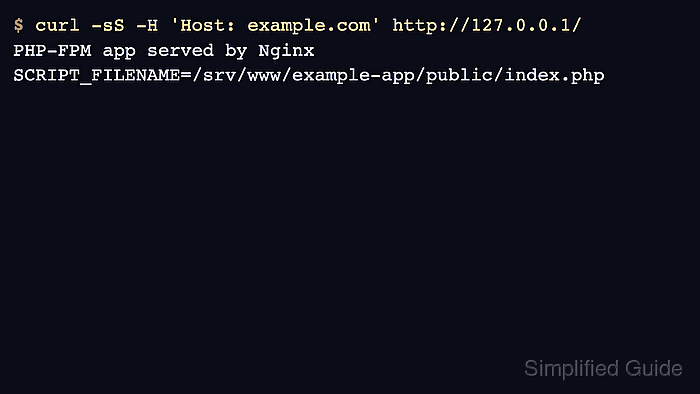
- Request the site through Nginx with the configured hostname and confirm PHP executed the application file.
$ curl -sS -H 'Host: example.com' http://127.0.0.1/
PHP-FPM app served by Nginx
SCRIPT_FILENAME=/srv/www/example-app/public/index.php
From another workstation, test the real DNS name or use curl --resolve example.com:80:203.0.113.10 http://example.com/ with the server's public IP address.