How to create a local certificate authority using OpenSSL
A local certificate authority gives private services one root certificate that selected clients can trust for internal TLS. It is useful for labs, development networks, private dashboards, and service-to-service endpoints where a public CA will not issue or should not be used.
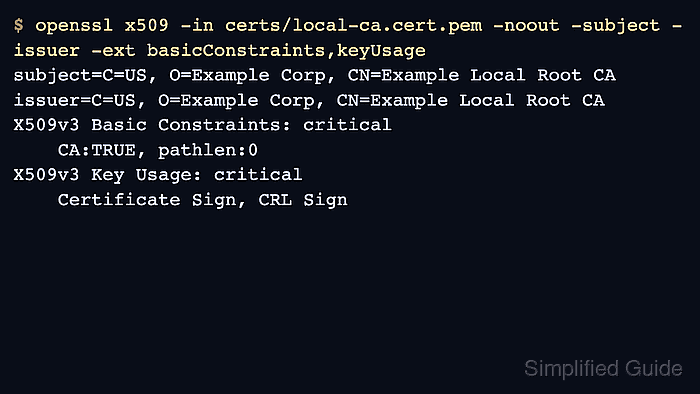
OpenSSL can create that root from an encrypted private key and a self-signed X.509 certificate. A small configuration file supplies the certificate subject and v3 CA extensions, so the root is marked with critical Basic Constraints of CA:TRUE and Key Usage values for certificate and CRL signing.
The CA material is stored under local-ca/private/ca.key and local-ca/certs/ca.crt, with pathlen:0 to prevent subordinate CA issuance. Copy only the public root certificate to clients or trust stores, and never distribute the encrypted CA private key.
Steps to create a local certificate authority using OpenSSL:
- Create directories for the CA key and certificate.
$ mkdir -p local-ca/private local-ca/certs
- Restrict the private key directory.
$ chmod 700 local-ca/private
The private directory holds the CA signing key. The certs directory holds the public root certificate that selected clients may later trust.
- Save the root certificate configuration.
[ req ]
prompt = no
distinguished_name = dn
x509_extensions = v3_ca
string_mask = utf8only

[ dn ]
C = US
O = Example Corp
CN = Example Local Root CA

[ v3_ca ]
basicConstraints = critical, CA:true, pathlen:0
keyUsage = critical, keyCertSign, cRLSign
subjectKeyIdentifier = hash
authorityKeyIdentifier = keyid:always,issuer
The v3_ca section makes the self-signed certificate a CA certificate and prevents it from issuing subordinate CA certificates.
- Generate an encrypted RSA private key for the local CA.
$ openssl genpkey -algorithm RSA -pkeyopt rsa_keygen_bits:4096 \
  -aes-256-cbc -quiet -out local-ca/private/ca.key
Enter PEM pass phrase:
Verifying - Enter PEM pass phrase:
The CA private key can sign every certificate that chains to this root. Use a strong passphrase and do not pass it as a command-line argument on shared systems.
- Restrict the CA private key file.
$ chmod 400 local-ca/private/ca.key
- Create the self-signed root certificate from the CA key.
$ openssl req -new -x509 -sha256 -days 3650 \
  -key local-ca/private/ca.key \
  -out local-ca/certs/ca.crt \
  -config local-ca/openssl-local-ca.cnf -extensions v3_ca
Enter pass phrase for local-ca/private/ca.key:
Change C, O, CN, and the validity period before creating a long-lived root for a real internal environment.
- Make the public root certificate read-only.
$ chmod 444 local-ca/certs/ca.crt
- Inspect the root certificate subject, issuer, validity, and CA extensions.
$ openssl x509 -in local-ca/certs/ca.crt -noout \ -subject -issuer -dates -ext basicConstraints,keyUsage subject=C=US, O=Example Corp, CN=Example Local Root CA issuer=C=US, O=Example Corp, CN=Example Local Root CA notBefore=Jun 30 07:36:05 2026 GMT notAfter=Jun 27 07:36:05 2036 GMT X509v3 Basic Constraints: critical CA:TRUE, pathlen:0 X509v3 Key Usage: critical Certificate Sign, CRL Sign - Verify that OpenSSL accepts the root certificate as its own trust anchor.
$ openssl verify -CAfile local-ca/certs/ca.crt local-ca/certs/ca.crt
local-ca/certs/ca.crt: OK
- Check the CA file permissions.
$ ls -l local-ca/certs/ca.crt local-ca/private/ca.key
-r--r--r-- 1 user user 1964 Jun 30 07:36 local-ca/certs/ca.crt
-r-------- 1 user user 3446 Jun 30 07:36 local-ca/private/ca.key
Use local-ca/private/ca.key only for issuing certificates. Distribute local-ca/certs/ca.crt to clients and systems that should trust certificates signed by this local CA.