OpenSSL can load trusted certificate authorities from a directory instead of one combined bundle file, but that directory must contain hash-named links that point back to the certificate files. Rehashing the directory prepares those links so commands that use a CApath lookup can find the right trust anchor during certificate validation.
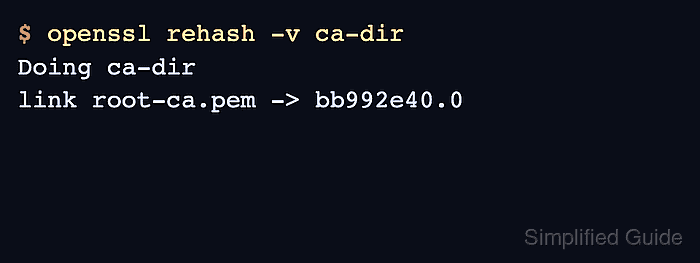
The openssl rehash command scans a directory for PEM certificates and creates links named from each certificate subject hash. Applications and commands such as openssl verify can then search the directory by hash instead of reading every certificate file in sequence.
Use this pattern for private CA directories, test trust stores, and scripts that should not modify the operating system trust store. A CA file named root-ca.pem and a certificate named server.pem make the final openssl verify check prove that the directory works as a CApath source.
Steps to rehash a CA certificate directory using OpenSSL:
- Open a terminal in the directory that contains the trusted CA certificate and target certificate.
$ ls root-ca.pem server.pem
root-ca.pem  server.pem
Use one PEM-encoded certificate per file in the CA directory. Do not copy private keys, CSRs, or leaf certificates there unless they are intentionally trusted as CA certificates.
- Create the CA directory.
$ mkdir -p ca-dir
- Copy the trusted CA certificate into the directory.
$ cp root-ca.pem ca-dir/
Use a directory path that matches the application or command that will later receive -CApath.
- Create the OpenSSL hash links.
$ openssl rehash -v ca-dir
Doing ca-dir
link root-ca.pem -> bb992e40.0
The hash prefix depends on the certificate subject, so another CA certificate produces a different link name. OpenSSL uses suffixes such as .0 and .1 when more than one certificate shares the same subject hash.
- Check that the hash link points back to the CA certificate.
$ ls -l ca-dir
total 4
lrwxrwxrwx 1 user user   11 Jun 30 07:02 bb992e40.0 -> root-ca.pem
-rw-r--r-- 1 user user 1147 Jun 30 07:02 root-ca.pem
Rerun openssl rehash after adding, replacing, or removing certificates from the directory.
- Verify a certificate with the rehashed CA directory.
$ openssl verify -CApath ca-dir server.pem
server.pem: OK
server.pem: OK confirms OpenSSL found the trusted CA through the hash link in ca-dir and built a valid path for the target certificate.