A certificate can look acceptable when opened by itself and still fail once a service, proxy, or client has to build a trust path. Verifying the chain with OpenSSL catches a missing intermediate, wrong root file, or broken issuer link before the certificate bundle is installed.
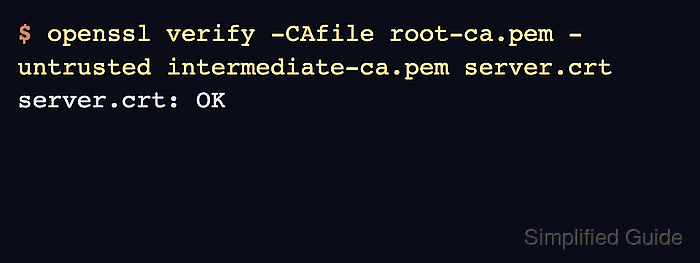
OpenSSL starts with the target leaf certificate and builds upward until it reaches a trusted anchor. Use -CAfile for the root or trusted CA bundle and -untrusted for intermediate certificates that may help build the path but should not become trust anchors.
For a local bundle check, keep the leaf certificate, issuer-supplied intermediate, and trusted root in separate PEM files. Put all openssl verify options before server.crt because the first non-option argument starts the target certificate list.
Steps to verify a certificate chain using OpenSSL:
- Open a terminal where the PEM files are available.
Use server.crt for the leaf certificate, intermediate-ca.pem for the intermediate CA, and root-ca.pem for the trusted root CA.
- Verify the leaf certificate against the trusted root and supplied intermediate.
$ openssl verify -CAfile root-ca.pem -untrusted intermediate-ca.pem server.crt
server.crt: OK
Keep root-ca.pem limited to certificates that the client should trust. Put issuer-supplied intermediates in -untrusted so they can build the path without becoming trust anchors.
- Display the chain that OpenSSL built.
$ openssl verify -show_chain -CAfile root-ca.pem -untrusted intermediate-ca.pem server.crt
server.crt: OK
Chain:
depth=0: CN=www.example.com (untrusted)
depth=1: CN=Example Intermediate CA (untrusted)
depth=2: CN=Example Root CA
Depth 0 is the leaf certificate. Certificates marked untrusted came from the chain-building input, not from the trusted root store.
- Run a check without the intermediate file when diagnosing a missing issuer.
$ openssl verify -CAfile root-ca.pem server.crt
CN=www.example.com
error 20 at 0 depth lookup: unable to get local issuer certificate
error server.crt: verification failed
This failure is expected when server.crt was issued by intermediate-ca.pem and the intermediate is not supplied. Install or export the missing intermediate with the leaf certificate before deploying the bundle.
- Verify TLS server purpose and hostname coverage.
$ openssl verify -CAfile root-ca.pem -untrusted intermediate-ca.pem -purpose sslserver -verify_hostname www.example.com server.crt
server.crt: OK
A chain check alone does not prove that the certificate covers the service name. Use -verify_hostname with the DNS name clients will connect to.

Mohd Shakir Zakaria is a cloud architect with deep roots in software development and open-source advocacy. Certified in AWS, Red Hat, VMware, ITIL, and Linux, he specializes in designing and managing robust cloud and on-premises infrastructures.


