Internal TLS certificates often begin as a certificate signing request from the system that owns the private key. A local certificate authority can issue that request for lab services, private dashboards, and internal endpoints without sending the private key to a public CA or copying it to the signing host.
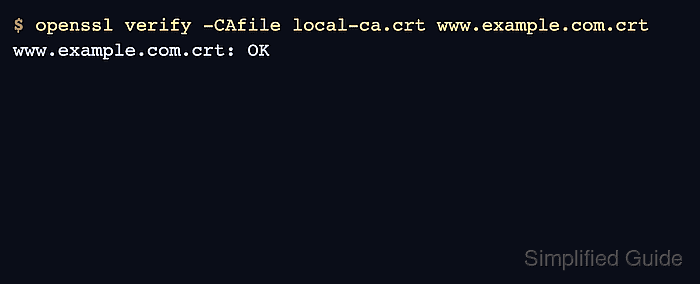
The openssl x509 -req command can act as a small issuer when it has a CA certificate, CA private key, CSR, serial source, and extension file. The extension file matters because the issuer should decide the final end-entity constraints instead of blindly copying every extension requested by the CSR.
Keep the CA key protected, confirm the CSR subject before signing, and make the certificate purpose explicit with Basic Constraints, Key Usage, Extended Key Usage, and Subject Alternative Name values. The certificate is ready after OpenSSL verifies the chain, verifies the server hostname and purpose, and inspection shows CA:FALSE with the names clients will check.
Steps to sign a CSR with a local CA using OpenSSL:
- Verify the CSR self-signature and subject before issuing the certificate.
$ openssl req -in request.csr -noout -subject -verify
Certificate request self-signature verify OK
subject=C=US, O=Example Corp, CN=server.example.com
CSR self-signature verification confirms that the request was signed by the private key matching the embedded public key. It does not prove requester authorization or domain control.
Tool: Certificate Signing Request (CSR) Decoder - Save an extension file for a TLS server certificate that cannot sign other certificates.
[server_cert]
basicConstraints = critical, CA:FALSE
keyUsage = critical, digitalSignature, keyEncipherment
extendedKeyUsage = serverAuth
subjectAltName = DNS:server.example.com,DNS:www.example.com
subjectKeyIdentifier = hash
authorityKeyIdentifier = keyid,issuer
Do not issue server or client certificates with CA:TRUE unless the certificate is meant to sign other certificates.
- Sign the CSR with the local CA certificate and key.
$ openssl x509 -req -in request.csr -CA ca.crt -CAkey ca.key -CAcreateserial -out server.crt -days 397 -sha256 -extfile server.ext -extensions server_cert
Certificate request self-signature ok
subject=C=US, O=Example Corp, CN=server.example.com
If ca.key is encrypted, OpenSSL prompts for its passphrase before signing. -CAcreateserial creates ca.srl when it does not already exist; keep that serial file with the CA material or use the CA's established serial-number process.
- Verify that the signed certificate chains to the local CA.
$ openssl verify -CAfile ca.crt server.crt
server.crt: OK
- Verify the TLS server purpose and hostname.
$ openssl verify -CAfile ca.crt -purpose sslserver -verify_hostname server.example.com server.crt
server.crt: OK
Use the DNS name that clients will connect to, not a short alias that is absent from the certificate.
- Confirm the issued subject and local CA issuer.
$ openssl x509 -in server.crt -noout -subject -issuer
subject=C=US, O=Example Corp, CN=server.example.com
issuer=C=US, O=Example Corp, CN=Example Local Root CA
- Inspect the end-entity extensions before installing the certificate.
$ openssl x509 -in server.crt -noout -ext basicConstraints,keyUsage,extendedKeyUsage,subjectAltName
X509v3 Basic Constraints: critical
    CA:FALSE
X509v3 Key Usage: critical
    Digital Signature, Key Encipherment
X509v3 Extended Key Usage:
    TLS Web Server Authentication
X509v3 Subject Alternative Name:
    DNS:server.example.com, DNS:www.example.com
Install server.crt with the matching private key on the service. Distribute only ca.crt to clients that should trust certificates from this local CA.

Mohd Shakir Zakaria is a cloud architect with deep roots in software development and open-source advocacy. Certified in AWS, Red Hat, VMware, ITIL, and Linux, he specializes in designing and managing robust cloud and on-premises infrastructures.


