How to run a chat request with the Ollama API
The api/chat endpoint accepts role-based messages and returns an assistant message, which makes it the normal API path for chatbots and multi-turn application flows. It preserves conversation structure instead of flattening everything into one prompt.
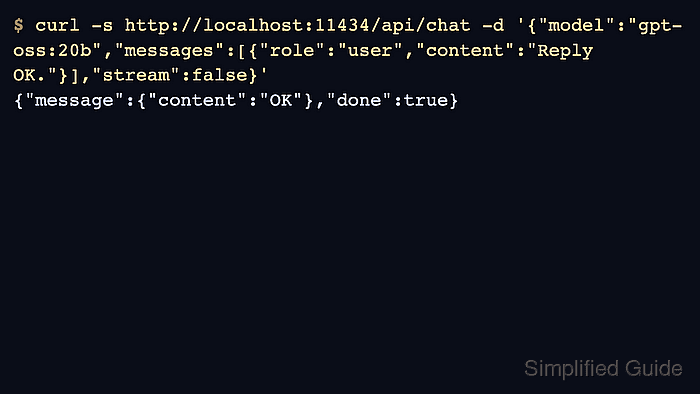
Use messages for user, assistant, and tool entries. Set stream to false for a compact smoke test, then enable streaming after the caller can parse the final response reliably.
Thinking-capable models may include a separate thinking field. Application code should display or store that trace deliberately rather than treating it as the final answer.
Steps to run a chat request with the Ollama API:
- Send a minimal chat request with one user message.
$ curl -s http://localhost:11434/api/chat -d '{
  "model": "gpt-oss:20b",
  "messages": [{"role":"user","content":"Reply with OK."}],
  "think": "low",
  "stream": false,
  "options": {"num_predict": 24}
}'
{"message":{"role":"assistant","content":"OK","thinking":"User wants \"OK\"."},"done":true}
- Read the assistant answer from message.content.
$ python3 - <<'PY' payload = {"message": {"role": "assistant", "content": "OK"}} print(payload["message"]["content"]) PY OK - Send prior assistant messages when the next turn depends on context.
$ curl -s http://localhost:11434/api/chat -d '{
  "model": "gpt-oss:20b",
  "messages": [
    {"role":"user","content":"Remember the code word basalt."},
    {"role":"assistant","content":"OK"},
    {"role":"user","content":"What code word did I give?"}
  ],
  "stream": false
}'
{"message":{"role":"assistant","content":"basalt"},"done":true}
- Use keep_alive when the next request should reuse the loaded model.
$ curl -s http://localhost:11434/api/chat -d '{"model":"gpt-oss:20b","messages":[{"role":"user","content":"OK?"}],"stream":false,"keep_alive":"10m"}'
{"done":true}
Related: How to set Ollama model keep alive
- Check loaded processes after the chat request.
$ ollama ps
NAME           ID              SIZE     PROCESSOR    CONTEXT    UNTIL
gpt-oss:20b    17052f91a42e    12 GB    100% GPU     131072     10 minutes from now
Related: How to list running Ollama models