How to deploy a Node.js service with systemd
A Node.js service that belongs on a Linux server should not depend on an interactive shell staying open. systemd can own the launch command, runtime account, restart policy, boot enablement, and journal logs for the same application process.
The deployment pattern uses a dedicated system account, a fixed application directory, a separate environment file, and a local service unit. The Node.js process stays in the foreground so systemd can track the real main process.
A loopback-only bind fits a backend service that will later sit behind Nginx, Apache, or a load balancer. Replace the service name, paths, and response text with the real application, keep secrets out of the unit file, and verify both the unit state and an application request before handing the service to users.
Steps to deploy a Node.js service with systemd:
- Create a dedicated system account for the Node.js process.
$ sudo useradd --system --home-dir /opt/inventory-api --shell /usr/sbin/nologin --user-group inventory-api
A service account keeps the process away from a human login account and gives file ownership a clear boundary.
- Create the application directory.
$ sudo install -d -o inventory-api -g inventory-api -m 0755 /opt/inventory-api
- Create the configuration directory.
$ sudo install -d -m 0755 /etc/inventory-api
- Install the Node.js service entry point.
- /opt/inventory-api/server.js
const http = require('node:http');

const host = process.env.HOST || '127.0.0.1';
const port = Number.parseInt(process.env.PORT || '3000', 10);

const server = http.createServer((request, response) => {
  response.writeHead(200, { 'content-type': 'text/plain' });
  response.end('Inventory API is running\n');
});

function shutdown(signal) {
  console.log(`Received ${signal}, closing HTTP server`);
  server.close(() => process.exit(0));
  setTimeout(() => process.exit(1), 8000).unref();
}

process.on('SIGTERM', shutdown);
process.on('SIGINT', shutdown);

server.listen(port, host, () => {
  console.log(`Inventory API listening on http://${host}:${port}/`);
});
Use the real application file when the service already exists. The process must stay in the foreground so systemd can supervise it directly.
- Give the service account ownership of the deployed application files.
$ sudo chown -R inventory-api:inventory-api /opt/inventory-api
- Create the environment file loaded by the service.
NODE_ENV=production
HOST=127.0.0.1
PORT=3000
Store passwords, API tokens, and private keys in a protected root-owned file with stricter permissions, not as inline Environment= values inside the unit file.
- Create the systemd service unit.
[Unit]
Description=Inventory API Node.js service
After=network.target

[Service]
Type=exec
User=inventory-api
Group=inventory-api
WorkingDirectory=/opt/inventory-api
EnvironmentFile=/etc/inventory-api/inventory-api.env
ExecStart=/usr/bin/node /opt/inventory-api/server.js
Restart=on-failure
RestartSec=5
KillSignal=SIGTERM
TimeoutStopSec=15
SyslogIdentifier=inventory-api

[Install]
WantedBy=multi-user.target
Type=exec reports startup failure when systemd cannot invoke /usr/bin/node. Restart=on-failure restarts unexpected exits, while KillSignal=SIGTERM gives the Node.js shutdown handler a normal stop request.
Tool: systemd Unit Generator
- Verify the unit file before loading it into the manager.
$ sudo systemd-analyze verify /etc/systemd/system/inventory-api.service
No output means systemd-analyze accepted the unit syntax and referenced directives.
- Reload the systemd manager so it reads the new unit file.
$ sudo systemctl daemon-reload
- Enable the service for boot and start it immediately.
$ sudo systemctl enable --now inventory-api.service
Created symlink '/etc/systemd/system/multi-user.target.wants/inventory-api.service' -> '/etc/systemd/system/inventory-api.service'.
enable creates the boot-time install link, and --now starts the service in the same operation.
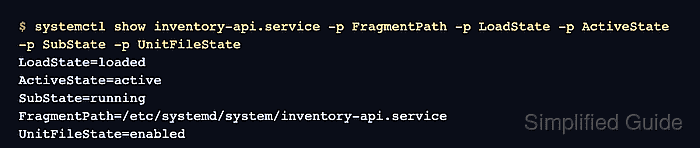
- Confirm that systemd loaded the local unit and started the service.
$ systemctl show inventory-api.service -p FragmentPath -p LoadState -p ActiveState -p SubState -p UnitFileState
LoadState=loaded
ActiveState=active
SubState=running
FragmentPath=/etc/systemd/system/inventory-api.service
UnitFileState=enabled
- Request the service over HTTP.
$ curl --retry 5 --retry-connrefused --retry-delay 1 --silent http://127.0.0.1:3000/
Inventory API is running
The retry options cover the short gap between systemd invoking node and the HTTP listener accepting connections.
- Restart the service through systemd.
$ sudo systemctl restart inventory-api.service
A restart stops the running Node.js process and starts a new one, so use a maintenance window when clients already depend on the endpoint.
- Confirm the endpoint still answers after the restart.
$ curl --retry 5 --retry-connrefused --retry-delay 1 --silent http://127.0.0.1:3000/
Inventory API is running
- Review the service journal after the restart.
$ sudo journalctl -u inventory-api.service -n 8 --no-pager
Jun 28 00:33:58 app.example.net inventory-api[151]: Inventory API listening on http://127.0.0.1:3000/
Jun 28 00:33:58 app.example.net systemd[1]: Stopping inventory-api.service - Inventory API Node.js service...
Jun 28 00:33:58 app.example.net inventory-api[151]: Received SIGTERM, closing HTTP server
Jun 28 00:33:58 app.example.net systemd[1]: inventory-api.service: Deactivated successfully.
Jun 28 00:33:58 app.example.net systemd[1]: Stopped inventory-api.service - Inventory API Node.js service.
Jun 28 00:33:58 app.example.net systemd[1]: Starting inventory-api.service - Inventory API Node.js service...
Jun 28 00:33:58 app.example.net systemd[1]: Started inventory-api.service - Inventory API Node.js service.
Jun 28 00:33:58 app.example.net inventory-api[164]: Inventory API listening on http://127.0.0.1:3000/