How to tune DRBD performance
Tuning DRBD performance adjusts the resource settings that control replication queue depth, TCP send buffering, activity-log size, and background resynchronization behavior. Operators use these changes when storage and network measurements show that the lower layers can move more data than the current DRBD resource is delivering.
DRBD cannot exceed the slower of the backing storage and the replication network. Resource-level tuning changes how DRBD queues and applies work; it does not repair a saturated disk, a congested switch, or a high-latency replication path.
The resource-file method assumes a manually managed DRBD 9 resource under /etc/drbd.d on two Linux nodes. If LINSTOR, Pacemaker, or DRBD Reactor owns the resource definition, make the equivalent change through that manager so generated files, promotion policy, and runtime state stay under one control plane.
Related: How to configure DRBD resync rate
Related: How to validate DRBD configuration
Related: How to check DRBD resource status
Steps to tune DRBD performance:
- Check the current DRBD resource state before changing performance settings.
$ sudo drbdadm status webdata
webdata role:Primary
  volume:0 disk:UpToDate
  beta role:Secondary
    volume:0 replication:Established peer-disk:UpToDate
Do not tune performance during split-brain, unknown disk state, disconnected peers, or an unfinished recovery unless the recovery plan already identifies the authoritative data source.
Related: How to check DRBD resource status
- Check the TCP send-buffer ceiling when using a fixed sndbuf-size value.
$ sysctl net.ipv4.tcp_wmem
net.ipv4.tcp_wmem = 4096 16384 4194304
The last value is the maximum TCP send buffer in bytes. Keep it at or above the planned sndbuf-size value, and leave net.ipv4.tcp_mem alone unless kernel memory pressure has been assessed separately.
- Choose a conservative resource profile for the workload.
Setting Example Purpose max-buffers 8000 Allows more queued write buffers on the secondary side. max-epoch-size 8000 Keeps the write epoch limit aligned with max-buffers. sndbuf-size 2M Uses a fixed TCP send buffer for high-throughput replication links. al-extents 6007 Keeps more write-hot activity-log extents active for scattered small writes. c-plan-ahead 5 Keeps the dynamic resync controller enabled. c-max-rate 120M Caps dynamically controlled background resync traffic. c-min-rate 40M Prevents the controller from intentionally slowing resync below this point. c-fill-target 1M Aims to keep about this much resync data in flight. resync-rate 40M Provides the initial resync rate while the dynamic controller is active. - Back up the active resource file on the first node.
$ sudo cp /etc/drbd.d/webdata.res /etc/drbd.d/webdata.res.before-performance-tune
- Open the resource file on the first node.
$ sudoedit /etc/drbd.d/webdata.res
- Add the performance profile to the resource definition.
resource "webdata" {
  net {
    protocol C;
    max-buffers 8000;
    max-epoch-size 8000;
    sndbuf-size 2M;
  }

  disk {
    al-extents 6007;
    c-plan-ahead 5;
    c-max-rate 120M;
    c-min-rate 40M;
    c-fill-target 1M;
    resync-rate 40M;
  }

  device minor 1;
  disk "/dev/vg_drbd/webdata";
  meta-disk internal;

  on "alpha" {
    node-id 0;
    address 192.0.2.10:7789;
  }
  on "beta" {
    node-id 1;
    address 192.0.2.11:7789;
  }
}
Do not disable disk-flushes, disk-drain, or other write-ordering safeguards as a routine performance tweak. Removing write-ordering protection can corrupt replicated data when the lower storage cannot guarantee stable write ordering.
- Copy the updated resource file to the peer node.
$ scp /etc/drbd.d/webdata.res admin@beta:/tmp/webdata.res
Configuration management can replace scp when it installs the same resource file on every node.
- Install the updated resource file on the peer node.
$ ssh admin@beta 'sudo install --mode=0644 /tmp/webdata.res /etc/drbd.d/webdata.res'
- Validate the parsed DRBD configuration before applying it.
$ sudo drbdadm dump webdata
# resource webdata on alpha: not ignored, not stacked
# defined at /etc/drbd.d/webdata.res:1
resource webdata {
    device               minor 1;
    disk                 /dev/vg_drbd/webdata;
    meta-disk            internal;
##### snipped #####
    net {
        protocol           C;
        max-buffers      8000;
        max-epoch-size   8000;
        sndbuf-size       2M;
    }
    disk {
        al-extents       6007;
        c-plan-ahead       5;
        c-max-rate       120M;
        c-min-rate       40M;
        c-fill-target     1M;
        resync-rate      40M;
    }
}
Run the same parser check on every node that has an on block for the resource.
Related: How to validate DRBD configuration - Preview the runtime adjustment without applying it.
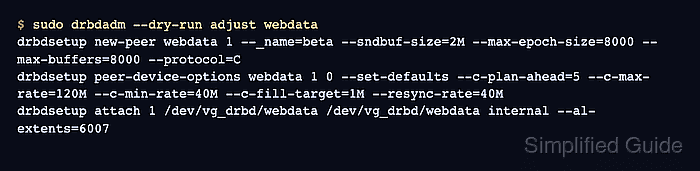
$ sudo drbdadm --dry-run adjust webdata
drbdsetup new-peer webdata 1 --_name=beta --sndbuf-size=2M --max-epoch-size=8000 --max-buffers=8000 --protocol=C
drbdsetup peer-device-options webdata 1 0 --set-defaults --c-plan-ahead=5 --c-max-rate=120M --c-min-rate=40M --c-fill-target=1M --resync-rate=40M
drbdsetup attach 1 /dev/vg_drbd/webdata /dev/vg_drbd/webdata internal --al-extents=6007
drbdadm uses drbdsetup calls to apply the network, peer-device, and disk options to the live resource. Review the dry run before changing a production resource.
- Apply the resource change on the first node.
$ sudo drbdadm adjust webdata
No output is expected when drbdadm adjust applies the change successfully.
- Apply the same resource change on the peer node.
$ ssh beta sudo drbdadm adjust webdata
- Verify the live DRBD runtime configuration.
$ sudo drbdsetup show webdata
resource webdata {
    net {
        protocol           C;
        max-buffers      8000;
        max-epoch-size   8000;
        sndbuf-size       2M;
    }
    disk {
        al-extents       6007;
        c-plan-ahead       5;
        c-max-rate       120M;
        c-min-rate       40M;
        c-fill-target     1M;
        resync-rate      40M;
    }
##### snipped #####
}
drbdsetup show reads the kernel module's current resource configuration, so it proves the settings reached the running DRBD resource.
- Confirm the resource remains connected after the adjustment.
$ sudo drbdsetup status webdata --verbose --statistics webdata node-id:0 role:Primary suspended:no volume:0 minor:1 disk:UpToDate size:20971520 read:0 written:124 al-writes:3 bm-writes:0 upper-pending:0 lower-pending:0 beta node-id:1 connection:Connected role:Secondary congested:no volume:0 replication:Established peer-disk:UpToDate resync-suspended:no received:0 sent:20971520 out-of-sync:0 pending:0 unacked:0connection:Connected, peer-disk:UpToDate, congested:no, and out-of-sync:0 confirm that the tuned resource stayed connected and has no known unsynchronized blocks.
Related: How to verify DRBD synchronization state