How to run Detox tests in parallel
Running Detox tests in parallel lets a mobile end-to-end suite use more than one Jest worker when multiple simulator or emulator instances can run at the same time. It fits projects with several independent suite files, where a single-worker run spends too much time waiting for each file to finish.
Detox starts the configured test runner from detox test. The generated Jest setup normally keeps maxWorkers at 1 so one device is used by default, and a run can forward --maxWorkers to Jest when the project is ready to fan out across more devices.
Start with two workers before raising the count. Each worker needs a usable simulator or emulator lane, and Detox uses its device registry lock file to avoid assigning the same attached device to more than one worker.
Related: How to run Detox tests locally
Related: How to run Detox tests in GitHub Actions
Related: How to retry failed Detox tests
Steps to run Detox tests in parallel:
- Open a terminal in the project root that contains the Detox config.
- Confirm that Jest is configured to discover the E2E suite files.
- e2e/jest.config.js
/** @type {import('@jest/types').Config.InitialOptions} */
module.exports = {
  rootDir: '..',
  testMatch: ['<rootDir>/e2e/**/*.test.js'],
  testTimeout: 120000,
  maxWorkers: 1,
  globalSetup: 'detox/runners/jest/globalSetup',
  globalTeardown: 'detox/runners/jest/globalTeardown',
  reporters: ['detox/runners/jest/reporter'],
  testEnvironment: 'detox/runners/jest/testEnvironment',
  verbose: true,
};
The maxWorkers value in the config keeps normal local runs at one worker. The command override changes the worker count for one run instead of changing the default for every developer. Parallel execution schedules suite files, so one large test file will not fan out as well as several independent files.
- Build the app for the selected Detox configuration.
$ npx detox build --configuration ios.sim.debug
detox[build] xcodebuild -workspace ios/Example.xcworkspace -scheme Example -configuration Debug -sdk iphonesimulator -derivedDataPath ios/build
##### snipped #####
** BUILD SUCCEEDED **
Use the project's own configuration key, such as ios.sim.release for CI or android.emu.debug for an Android emulator.
Related: How to configure Detox build settings - Start Metro in a second terminal when the configuration installs a debug React Native app.
$ npm start
> example-app@1.0.0 start
> react-native start

Welcome to Metro
Leave Metro running while Detox installs and launches each debug worker app. Release builds and native-only apps may not need this process.
- Run the suite with two Jest workers.
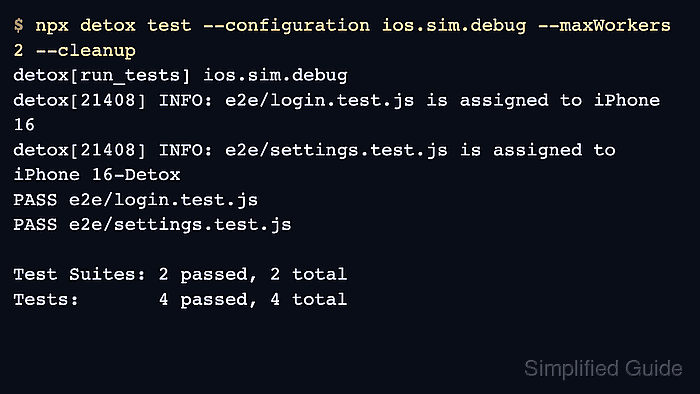
$ npx detox test --configuration ios.sim.debug --maxWorkers 2 --cleanup
detox[run_tests] ios.sim.debug
detox[21408] INFO: e2e/login.test.js is assigned to iPhone 16
detox[21408] INFO: e2e/settings.test.js is assigned to iPhone 16-Detox
PASS e2e/login.test.js
PASS e2e/settings.test.js

Test Suites: 2 passed, 2 total
Tests:       4 passed, 4 total
--maxWorkers 2 is forwarded to Jest by detox test. --cleanup shuts down simulator workers after the run, which helps keep repeat runs separate.
Related: How to run Detox tests locally - Check the assignment and summary lines before increasing the worker count.
detox[21408] INFO: e2e/login.test.js is assigned to iPhone 16
detox[21408] INFO: e2e/settings.test.js is assigned to iPhone 16-Detox

Test Suites: 2 passed, 2 total
Tests:       4 passed, 4 total
A passing summary with two assigned suite files proves that Detox handed work to more than one device lane. If one worker fails during setup, fix the simulator, emulator, app binary, or device capacity issue before raising --maxWorkers.
- Use the same worker count in CI only after the local two-worker run passes.
$ npx detox test --configuration ios.sim.release --maxWorkers 2 --cleanup --headless --record-logs failing --take-screenshots failing
detox[run_tests] ios.sim.release
PASS e2e/login.test.js
PASS e2e/settings.test.js

Test Suites: 2 passed, 2 total
Tests:       4 passed, 4 total
CI runners need enough CPU, memory, and simulator or emulator capacity for the selected worker count. Keep logs and screenshots for failing parallel runs so worker-specific device failures can be debugged.
Related: How to run Detox tests in GitHub Actions
Related: How to save Detox test artifacts