How to send data in HTTP requests with cURL
Putting request data in the wrong place is one of the fastest ways to get a false negative from an API check or a false success against the wrong endpoint behavior. In cURL, the main decision is whether the value belongs in the URL query string, a form body, a JSON body, a raw binary body, or a multipart upload.
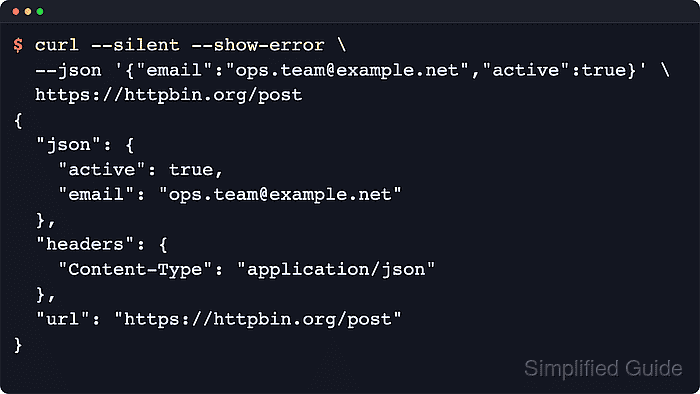
Official curl documentation splits those jobs across different options: --get appends --data-style values to the URL, --data sends a form-style body, --json is a shortcut for a JSON body plus JSON headers, --data-binary preserves bytes from a file or standard input, and --form builds a multipart/form-data request.
Most failed data-sending requests are contract mismatches rather than network problems. Verify the request shape against an echo service such as httpbin.org before reusing the command against a live API, keep secrets out of literal shell history, and change the HTTP method separately with --request only when the endpoint expects a verb other than the default. The example identifiers, email addresses, and token placeholders are masked but keep realistic formats so echoed requests still read like production commands.
Related: How to debug HTTP requests with cURL
Related: How to save cURL output to a file
Tool: API Testing Tool
Steps to send data in HTTP requests with cURL:
- Put filters and search terms in the URL with --get plus --data-urlencode when the server expects query parameters rather than a request body.
$ curl --silent --show-error --get \
  --data-urlencode "query=invoice 2026/03" \
  --data-urlencode "page=7" \
  https://httpbin.org/get
{
  "args": {
    "page": "7",
    "query": "invoice 2026/03"
  },
  "headers": {
    "Accept": "*/*",
    "Host": "httpbin.org",
    "User-Agent": "curl/8.x",
    "X-Amzn-Trace-Id": "##### snipped #####"
  },
  "origin": "##### snipped #####",
  "url": "https://httpbin.org/get?query=invoice+2026%2f03&page=7"
}
--data-urlencode handles spaces, slashes, and other reserved characters safely before they are added to the query string.
Query values are commonly logged by clients, proxies, and servers, so keep secrets out of URL parameters.
- Send form-style fields in the request body with repeated --data flags when the API expects application/x-www-form-urlencoded input.
$ curl --silent --show-error \
  --data "ticket_id=INC-2026-0042" \
  --data "status=open" \
  https://httpbin.org/post
{
  "args": {},
  "data": "",
  "files": {},
  "form": {
    "status": "open",
    "ticket_id": "INC-2026-0042"
  },
  "headers": {
    "Accept": "*/*",
    "Content-Length": "35",
    "Content-Type": "application/x-www-form-urlencoded",
    "Host": "httpbin.org",
    "User-Agent": "curl/8.x",
    "X-Amzn-Trace-Id": "##### snipped #####"
  },
  "json": null,
  "origin": "##### snipped #####",
  "url": "https://httpbin.org/post"
}
Multiple --data flags are joined with &, which is the normal form-encoding separator.
Use --data-raw instead of --data if the literal body begins with @ and should not be treated as a filename.
- Send JSON with --json when the endpoint expects application/json and a normal JSON request body.
$ curl --silent --show-error \
  --json '{"email":"ops.team@example.net","active":true}' \
  https://httpbin.org/post
{
  "args": {},
  "data": "{\"email\":\"ops.team@example.net\",\"active\":true}",
  "files": {},
  "form": {},
  "headers": {
    "Accept": "application/json",
    "Content-Length": "46",
    "Content-Type": "application/json",
    "Host": "httpbin.org",
    "User-Agent": "curl/8.x",
    "X-Amzn-Trace-Id": "##### snipped #####"
  },
  "json": {
    "active": true,
    "email": "ops.team@example.net"
  },
  "origin": "##### snipped #####",
  "url": "https://httpbin.org/post"
}
Official curl documentation describes --json as a shortcut for --data-binary plus Accept: application/json and Content-Type: application/json headers.
If shell quoting gets messy, write the payload to a file and send it with --json @payload.json or pipe it with --json @-.
- Preserve exact bytes from a file or standard input with --data-binary when newlines, carriage returns, or null bytes must reach the server unchanged.
$ printf 'batch_id=job-2026-03-29\nstate=queued\n' > payload.txt
$ curl --silent --show-error \
  --header "Content-Type: application/octet-stream" \
  --data-binary @payload.txt \
  https://httpbin.org/post
{
  "args": {},
  "data": "batch_id=job-2026-03-29\nstate=queued\n",
  "files": {},
  "form": {},
  "headers": {
    "Accept": "*/*",
    "Content-Length": "37",
    "Content-Type": "application/octet-stream",
    "Host": "httpbin.org",
    "User-Agent": "curl/8.x",
    "X-Amzn-Trace-Id": "##### snipped #####"
  },
  "json": null,
  "origin": "##### snipped #####",
  "url": "https://httpbin.org/post"
}
Official curl documentation notes that --data strips carriage returns and newlines when it reads from a file. Use --data-binary when the request body must stay byte-for-byte intact.
Related: How to send binary data with cURL
- Build a multipart request with --form when the server expects a file upload and regular fields in the same body.
$ printf 'Release notes for Q1\n' > release-notes.txt
$ curl --silent --show-error \
  --form "file=@release-notes.txt" \
  --form "comment=Customer portal rollout" \
  https://httpbin.org/post
{
  "args": {},
  "data": "",
  "files": {
    "file": "Release notes for Q1\n"
  },
  "form": {
    "comment": "Customer portal rollout"
  },
  "headers": {
    "Accept": "*/*",
    "Content-Length": "353",
    "Content-Type": "multipart/form-data; boundary=------------------------##### snipped #####",
    "Host": "httpbin.org",
    "User-Agent": "curl/8.x",
    "X-Amzn-Trace-Id": "##### snipped #####"
  },
  "json": null,
  "origin": "##### snipped #####",
  "url": "https://httpbin.org/post"
}
Each --form flag becomes one multipart section, and curl generates the boundary string automatically.
- Attach contract-specific headers separately from the body choice when the API needs authentication or other metadata in the same request.
$ curl --silent --show-error \
  --header "Authorization: Bearer REDACTED_BEARER_TOKEN" \
  --json '{"message":"queued for delivery"}' \
  https://httpbin.org/anything
{
  "args": {},
  "data": "{\"message\":\"queued for delivery\"}",
  "files": {},
  "form": {},
  "headers": {
    "Accept": "application/json",
    "Authorization": "Bearer REDACTED_BEARER_TOKEN",
    "Content-Length": "33",
    "Content-Type": "application/json",
    "Host": "httpbin.org",
    "User-Agent": "curl/8.x",
    "X-Amzn-Trace-Id": "##### snipped #####"
  },
  "json": {
    "message": "queued for delivery"
  },
  "method": "POST",
  "origin": "##### snipped #####",
  "url": "https://httpbin.org/anything"
}
Choose the body option for the payload format first, then add --header flags for authentication or request metadata that the endpoint contract requires.
Keep real bearer tokens and API keys out of literal command lines; load them from a secure environment variable, a secret store, or a task-local config file instead.
- Check the HTTP status and the echoed fields before reusing the same command against a live endpoint.
$ curl --silent --show-error --include \
  --data "delivery_check=ready" \
  https://httpbin.org/anything
HTTP/2 200
date: Wed, 22 Apr 2026 02:22:00 GMT
content-type: application/json
content-length: 463
server: gunicorn/19.9.0
access-control-allow-origin: *
access-control-allow-credentials: true

{
  "args": {},
  "data": "",
  "files": {},
  "form": {
    "delivery_check": "ready"
  },
  "headers": {
    "Accept": "*/*",
    "Content-Length": "20",
    "Content-Type": "application/x-www-form-urlencoded",
    "Host": "httpbin.org",
    "User-Agent": "curl/8.x",
    "X-Amzn-Trace-Id": "##### snipped #####"
  },
  "json": null,
  "method": "POST",
  "origin": "##### snipped #####",
  "url": "https://httpbin.org/anything"
}
The request is ready to reuse when the HTTP status is successful and the echoed fields match the payload that was intended.
If the same payload must be sent with PUT or PATCH instead of the default POST, change the method separately with --request and keep the same data option that matches the body format.
Related: How to debug HTTP requests with cURL
Related: How to specify the HTTP method in cURL
Related: How to view HTTP request headers with cURL