The HTTP method tells an API whether a request should read, create, replace, partially change, or remove a resource. In cURL, a request can reach the right URL but still fail with 405 Method Not Allowed or update the wrong resource state when the method does not match the endpoint contract.
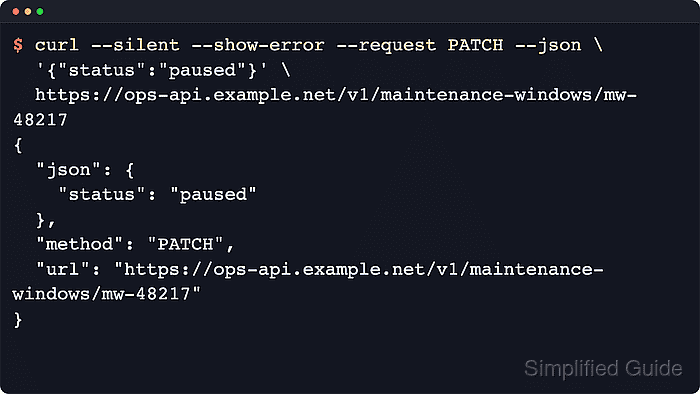
A URL-only HTTP request uses GET. Body options such as --data, --json, and --form make curl send POST unless another method is specified, while --head sends a true HEAD request and --upload-file uses PUT for HTTP uploads. Use --request for methods such as PUT, PATCH, DELETE, or an API-specific verb when curl's selected method is not the one the endpoint expects.
Official curl documentation defines --request as a method-word override, so it does not turn a request into a header-only transfer or change how curl sends the body. Confirm the echoed method, response headers, or verbose request line before putting PUT, PATCH, or DELETE into automation against live data.
Related: How to send data in HTTP requests with cURL
Related: How to send HEAD requests with cURL
Related: Inspect request details
Tool: cURL Command Generator
Steps to specify the HTTP method in cURL:
- Start with a URL-only request when the endpoint should be read with GET.
$ curl --silent --show-error https://api.example.net/v1/jobs/42
{
  "method": "GET",
  "path": "/v1/jobs/42",
  "content_type": "",
  "body": ""
}
The sample output comes from an echo endpoint that returns the method, path, content type, and body it received. Replace the hostname and path with the API endpoint being tested.
- Send form fields with --data and let curl choose POST automatically.
$ curl --silent --show-error --data status=active https://api.example.net/v1/jobs
{
  "method": "POST",
  "path": "/v1/jobs",
  "content_type": "application/x-www-form-urlencoded",
  "body": "status=active"
}
Skip --request POST for normal form or JSON submissions unless the endpoint contract explicitly requires a custom method string.
- Set PUT with --request when the same resource URL expects a full replacement.
$ curl --silent --show-error --request PUT --json '{"status":"active"}' https://api.example.net/v1/jobs/42
{
  "method": "PUT",
  "path": "/v1/jobs/42",
  "content_type": "application/json",
  "body": {
    "status": "active"
  }
}
--json still controls the request body and content type here; --request changes the HTTP method word.
- Set PATCH with --request when only selected fields should change.
$ curl --silent --show-error --request PATCH --json '{"status":"paused"}' https://api.example.net/v1/jobs/42
{
  "method": "PATCH",
  "path": "/v1/jobs/42",
  "content_type": "application/json",
  "body": {
    "status": "paused"
  }
}
If an older curl build does not support --json, send the same payload with --header "Content-Type: application/json" plus --data.
- Set DELETE with --request when the endpoint expects the resource URI plus a removal verb.
$ curl --silent --show-error --request DELETE https://api.example.net/v1/jobs/42
{
  "method": "DELETE",
  "path": "/v1/jobs/42",
  "content_type": "",
  "body": ""
}
Test DELETE, PUT, and PATCH against a disposable resource first so a mistyped path does not change live data.
- Use --head for header-only checks instead of --request HEAD.
$ curl --silent --show-error --head https://api.example.net/v1/jobs/42
HTTP/1.0 200 OK
##### snipped #####
Content-Type: application/json
X-Echo-Method: HEAD
--request HEAD changes only the method word. Use --head or -I when the goal is a real header-only transfer.

Mohd Shakir Zakaria is a cloud architect with deep roots in software development and open-source advocacy. Certified in AWS, Red Hat, VMware, ITIL, and Linux, he specializes in designing and managing robust cloud and on-premises infrastructures.


