File upload endpoints often reject requests that put JSON metadata in the wrong multipart part. The binary file needs to arrive as a file field while the metadata stays a normal form field with a JSON content type, or the server may miss the attributes it uses to validate and store the upload.
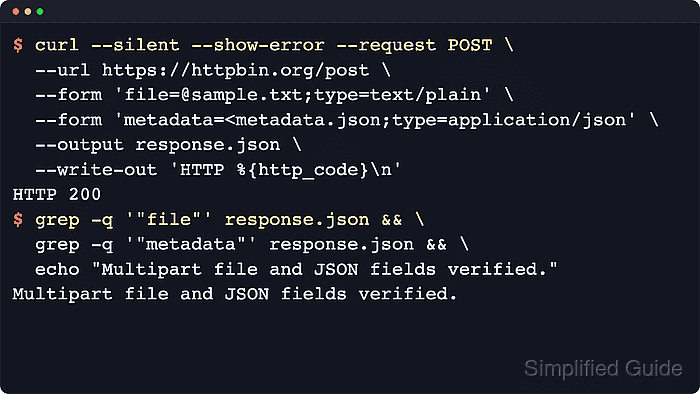
In cURL, each --form option becomes one part in the multipart/form-data body. Use @sample.txt when the part should be sent as a file upload with a filename, and use <metadata.json when the part should stay a normal multipart field whose value comes from a local file. Add ;type=application/json to the JSON part so the server sees that field as JSON content, while cURL supplies the outer multipart header and boundary.
Most multipart mistakes come from the wrong field names or the wrong prefix on the JSON part. Keep the JSON in a separate metadata.json file so it is easy to review, copy the exact file and metadata field names from the API documentation, and change the JSON part to @metadata.json only when the API explicitly says metadata is uploaded as a file.
Related: How to upload files with cURL
Related: How to send binary data with cURL
Steps to upload a file and JSON metadata in one multipart request with cURL:
- Create the file that the API will receive.
$ printf 'Quarterly vendor onboarding packet.\n' > sample.txt
- Save and validate the JSON metadata in a local file so the multipart field is easy to read and reuse.
$ cat <<'EOF' > metadata.json
{
  "description": "Vendor onboarding packet",
  "tags": ["documents", "intake"],
  "expires_in_days": 30
}
EOF
Do not leave secrets or personal data in a plaintext JSON file longer than needed.
Tool: JSON Validator
- Send the multipart request and confirm the response shows file under files and metadata under form.
$ curl --silent --show-error \
  --form 'file=@sample.txt;type=text/plain' \
  --form 'metadata=<metadata.json;type=application/json' \
  https://httpbin.org/post
{
  "args": {},
  "data": "",
  "files": {
    "file": "Quarterly vendor onboarding packet.\n"
  },
  "form": {
    "metadata": "{\n  \"description\": \"Vendor onboarding packet\",\n  \"tags\": [\"documents\", \"intake\"],\n  \"expires_in_days\": 30\n}\n"
  },
  "headers": {
    "Content-Type": "multipart/form-data; boundary=------------------------##### snipped #####",
##### snipped #####
  },
  "json": null,
  "origin": "##### snipped #####",
  "url": "https://httpbin.org/post"
}
If metadata shows up under files instead of form, the JSON part was sent with @metadata.json and needs to use <metadata.json for a normal form field.
- Reuse the same multipart pattern against the real API URL with its required headers and field names.
$ curl --silent --show-error \
  --header 'Authorization: Bearer REDACTED_BEARER_TOKEN' \
  --form 'file=@sample.txt;type=text/plain' \
  --form 'metadata=<metadata.json;type=application/json' \
  https://api.example.net/uploads
Keep <metadata.json unless the API documentation explicitly says the metadata itself is uploaded as a file. Load real bearer tokens from a secret store, environment variable, or task-local config instead of pasting them into shell history.
Related: How to send data in HTTP requests with cURL - Remove the local sample files when you no longer need them.
$ rm sample.txt metadata.json

Mohd Shakir Zakaria is a cloud architect with deep roots in software development and open-source advocacy. Certified in AWS, Red Hat, VMware, ITIL, and Linux, he specializes in designing and managing robust cloud and on-premises infrastructures.


