How to back up and restore Certbot certificates
A failed server migration can leave Nginx or Apache pointing at missing Certbot symlinks even when certificate files were copied somewhere on disk. Back up and restore the whole /etc/letsencrypt tree so the live symlinks, archived key material, renewal configuration, account directory, and hook directories move together.
Certbot stores each certificate lineage across live symlinks and versioned files under archive, while renewal settings live under renewal. The accounts directory contains ACME account material that lets Certbot continue managing existing lineages, so a certificate-only copy is not enough for a replacement host.
Treat the archive as secret backup material because it contains private keys and may include DNS plugin credentials when those credentials are stored under /etc/letsencrypt. Restore into a host with the same web-server configuration paths or update the service configuration before reloading, then prove both Certbot and the public HTTPS listener see the restored lineage.
Related: How to list Certbot certificates
Related: How to test Certbot certificate renewal
Related: How to check a Certbot certificate chain
Steps to back up and restore Certbot certificates:
- List the source host's Certbot lineages before creating the backup.
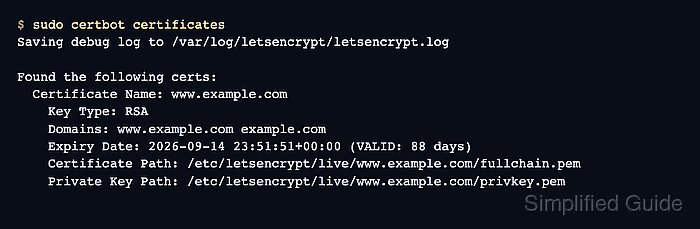
$ sudo certbot certificates
Saving debug log to /var/log/letsencrypt/letsencrypt.log

Found the following certs:
  Certificate Name: www.example.com
    Key Type: RSA
    Domains: www.example.com example.com
    Expiry Date: 2026-09-14 23:51:51+00:00 (VALID: 88 days)
    Certificate Path: /etc/letsencrypt/live/www.example.com/fullchain.pem
    Private Key Path: /etc/letsencrypt/live/www.example.com/privkey.pem
The certificate name is the Certbot lineage name. Keep it for the restore check and the renewal dry run.
Related: How to list Certbot certificates - Create a root-only backup directory on the source host.
$ sudo install -d -m 700 /root/certbot-backups
- Archive the complete /etc/letsencrypt tree from the source host.
$ sudo tar --numeric-owner --acls --xattrs -czpf /root/certbot-backups/letsencrypt-backup-2026-06-18.tar.gz -C / etc/letsencrypt
The archive contains private keys and account material. Store and transfer it with the same controls used for root secrets.
- List the archive contents before copying it away from the source host.
$ sudo tar -tzpf /root/certbot-backups/letsencrypt-backup-2026-06-18.tar.gz
etc/letsencrypt/
etc/letsencrypt/renewal/
etc/letsencrypt/renewal/www.example.com.conf
etc/letsencrypt/accounts/
##### snipped #####
etc/letsencrypt/live/www.example.com/fullchain.pem
etc/letsencrypt/live/www.example.com/privkey.pem
etc/letsencrypt/archive/www.example.com/privkey1.pem
etc/letsencrypt/archive/www.example.com/fullchain1.pem
etc/letsencrypt/renewal-hooks/deploy/
The archive should include renewal, accounts, live, archive, and renewal-hooks entries. A copy of only fullchain.pem and privkey.pem is not enough for future Certbot renewals.
- Place the archive on the replacement host under /root/certbot-backups.
Target archive: /root/certbot-backups/letsencrypt-backup-2026-06-18.tar.gz
Use an encrypted transfer or backup restore path approved for the environment. Keep the file owned by root and unreadable by normal users.
- Move any existing replacement-host /etc/letsencrypt directory aside if it contains old or incomplete state.
$ sudo mv /etc/letsencrypt /etc/letsencrypt.before-restore
Do not merge two /etc/letsencrypt trees by copying files over the top. Mixed live symlinks, old archive versions, and mismatched renewal files can break future renewals.
- Restore the archive on the replacement host.
$ sudo tar --numeric-owner --acls --xattrs -xzpf /root/certbot-backups/letsencrypt-backup-2026-06-18.tar.gz -C /
- Check the restored private key permissions.
$ sudo stat -c '%a %U:%G %n' /etc/letsencrypt/archive/www.example.com/privkey1.pem
600 root:root /etc/letsencrypt/archive/www.example.com/privkey1.pem
The exact key file number can differ when a lineage has renewed several times. Check the private key target shown by the restored live symlink.
- List the restored Certbot lineages.
$ sudo certbot certificates
Saving debug log to /var/log/letsencrypt/letsencrypt.log

Found the following certs:
  Certificate Name: www.example.com
    Key Type: RSA
    Domains: www.example.com example.com
    Expiry Date: 2026-09-14 23:51:51+00:00 (VALID: 88 days)
    Certificate Path: /etc/letsencrypt/live/www.example.com/fullchain.pem
    Private Key Path: /etc/letsencrypt/live/www.example.com/privkey.pem
- Test the replacement host's web-server configuration before reloading it.
$ sudo nginx -t
nginx: the configuration file /etc/nginx/nginx.conf syntax is ok
nginx: configuration file /etc/nginx/nginx.conf test is successful
The command above is the Nginx example. Use the equivalent Apache configuration test when the restored certificate is served by Apache.
Related: How to reload Nginx after Certbot renewal
Related: How to reload Apache after Certbot renewal - Reload the web server so it opens the restored certificate files.
$ sudo systemctl reload nginx
Replace nginx with the service that reads the restored lineage. A running web server can keep serving the old in-memory certificate until it reloads.
- Run a renewal dry run for the restored lineage.
$ sudo certbot renew --cert-name www.example.com --dry-run
Saving debug log to /var/log/letsencrypt/letsencrypt.log
##### snipped #####
Congratulations, all simulated renewals succeeded:
  /etc/letsencrypt/live/www.example.com/fullchain.pem (success)
--dry-run uses the Let's Encrypt staging service and does not replace the restored live certificate files. The command still needs the restored authenticator settings, webroot, plugins, and challenge reachability to work.
Related: How to test Certbot certificate renewal - Check the public HTTPS endpoint after DNS points clients at the replacement host.
$ curl -Iv https://www.example.com/
* Server certificate:
*  subject: CN=www.example.com
*  start date: Jun 17 23:51:51 2026 GMT
*  expire date: Sep 14 23:51:51 2026 GMT
*  subjectAltName: host "www.example.com" matched cert's "www.example.com"
*  SSL certificate verify ok.
HTTP/2 200
Check the same hostname that users reach, not only the local certificate file.
Related: How to check a Certbot certificate chain
Tool: SSL Expiry Checker