How to install AWS CLI version 1 using pip
Some automation still depends on AWS CLI v1 behavior or on a Python environment that expects the awscli package. Installing AWS CLI with pip is the compatibility path for those cases, while the bundled AWS CLI v2 installer remains the better default for new work.
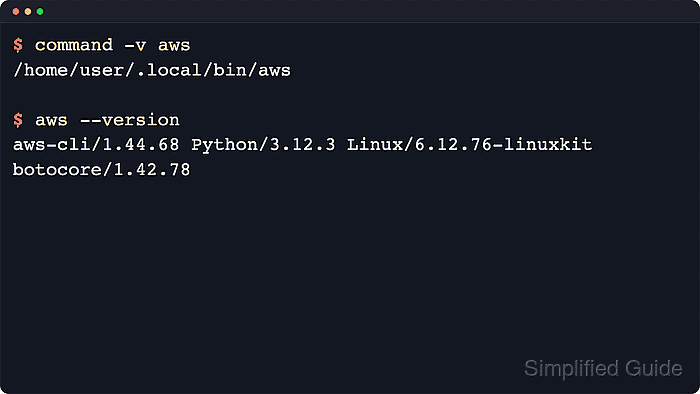
The awscli package installs AWS CLI v1, not v2. Current AWS CLI v1 releases require Python 3.9 or later, and the official v1 documentation still shows pip and pip3 as supported install commands for the v1 line.
Use a dedicated virtual environment so the aws command and Python dependencies stay separate from system packages and any existing AWS CLI v2 install. AWS announced that AWS CLI v1 enters maintenance mode on July 15, 2026 and reaches end-of-support on July 15, 2027, so keep this install path for v1 compatibility rather than fresh v2 deployments.
Steps to install AWS CLI version 1 using pip:
- Confirm that the selected Python interpreter is new enough for the current awscli package.
$ python3 --version
Python 3.14.4
Current AWS CLI v1 releases require Python 3.9 or later. Use python3 and pip3 paths when a system also has older Python versions installed.
- Create a dedicated virtual environment for AWS CLI v1.
$ python3 -m venv ~/aws-cli-v1
No output is expected when the environment is created successfully.
- Activate the virtual environment.
$ source ~/aws-cli-v1/bin/activate
(aws-cli-v1)$
Reactivate this environment in later shell sessions before running aws, or call ~/aws-cli-v1/bin/aws directly from scripts that must stay on AWS CLI v1.
- Install or update the awscli package inside the active virtual environment.
(aws-cli-v1)$ python -m pip install --upgrade awscli
Collecting awscli
  Downloading awscli-1.45.28-py3-none-any.whl.metadata (11 kB)
##### snipped #####
Successfully installed PyYAML-6.0.3 awscli-1.45.28 botocore-1.43.28 colorama-0.4.6 docutils-0.19 jmespath-1.1.0 pyasn1-0.6.3 python-dateutil-2.9.0.post0 rsa-4.7.2 s3transfer-0.18.0 six-1.17.0 urllib3-2.7.0
The package name is awscli. The --upgrade option updates an existing v1 install in the same virtual environment. Dependency names in the pip output can change after AWS CLI v1 enters maintenance mode, so use the version check below as the stable proof.
- Confirm that the current shell resolves aws from the virtual environment.
(aws-cli-v1)$ command -v aws
/home/user/aws-cli-v1/bin/aws
If this command still returns /usr/bin/aws, /usr/local/bin/aws, or another existing binary, reactivate the virtual environment before continuing.
- Verify that the active command reports AWS CLI v1.
(aws-cli-v1)$ aws --version
aws-cli/1.45.28 Python/3.14.4 Linux/6.12.76 botocore/1.43.28
The decisive token is aws-cli/1.x. The Python version, platform token, and botocore version vary by release and host.
Related: How to check AWS CLI version - Inspect the profile values that AWS CLI v1 will read before running account-specific commands.
(aws-cli-v1)$ aws configure list
      Name                    Value             Type    Location
      ----                    -----             ----    --------
   profile                <not set>             None    None
access_key     ****************MPLE shared-credentials-file
secret_key     ****************EKEY shared-credentials-file
    region                us-east-1      config-file    ~/.aws/config
This local check does not call AWS. Configure credentials first on a new host, then make a signed identity check when account access matters.
Related: How to configure AWS CLI on Linux and macOS
Related: How to check the current caller identity in AWS CLI - Leave the virtual environment when the v1 session is finished.
(aws-cli-v1)$ deactivate
$