How to run an HTTP-to-HTTPS cutover on Apache
An HTTP-to-HTTPS cutover on Apache moves the live site from accepting plain HTTP as a usable entry point to serving the same content over HTTPS while port 80 becomes only a redirect. Treat the change as a release step, because a missing certificate name, wrong virtual host, or bad redirect can turn a security upgrade into a site outage.
Apache usually handles the cutover through separate VirtualHost blocks for port 80 and port 443. The controlled order is to make the HTTPS virtual host answer first, test the syntax and secure response, then change the HTTP virtual host so clients are sent to the already-working secure URL.
The examples use the Debian and Ubuntu Apache layout with /etc/apache2/, apache2ctl, and the apache2 service. The certificate can come from Let's Encrypt, an internal CA, or a self-signed lab certificate, but it must match the hostname before the redirect is made permanent. Keep HSTS out of the first cutover window unless the hostname and all affected subdomains are already committed to HTTPS.
Steps to run an HTTP-to-HTTPS cutover on Apache:
- Confirm which virtual host files currently serve the hostname.
$ sudo apache2ctl -S
VirtualHost configuration:
*:80                   host.example.net (/etc/apache2/sites-enabled/host.example.net.conf:1)
*:443                  host.example.net (/etc/apache2/sites-enabled/host.example.net.conf:7)
ServerRoot: "/etc/apache2"
##### snipped #####
Keep the port 80 and port 443 entries in the same site file during a small cutover when that is how the existing site is organized. Larger hosts may separate them into different files, but both blocks still need the same ServerName and compatible ServerAlias coverage.
- Back up the active site file before changing the listener behavior.
$ sudo cp -a /etc/apache2/sites-available/host.example.net.conf /etc/apache2/sites-available/host.example.net.conf.pre-https-cutover
This is the rollback file for the cutover. Restoring it and reloading Apache should put port 80 back in its previous state if the HTTPS smoke test or redirect check fails.
- Confirm that the certificate file covers the production hostname.
$ sudo openssl x509 -in /etc/letsencrypt/live/host.example.net/fullchain.pem -noout -subject -ext subjectAltName -dates
subject=CN = host.example.net
X509v3 Subject Alternative Name:
    DNS:host.example.net, DNS:www.host.example.net
notBefore=Jun  6 03:51:59 2026 GMT
notAfter=Sep  4 03:51:58 2026 GMT
Use the certificate path that the HTTPS virtual host will actually load. A certificate that does not include the live hostname will still break browsers after the redirect succeeds.
- Enable mod_ssl if the Apache instance is not already serving TLS.
$ sudo a2enmod ssl
Module ssl already enabled
On Debian and Ubuntu, the packaged ssl module enables mod_ssl support for SSLEngine, SSLCertificateFile, and SSLCertificateKeyFile directives.
- Add or confirm the HTTPS virtual host before changing the HTTP listener.
<VirtualHost *:80>
    ServerName host.example.net
    ServerAlias www.host.example.net
    DocumentRoot /var/www/html
</VirtualHost>

<VirtualHost *:443>
    ServerName host.example.net
    ServerAlias www.host.example.net
    DocumentRoot /var/www/html

    SSLEngine on
    SSLCertificateFile /etc/letsencrypt/live/host.example.net/fullchain.pem
    SSLCertificateKeyFile /etc/letsencrypt/live/host.example.net/privkey.pem
</VirtualHost>
Carry over the same DocumentRoot, proxy directives, directory rules, logging rules, and application settings that the working HTTP site needs. The HTTPS block should be a working site, not only a certificate wrapper.
- Test the configuration before loading the HTTPS virtual host.
$ sudo apache2ctl configtest
Syntax OK
Related: How to test Apache configuration
- Reload Apache and verify that HTTPS serves the site before any redirect is enabled.
$ sudo systemctl reload apache2
$ curl -sI https://host.example.net/
HTTP/1.1 200 OK
Date: Sat, 06 Jun 2026 07:56:27 GMT
Server: Apache/2.4.66 (Ubuntu)
Content-Length: 11
Content-Type: text/html
Use curl --resolve host.example.net:443:203.0.113.10 from a controlled workstation when DNS has not moved yet or when a load balancer should send the test to one backend.
Do not redirect port 80 until the HTTPS request returns the expected application response without a certificate warning.
- Switch the port 80 virtual host to a temporary redirect for the validation window.
<VirtualHost *:80>
    ServerName host.example.net
    ServerAlias www.host.example.net
    Redirect temp / https://host.example.net/
</VirtualHost>
A temporary 302 redirect avoids aggressive browser caching while application, CDN, crawler, or monitoring checks are still in progress.
- Test, reload, and confirm the temporary redirect.
$ sudo apache2ctl configtest
Syntax OK
$ sudo systemctl reload apache2
$ curl -sI http://host.example.net/docs/?id=1
HTTP/1.1 302 Found
Date: Sat, 06 Jun 2026 07:55:10 GMT
Server: Apache/2.4.66 (Ubuntu)
Location: https://host.example.net/docs/?id=1
Content-Type: text/html; charset=iso-8859-1
The Location header should keep the requested path and query string unless the cutover also includes an intentional hostname or path change.
- Change the redirect to permanent after the temporary redirect and HTTPS smoke tests are clean.
<VirtualHost *:80>
    ServerName host.example.net
    ServerAlias www.host.example.net
    Redirect permanent / https://host.example.net/
</VirtualHost>
A 301 redirect can be cached by browsers, clients, and intermediaries. Keep it temporary until rollback risk is low and the destination hostname is final.
- Test and reload the final redirect configuration.
$ sudo apache2ctl configtest
Syntax OK
$ sudo systemctl reload apache2
- Verify the final HTTP and HTTPS states.
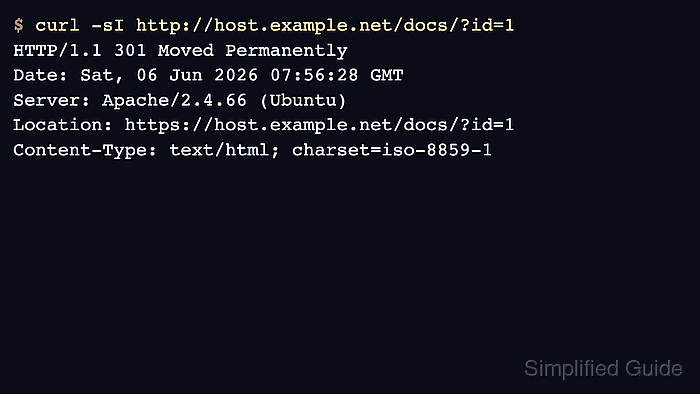
$ curl -sI http://host.example.net/docs/?id=1
HTTP/1.1 301 Moved Permanently
Date: Sat, 06 Jun 2026 07:56:28 GMT
Server: Apache/2.4.66 (Ubuntu)
Location: https://host.example.net/docs/?id=1
Content-Type: text/html; charset=iso-8859-1

$ curl -sI https://host.example.net/docs/?id=1
HTTP/1.1 200 OK
Date: Sat, 06 Jun 2026 07:56:28 GMT
Server: Apache/2.4.66 (Ubuntu)
Content-Length: 12
Content-Type: text/html
Repeat the same check for the bare hostname, www hostname, login URL, API health endpoint, and any CDN or load-balancer hostname that clients use.
- Leave HSTS as a separate post-cutover change until the redirect has survived the rollback window.
Enable HSTS only after every affected hostname and subdomain works over HTTPS and the team accepts the browser cache behavior. Related: How to enable HSTS in Apache